
Introduction
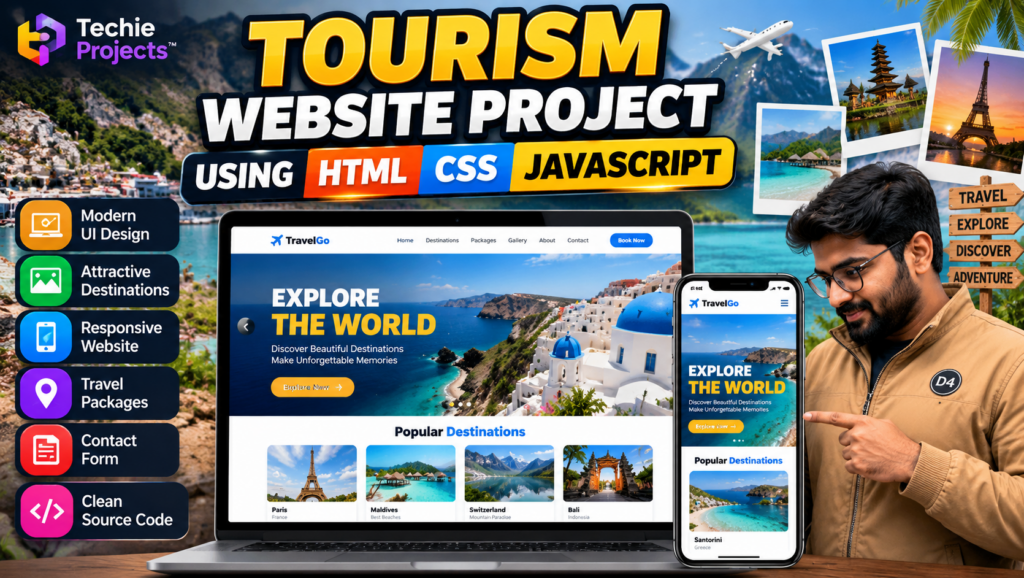
The tourism website project using HTML CSS JavaScript is a front-end web development project designed to present travel destinations, destination images, travel information, and tourism-related content through an attractive website. It is suitable for B.Tech, B.E., BCA, MCA, and computer science students looking for a practical website development project.
This tourism website project using HTML CSS JavaScript demonstrates how HTML structures web pages, CSS styles the layout, and JavaScript adds interactive features. Depending on the implementation, the website may include destination galleries, navigation menus, travel package sections, and contact information.
Techie Projects helps students enquire about project availability, source code, documentation, setup instructions, and customization options for academic requirements.
🎬 Project Demo: Tourism Website Using HTML, CSS and JavaScript
Watch the project demonstration to explore the website interface, travel destination sections, visual layout, and interactive elements included in the implementation.
The demo helps students understand the website’s design and functionality before deciding whether this tourism website project matches their academic requirements.
🎯 Objectives of the Tourism Website Project
The main objectives of this tourism website development project are:
- Create an attractive website for presenting travel destinations.
- Organize destination information in a user-friendly layout.
- Use HTML to structure web pages.
- Apply CSS to style the website and arrange its components.
- Use JavaScript to implement supported interactive features.
- Learn responsive web design principles.
- Develop practical front-end development skills.
🎯 Features of the Tourism Website Project Using HTML CSS JavaScript
The tourism website project using HTML CSS JavaScript can demonstrate destination listings, image galleries, navigation, responsive layouts, and interactive website elements, depending on the features included in the implementation.
1. Attractive Homepage
The homepage introduces the tourism website with a visual layout designed to help visitors explore available destinations and website sections.
2. Travel Destination Gallery
A destination gallery can display travel photographs and information about different locations. The images and destination details depend on the content included in the project.
3. Destination Information
Individual sections or pages can present information about popular destinations, including images, descriptions, and travel highlights.
4. Responsive Website Layout
CSS media queries and flexible layouts can help the website adapt to different screen sizes, provided responsive styling is implemented.
5. Navigation Menu
A navigation menu helps users move between sections such as Home, Destinations, Packages, Gallery, About, and Contact, depending on the available pages.
6. Interactive Website Elements
JavaScript can be used to implement supported interactions, such as image sliders, menu toggles, form validation, and interactive buttons.
7. Travel Package Section
A travel package section can present package information, destination highlights, or sample travel plans if included in the project.
8. Contact Section
A contact section can display enquiry information and provide a way for visitors to get in touch, depending on the implemented functionality.
Note: Confirm the actual website pages and features before advertising booking systems, payment processing, live travel prices, or backend functionality. These require additional implementation if they are not already included.
⚙️ How Does the Tourism Website Project Work?
In the tourism website project using HTML CSS JavaScript, HTML defines the page structure, CSS controls the visual presentation, and JavaScript manages the supported interactive elements.
Step 1: Create the HTML Structure
HTML defines the website’s sections, headings, navigation, images, destination cards, and other page elements.
Step 2: Design the Website Using CSS
CSS controls the layout, colors, typography, spacing, image presentation, and responsive behavior.
Step 3: Add JavaScript Interactions
JavaScript can handle interactive elements such as navigation controls, image sliders, buttons, and client-side form validation.
Step 4: Display Destination Information
The website presents destination images and descriptions through its pages or sections.
Step 5: Test the Website
The website is tested in supported browsers and screen sizes to check navigation, layout, and interactive elements.
This workflow describes a typical front-end tourism website. The actual implementation depends on the supplied source code.
🛠️ Technologies Used
HTML
HTML provides the structure for the homepage, destination sections, navigation menus, images, and other content.
CSS
CSS controls the website’s visual design, including colors, typography, spacing, layouts, and responsive styling.
JavaScript
JavaScript adds interactive behavior to supported website components.
Visual Studio Code
Visual Studio Code or another suitable code editor can be used to edit and manage the project files.
Web Browser
A modern web browser can be used to run and test the website.
The project may use additional libraries or frameworks if they are included in the implementation.
💻 Software Requirements
Typical software requirements include:
- HTML, CSS, and JavaScript project files.
- Visual Studio Code or another code editor.
- Google Chrome, Microsoft Edge, or another modern browser.
- An operating system compatible with the selected tools.
- Additional libraries or dependencies, if required.
A basic front-end website generally does not require a dedicated server for local testing, although deployment requirements depend on the chosen hosting environment.
🖥️ Hardware Requirements
A typical development computer may include:
- Processor: Intel Core i3 or equivalent, or better.
- RAM: 4 GB minimum; 8 GB recommended.
- Storage: Sufficient space for source files and website images.
- Keyboard and mouse.
- Internet connection for downloading resources and publishing the website, if required.
These are general recommendations; actual requirements depend on the project size and development environment.
✅ Advantages of the Tourism Website Project
- Helps students understand front-end web development.
- Demonstrates the use of HTML, CSS, and JavaScript together.
- Provides practical experience with website layouts.
- Introduces destination cards, image galleries, and navigation.
- Offers opportunities to learn responsive design.
- Can be extended with additional website functionality.
- Provides a visual project for academic demonstrations.
📌 Applications of a Tourism Website
A tourism website can be adapted for:
- Travel destination directories.
- Tourism information portals.
- Travel agency websites.
- Holiday package presentation.
- Local tourism promotion.
- Destination photography galleries.
- Academic web development demonstrations.
Booking, payment, customer accounts, and live package management require appropriate additional functionality.
🔮 Future Scope
The tourism website can be enhanced with features such as:
- A destination search and filtering system.
- Interactive maps and destination locations.
- A travel package enquiry form.
- A backend database for destination information.
- User registration and login.
- An administration dashboard.
- Online booking and payment integration.
- A blog section featuring travel guides.
- Multilingual website support.
- Improved accessibility and responsive design.
These features can be considered for future development and should not be presented as already implemented unless they are available in the project.
🎓 Why Choose the Tourism Website Project for Your Final Year?
The Tourism Website Project Using HTML, CSS and JavaScript is a practical choice for students interested in front-end web development.
It provides opportunities to demonstrate webpage structure, visual styling, interactive elements, responsive design, and browser-based testing. Students can also explain the purpose of each technology and discuss potential improvements during their project presentation.
Before selecting the project, confirm that its functionality, documentation, and complexity meet your institution’s requirements.
🛒 Purchase the Tourism Website Project Using HTML CSS JavaScript
Looking for a tourism website project using HTML CSS JavaScript with source code? Contact Techie Projects to confirm source code availability, implemented features, documentation, customization options, and pricing.
📲 Call/WhatsApp: +91-9460060699
🌎 Website: www.techieprojects.com
📺 Instagram: @pythonprojects_
Techie Projects can help you enquire about the available project package and its suitability for your academic requirements.
Before purchasing, ask us to confirm:
- HTML, CSS, and JavaScript source code availability.
- Website pages and implemented features.
- Image assets and other included files.
- Setup and running instructions.
- Project report and documentation availability.
- Customization options.
- Pricing and delivery details.
- Available support arrangements.
The package contents and support options should be confirmed before placing an order.
📲 Get Project Details and Pricing on WhatsApp
Need this tourism website project for your college submission? Contact Techie Projects to discuss your requirements, check project availability, and request pricing.
👉 Enquire About the Tourism Website Project on WhatsApp
🌐 Explore More Engineering Projects
📸 Follow Techie Projects on Instagram
🎓 Recommended Projects
Explore these related project topics on Techie Projects:
- Travel Booking Website Project – Explore website interfaces for presenting travel options and booking information.
- Hotel Booking Website Project – Design a website for displaying hotel information and accommodation options.
- Online Shopping Website Using HTML, CSS and JavaScript – Build a front-end shopping interface.
- Restaurant Website Project – Create a website featuring menus, images, and restaurant information.
- College Website Project Using HTML and CSS – Develop an informative website for an educational institution.
Visit the corresponding project pages to check their technologies, features, and availability.
❓ Frequently Asked Questions
1. What is a Tourism Website Project Using HTML, CSS and JavaScript?
It is a web development project that uses HTML, CSS, and JavaScript to present travel destinations and tourism-related information through a website.
2. Which technologies are used?
HTML provides page structure, CSS handles styling, and JavaScript adds supported interactive features.
3. Is this project suitable for beginners?
A basic front-end tourism website can be suitable for students learning web development. More advanced functionality may require additional skills.
4. Does the website include online booking?
That depends on the implementation. A functional booking system generally requires additional logic and may need backend and database integration.
5. Can I customize the website?
Customization options depend on the available source code and requested changes. Confirm the scope before purchasing.
6. Can I purchase the source code?
Contact Techie Projects to confirm current availability, included files, documentation, and pricing.
7. How can I get the project price?
Use the WhatsApp enquiry link to discuss your requirements and request current pricing.
Conclusion
The tourism website project using HTML CSS JavaScript offers a practical way to explore front-end web development, responsive layouts, and interactive website design.
If you want this project for your final-year submission, contact Techie Projects to confirm source code availability, implemented features, documentation, setup instructions, and pricing.
Start your project enquiry today: Contact Techie Projects on WhatsApp