
Introduction
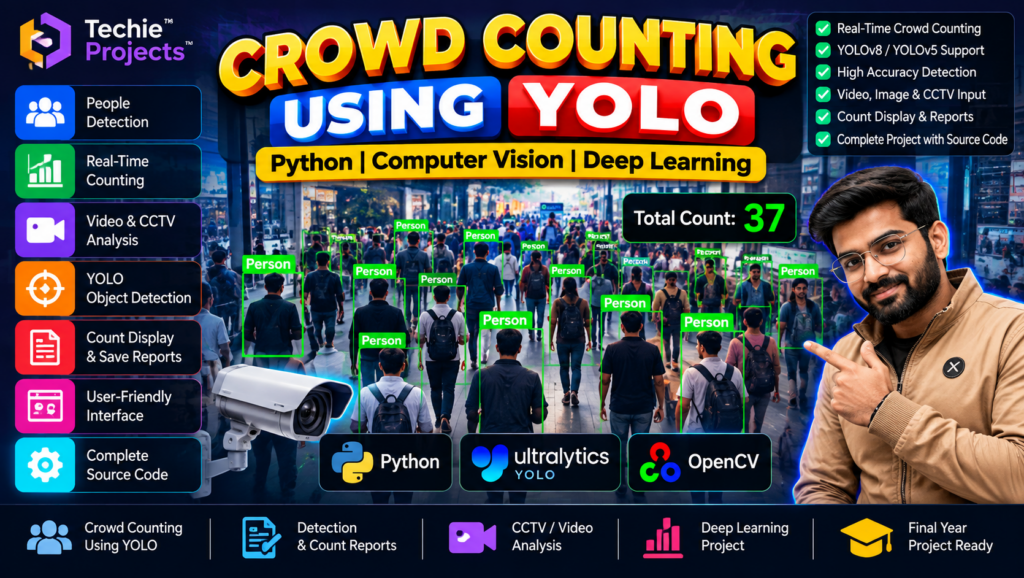
Crowd counting using YOLO is a computer vision project that demonstrates how object detection can be used to identify people in images or video footage and estimate the number of detected individuals. Using Python and a YOLO-based model, the project explores people detection, bounding boxes, video processing, and crowd analysis.
If you are a B.Tech, B.E., BCA, MCA, Computer Science, Artificial Intelligence, or Data Science student looking for a final-year project, this project provides an opportunity to explore practical applications of deep learning and computer vision.
Techie Projects offers engineering project options for students interested in practical implementations. Contact us to confirm the available features, source code, documentation, installation requirements, and pricing.
🎬 Project Demo: Crowd Counting Using YOLO
Watch the Crowd Counting Using YOLO project demonstration to understand how the application detects people and displays counting results.
The demonstration can help you review the interface, input options, and detection workflow. Actual performance depends on the trained model, video quality, crowd density, and implementation.
🎯 What Is Crowd Counting Using YOLO?
YOLO, short for You Only Look Once, is a family of object detection models designed to locate and classify objects in images. When configured to detect people, a YOLO model can identify individual people and return bounding boxes around detected instances.
A crowd counting application can use these detections to calculate an estimated count for a particular image or video frame.
For example, the system may process a video frame, detect people, draw bounding boxes, and display the number of detections. The count represents the people detected by the model, not necessarily every person present in the scene.
✨ Key Features of the Crowd Counting Project
The following features may be available, depending on the supplied implementation.
- People detection: Identify people in supported images or video frames.
- Bounding box visualization: Display boxes around detected individuals.
- Crowd counting: Calculate a count based on detected people.
- Video processing: Analyze recorded video if supported.
- Image input: Process individual images where implemented.
- Detection display: Show model results in the application’s interface.
- Python integration: Use Python to connect video processing and object detection.
- YOLO model integration: Apply a compatible pretrained or custom-trained model.
Confirm whether the current version supports live webcam input, CCTV streams, report generation, or saving results before purchasing.
🎓 Objectives of Crowd Counting Using YOLO
The main objectives of this project are:
- To understand object detection using YOLO.
- To detect people in images or video footage.
- To calculate a count from detected individuals.
- To visualize detection results using bounding boxes.
- To explore video processing with Python.
- To understand the practical workflow of a computer vision application.
⚙️ How Does Crowd Counting Using YOLO Work?
A typical crowd counting system follows these stages.
1. Input Image or Video
The application receives an image or video file. Live camera input may be supported if it is implemented in the project.
2. Load the YOLO Model
The program loads a compatible object detection model with a class for detecting people.
3. Process the Frame
The input frame is prepared for model inference using the preprocessing required by the selected model.
4. Detect People
The YOLO model predicts object locations and class labels. Detection confidence thresholds help determine which predictions are retained.
5. Draw Bounding Boxes
The application displays bounding boxes around the detected people, along with labels or confidence values where supported.
6. Calculate the Count
The application counts the retained person detections for the current image or frame.
7. Display the Results
The processed image or video frame is displayed with the detection results and estimated count.
For video, the count may change from frame to frame. The number of detections should not be interpreted as a unique-person count across an entire video unless tracking and deduplication are implemented.
🧰 Technologies Used
Python
Python is used to implement the application logic and connect the model with image or video processing.
YOLO
YOLO provides object detection capabilities. The specific version and model weights depend on the project implementation.
OpenCV
OpenCV can be used to read video frames, process images, draw bounding boxes, and display the output.
Ultralytics
The Ultralytics package may be used when the project relies on a compatible Ultralytics YOLO model.
The exact libraries, versions, and model weights should be confirmed from the supplied source code.
💻 Software and Hardware Requirements
Software Requirements
- Operating System: Windows or another compatible operating system
- Programming Language: Python
- Computer Vision Library: OpenCV, if used
- YOLO implementation and model weights
- Required Python dependencies
- Code editor such as VS Code or PyCharm
Hardware Requirements
- Laptop or desktop computer
- Compatible processor
- Sufficient RAM and storage for model files
- Compatible GPU if required for the desired processing speed
The actual requirements depend on the YOLO model size, input resolution, and whether inference runs on a CPU or GPU.
🌟 Advantages of Crowd Counting Using YOLO
- Demonstrates practical object detection.
- Combines Python programming with computer vision.
- Visualizes detected people using bounding boxes.
- Provides hands-on experience with image and video processing.
- Introduces confidence thresholds and detection results.
- Can be extended with tracking, analytics, and reporting features.
🏙️ Applications of Crowd Counting
Crowd counting and people detection are studied in several contexts:
- Crowd analysis in public spaces
- People counting in recorded video
- Academic computer vision demonstrations
- Analysis of pedestrian movement
- Retail footfall analysis prototypes
- Event and venue monitoring research
- Video analytics experiments
Real-world deployment requires appropriate camera placement, privacy safeguards, testing, and consideration of crowded or partially obscured scenes.
⚠️ Limitations of Crowd Counting Using YOLO
Students should understand these limitations when evaluating the project:
- People hidden behind other people may not be detected.
- Low-resolution footage can reduce detection quality.
- Lighting and camera angles can affect results.
- Dense crowds may cause missed or overlapping detections.
- False detections can increase the displayed count.
- A frame-level count does not automatically identify unique individuals across multiple frames.
Model performance should be evaluated using suitable test data rather than assuming a particular accuracy level.
🚀 Future Scope
Possible extensions include:
- Add live webcam processing.
- Support recorded video uploads.
- Compare different YOLO model versions.
- Add object tracking to follow individuals across frames.
- Create time-based counting summaries.
- Add charts and visual analytics.
- Develop a dashboard for reviewing results.
- Optimize inference for suitable hardware.
These are potential enhancements and are not guaranteed features of the existing project.
🎓 Why Choose This YOLO Project for Your Final Year?
The Crowd Counting Using YOLO project may be suitable for students interested in Artificial Intelligence, Deep Learning, Computer Vision, and Python development.
It offers an opportunity to explore:
- Object detection and model inference
- Image and video processing
- Bounding box visualization
- People detection and counting
- Python library integration
- Testing and model evaluation
Before selecting the project, confirm that its functionality and complexity match your institution’s requirements.
📦 What Is Included When You Purchase the Project?
The package contents may vary. Contact Techie Projects to confirm whether the current version includes:
- Complete Python source code
- YOLO model weights
- Required Python libraries and installation instructions
- Project documentation or report
- Sample images or video files
- Instructions for running the application
- Setup or technical support options
Confirm the exact deliverables and pricing before placing an order.
📲 Purchase Crowd Counting Using YOLO from Techie Projects
Looking for a crowd counting using YOLO project for your final-year submission? Contact Techie Projects to enquire about the available implementation, pricing, source code, documentation, and setup requirements.
We can help you confirm the current features and determine whether the project matches your academic requirements before purchasing.
Get Project Price and Details on WhatsApp
📲 Call/WhatsApp: +91-9460060699
🌎 Website: www.techieprojects.com
📺 Instagram: @pythonprojects_
Contact us to confirm the current price, model version, source code availability, documentation, and setup requirements before purchasing.
🔗 Explore Related Computer Vision Projects
Explore these related project topics for more ideas in Python, object detection, and machine learning.
- Crowd Monitoring Using Computer Vision
- Real-Time Object Detection Using Python
- People Counting Using Computer Vision
- Car Number Plate Detection Using Python
- Intrusion Detection System Using Machine Learning
Visit Techie Projects to explore available project topics. Link each title to its dedicated article URL when available.
❓ Frequently Asked Questions
1. What is crowd counting using YOLO?
Crowd counting using YOLO applies object detection to identify people in an image or video frame and calculate a count from the detections.
2. Which programming language is used?
Python is commonly used to run the detection model and process images or videos.
3. Can this project count people in a video?
Video counting is possible if the implementation supports video input. Confirm the available input options before purchasing.
4. Does the project support live CCTV?
CCTV support depends on whether the supplied version can connect to the relevant camera stream. Do not assume this feature is included without confirmation.
5. Is the project suitable for final-year engineering students?
It may be suitable for Computer Science, Information Technology, Artificial Intelligence, and related engineering students, depending on their academic requirements.
6. Does the project include source code?
Contact Techie Projects to confirm source code availability, model files, documentation, and installation instructions.
7. How can I purchase the project?
You can contact Techie Projects on WhatsApp to enquire about pricing and availability.
📝 Conclusion
Crowd counting using YOLO is a practical computer vision project that demonstrates how Python and object detection can be used to detect people and estimate their number in images or video frames.
It can help students learn about YOLO, image processing, detection visualization, and model evaluation while exploring a real-world computer vision problem.
If you want to purchase this project for learning or academic purposes, contact Techie Projects to confirm the available implementation, deliverables, and price.
👉 Contact Techie Projects on WhatsApp to get started.