
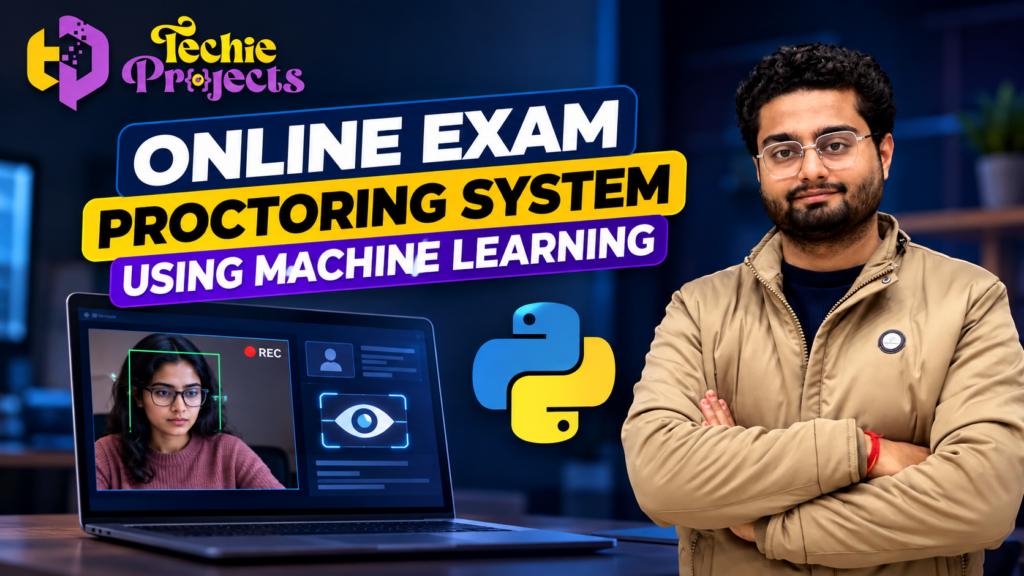
🚀 Looking for an Online Exam Proctoring System Using Machine Learning for your B.Tech, BCA, MCA, or Computer Science final-year project? Choose a practical AI-based project that demonstrates Python programming, webcam-based monitoring concepts, machine learning integration, and software development in one application.
If you are running short on project preparation time or want a structured starting point for your academic work, Techie Projects can help you explore the available project package and its deliverables before you purchase. Enquire about source code, installation instructions, project documentation, code explanation, and demonstration options to determine whether the package matches your college requirements.
The Online Exam Proctoring System Using Machine Learning is a relevant project topic for students interested in artificial intelligence, computer vision, and online examination technology. It can help you understand how software may support examination monitoring and how different components work together in a Python application.
Before placing an order, confirm the actual features, technology stack, supported Python version, documentation, price, and technical support available for the specific package.
🎬 Project Demo – Online Exam Proctoring System Using Machine Learning
Watch the project demonstration to understand the interface and the intended online examination monitoring workflow.
The demo can help you evaluate the project before purchasing. Check which functions are implemented in the available version, and contact Techie Projects if you need clarification about the source code, installation process, or included modules.
💡 What Is an Online Exam Proctoring System Using Machine Learning?
An Online Exam Proctoring System Using Machine Learning is a software application designed to support online examination supervision through digital tools. Depending on its implementation, the system may use a webcam, image processing, computer vision, or machine learning techniques to analyse selected visual information during an examination.
Traditional online examination applications mainly focus on displaying questions, collecting answers, and calculating marks. A proctoring application adds monitoring-related functionality to the examination workflow.
For example, a system might display a webcam feed, detect whether a face is visible, or identify selected visual events. More advanced functions depend on the models, datasets, algorithms, and rules used in the implementation.
For engineering students, this project provides an opportunity to study Python programming, image processing, model integration, user interfaces, and application testing.
Important: Machine learning predictions are not proof of academic misconduct. Any real examination deployment requires appropriate privacy safeguards, human review, testing, and institutional approval.
🎯 Objectives of the Project
The main objectives of an Online Exam Proctoring System Using Machine Learning may include:
- 🎓 Exploring technology-assisted online examination monitoring.
- 🐍 Applying Python programming to a practical application.
- 📷 Understanding webcam input and image processing.
- 🤖 Studying how machine learning or computer vision models can be integrated.
- 🖥️ Developing or exploring a user-friendly application interface.
- 📊 Displaying monitoring information when supported by the implementation.
- 🔍 Testing system behaviour under different conditions.
- 📚 Learning how to document the design, limitations, and workflow of a software project.
The precise objectives should reflect the features actually implemented in the version you choose.
⚙️ Key Features of an Online Exam Proctoring System Using Machine Learning
The following features are common possibilities to look for when evaluating this project. Not every feature is necessarily included in every package.
📷 1. Webcam-Based Monitoring
The application may use a webcam to display a live video feed during an examination. This allows students to explore video capture and image-processing concepts in Python.
The actual monitoring capability depends on the camera integration and software implementation.
👤 2. Face Detection
A computer vision component may detect a face in a video frame. Face detection identifies the presence and approximate location of a face; it does not automatically establish a person’s identity or prove suspicious behaviour.
Ask whether face detection is implemented in the available version and which library or model it uses.
🤖 3. Machine Learning Integration
The project may demonstrate how a trained model or computer vision algorithm processes input data and produces an output. Students can study model integration, inference, and the relationship between input images and system results.
The specific algorithm and model should be confirmed before purchasing.
🚨 4. Monitoring Alerts
Some implementations may display a message when a configured condition is detected. Examples could include a missing face in the camera frame or another event defined by the developer.
Alerts should be treated as indicators for review, not definitive evidence of cheating. Confirm which alerts, if any, are included in the package.
🖥️ 5. User Interface
A graphical or web-based interface can make the project easier to demonstrate. Depending on the implementation, the interface may display the camera feed, monitoring status, controls, or messages.
A clear interface can also help students explain the project during a technical presentation.
📋 6. Monitoring Records
A project may include a facility to display or store selected event records. If this functionality is required, ask whether it is available and how the records are stored.
Sensitive video or examination data should be handled carefully, with appropriate access controls and retention practices.
🧰 Technologies Used in the Project
An Online Exam Proctoring System Using Machine Learning may use several technologies, depending on its architecture.
- Python: Core programming language for application logic.
- OpenCV: A library commonly used for image processing and video capture.
- Machine learning or computer vision models: Used when the implementation includes model-based analysis.
- NumPy: Useful for numerical operations and array processing.
- Flask, Streamlit, or another framework: May be used to create an application interface.
- HTML, CSS, and JavaScript: May be used in a web-based implementation.
- Visual Studio Code or PyCharm: Development environments that can support Python projects.
These are possible technology choices, not a guarantee that all are included in the project package. Contact Techie Projects to confirm the actual dependencies and setup requirements.
🔄 How Does the System Work?
A typical workflow for an Online Exam Proctoring System Using Machine Learning can be explained through the following steps.
- Application launch: The user starts the application in the configured environment.
- Camera access: If supported, the system requests access to a webcam.
- Video capture: The application receives video frames from the camera.
- Image processing: Frames may be resized, converted, or prepared for analysis.
- Model or rule processing: The application analyses the input using its configured algorithm.
- Output display: The interface displays the result or monitoring status.
- Testing and review: The developer checks whether the output behaves as expected and documents limitations.
The workflow varies according to the actual code. Some versions may implement only a subset of these steps.
🧩 Main Modules of the Project
| Module | Purpose |
|---|---|
| Video Capture | Receives webcam input, if supported |
| Image Processing | Prepares frames for analysis |
| Detection or Analysis | Applies the configured algorithm or model |
| User Interface | Displays video and system output |
| Alert Handling | Displays configured monitoring messages |
| Configuration | Manages application settings |
| Testing | Helps verify expected behaviour |
Use this table as a general project outline. Confirm the included modules before purchasing or describing the project in your college report.
🎓 Who Can Choose This Project?
The Online Exam Proctoring System Using Machine Learning may be suitable for:
- 🎓 B.Tech Computer Science and Engineering students.
- 💻 BCA and MCA students.
- 🤖 Students interested in artificial intelligence.
- 📷 Learners exploring computer vision and image processing.
- 🐍 Python developers who want to study an application-based project.
- 📚 Students preparing a software demonstration or academic project.
The project scope should match your course level and department requirements. If your college requires original implementation, make sure you follow its rules regarding external code, project resources, and disclosure.
📚 What Will You Learn from This Project?
🐍 Python Programming
Explore how Python functions, conditions, loops, modules, and error handling can be used to build an application.
📷 Computer Vision
Understand how video frames are captured and processed. If the implementation includes OpenCV, you can study common image-processing operations.
🤖 Machine Learning Concepts
Learn how a model can receive input and generate predictions when a suitable model is integrated. You can also explore why model performance depends on the training data, evaluation method, and operating conditions.
🧪 Testing and Debugging
Test the application under different lighting conditions, camera positions, and input scenarios. Document any errors and limitations you discover.
📄 Project Documentation
Practise explaining the problem statement, objectives, system architecture, workflow, dependencies, testing process, and limitations.
These skills can support academic learning and help you develop a stronger understanding of software projects.
💼 Why Purchase from Techie Projects?
Selecting a project package can provide a structured starting point, but the right choice depends on your requirements. Techie Projects helps students enquire about software and engineering project options.
Before purchasing an Online Exam Proctoring System Using Machine Learning, confirm the following details:
- 💻 Source code: Is the complete code included, and what files are supplied?
- 📄 Documentation: Is a project report, system diagram, or installation guide included?
- ⚙️ Installation: Which Python version, libraries, operating system, and hardware are supported?
- 🎬 Demonstration: Is a video or live walkthrough available?
- 🧑🏫 Code explanation: Is technical explanation included, or is it a separate service?
- 🔧 Technical support: What support is available, and are there any additional charges?
- 💰 Pricing: What is the current price, and what are the payment terms?
- 📦 Deliverables: Are all required files and features included in the selected package?
Make an informed purchase: Share your course, submission deadline, required features, and documentation requirements with Techie Projects. Confirm the package details before making payment.
📲 Contact Techie Projects
- 📲 Call/WhatsApp: +91-9460060699
- 🌎 Website: www.techieprojects.com
- 📺 Instagram: @pythonprojects_
🚀 Possible Future Enhancements
Students can explore additional improvements depending on their skills and project scope.
- 📱 Responsive interface for different screen sizes.
- 📊 Dashboard for reviewing monitoring events.
- 🧠 Evaluation of different computer vision approaches.
- 🔐 Improved authentication and access control.
- 🗂️ Secure management of event records.
- ⚙️ Configuration options for monitoring rules.
- 🧪 Testing under different lighting and camera conditions.
- ☁️ Deployment to a suitable server environment, if required.
These are potential extensions, not features guaranteed to be included in the current project package.
🎓 Explore Related Projects
If you are comparing topics before making a decision, explore these related ideas through Techie Projects:
- AI-Based Attendance System
- Face Detection Using Python
- Student Management System
- Online Examination Portal
- Fake News Detection Using Machine Learning
- Object Detection Using Python
- Intrusion Detection System
Choose a project that matches your interests, academic guidelines, and available development time.
❓ Frequently Asked Questions
1. What is an Online Exam Proctoring System Using Machine Learning?
It is a software project that explores the use of computer vision or machine learning techniques in online examination monitoring. The actual functions depend on the implementation.
2. Is this project suitable for final-year students?
It may be suitable for computer science and related courses when the scope meets the institution’s requirements. Confirm your department’s expectations before selecting it.
3. Which programming language is used?
Python is the primary language in a Python-based implementation. Additional libraries and frameworks depend on the project design.
4. Is the source code included?
Source-code availability depends on the package offered. Contact Techie Projects to confirm the exact files and deliverables before purchasing.
5. Does the project include face detection?
That depends on the available version. Ask which detection functions are implemented and whether they have been tested.
6. Can beginners work with this project?
Students with basic Python knowledge can use it as a learning opportunity, although understanding computer vision and model integration may require additional study.
7. How can I purchase the project?
Visit https://techieprojects.com/ or contact Techie Projects through https://wa.me/919460060699. Share your course, deadline, and required features, then confirm the price and package details before ordering.
📩 Get Started with Your Machine Learning Project
Ready to explore an Online Exam Proctoring System Using Machine Learning for your academic project? Contact Techie Projects to discuss your requirements and check the available package.
Tell us what you need, including source code, documentation, installation guidance, demonstration material, or a code walkthrough. We will help you enquire about the available options so you can decide whether the project suits your goals.
✅ Discuss the available package.
✅ Confirm features and deliverables before purchase.
✅ Check installation requirements and support terms.
✅ Select a project that fits your learning objectives.
- 📲 Call/WhatsApp: +91-9460060699
- 🌎 Website: www.techieprojects.com
- 📺 Instagram: @pythonprojects_
Contact Techie Projects today and take the next step towards your Python and machine learning project.
Academic and privacy note: Use project materials according to your institution’s rules. Understand the implementation before presenting it. Any real-world exam monitoring should follow applicable privacy requirements and use human review rather than treating automated alerts as conclusive evidence of misconduct.