
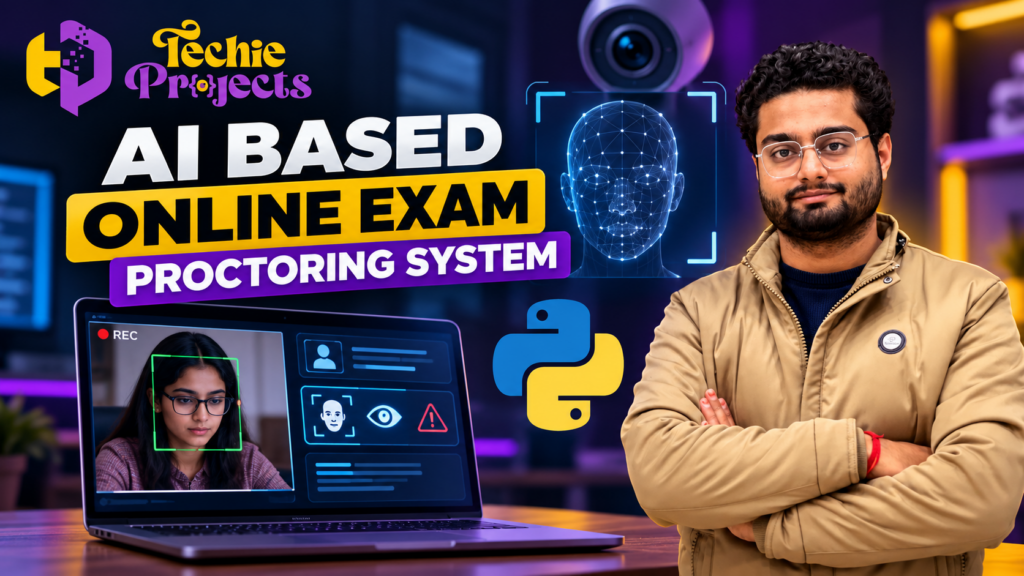
Are you looking for an AI Based Online Exam Proctoring System project for your final-year engineering submission? 🎓 Want a practical Python project that demonstrates artificial intelligence, computer vision, and online examination monitoring in one application?
Techie Projects helps engineering students explore practical software projects for academic learning, demonstrations, and project development. The AI Based Online Exam Proctoring System is an interesting choice for Computer Science Engineering (CSE), Artificial Intelligence, Data Science, and related branches because it combines examination workflows with intelligent monitoring concepts.
Instead of spending weeks searching for a suitable project topic, comparing technologies, and planning the implementation from scratch, you can contact Techie Projects to discuss the available project package, source code, documentation, installation requirements, and guidance options.
🚀 Interested in getting this project? Contact us to confirm the current deliverables, compatibility, pricing, and available support before placing your order.
🎬 Project Demo
Watch the project demonstration to understand the interface, workflow, and intended functionality of the AI Based Online Exam Proctoring System. A demo can help you decide whether the project aligns with your academic requirements and presentation goals.
🤖 What Is an AI Based Online Exam Proctoring System?
An AI Based Online Exam Proctoring System is a software application designed to support the monitoring of online examinations. Depending on its implementation, it may use a webcam, computer vision techniques, face detection, and other monitoring components to identify events that require attention during an examination.
Traditional online examination systems mainly focus on presenting questions, collecting answers, and calculating results. An AI-assisted proctoring application can extend this workflow by incorporating visual monitoring and configurable alerts.
For example, a prototype may detect whether a face is visible in a camera frame or identify when a person appears to move outside a defined monitoring area. More advanced implementations may include additional monitoring rules.
It is important to understand that AI-generated alerts are not proof of cheating. Camera conditions, lighting, accessibility needs, and normal student behaviour can affect detection. The system should therefore be treated as an educational prototype unless it has undergone appropriate testing and validation.
🎯 Objectives of the Project
The main objective of this project is to demonstrate how Python and AI-related technologies can be applied to online examination monitoring.
Key objectives include:
- 📷 Exploring webcam-based monitoring.
- 🧠 Understanding face detection and computer vision concepts.
- 💻 Building a software workflow for an online examination environment.
- 🔔 Demonstrating configurable alerts or monitoring events where implemented.
- 📊 Exploring how monitoring information may be presented to an administrator.
- 🎓 Developing practical skills in Python application development.
- 📝 Preparing technical documentation and a project demonstration.
The exact capabilities depend on the version of the project you select. Confirm the included modules with Techie Projects before purchasing.
⚙️ How Does the System Work?
The general workflow of an AI Based Online Exam Proctoring System can be divided into several stages.
1. Student Login and Examination Setup
The application may provide a login page or examination interface through which a student enters the required details. The examination workflow can include instructions, questions, a timer, and answer submission, depending on the implementation.
2. Webcam Access
If webcam monitoring is included, the application requests camera access and receives video frames. The camera should be used transparently, with appropriate notice and consent.
3. Image Processing
The system processes selected video frames using computer vision techniques. This may involve resizing frames, converting colour spaces, or preparing images for a detection algorithm.
4. Face Detection and Monitoring
A configured model or computer vision method can identify a face or other defined visual conditions. Depending on the implementation, the application may display a status message or record a monitoring event.
Face detection alone does not establish whether a student is cheating. Any interpretation of monitoring events requires context and careful evaluation.
5. Alerts and Event Records
Some implementations may display alerts when configured conditions occur. If event logging is provided, the application can record relevant information for later review. The available alerts and records should be confirmed before ordering.
6. Examination Completion
The examination workflow may conclude with answer submission, a completion message, or a results page. These features depend on the selected version.
🛠️ Technologies Used
An AI Based Online Exam Proctoring System can demonstrate several technologies commonly used in Python projects.
Python: The primary programming language for application logic, processing, and integration.
OpenCV: A computer vision library that can be used for webcam input and image processing.
Machine Learning: Relevant models can support specific detection tasks when included in the implementation.
NumPy: Useful for numerical operations and working with image arrays.
Flask or Streamlit: These frameworks may be used to build a web interface, depending on the project architecture.
HTML and CSS: May be used to develop the user interface for a web-based implementation.
Database technology: A database may be included if the application stores student records, examination information, or monitoring events.
Not every version uses all these technologies. Contact Techie Projects for the actual technology stack and software requirements of the package you intend to purchase.
✨ Key Features to Look For
When evaluating an AI Based Online Exam Proctoring System, check whether it includes the features you need.
👤 Student Interface
A student-facing interface can provide access to the examination workflow, instructions, and submission process.
📹 Camera Monitoring
Webcam input may be used to demonstrate visual monitoring, subject to browser or operating-system permissions.
🧠 AI or Computer Vision Integration
The project may integrate a detection model to identify selected visual conditions. Confirm which model is used and what it can reliably detect.
🔔 Monitoring Alerts
An application may display alerts when configured events are detected. Ask whether these alerts are implemented and how they are triggered.
🖥️ Administrator Interface
Some versions may provide an administrator view for examination management, records, or monitoring information.
📋 Documentation and Installation
Clear setup instructions and technical documentation can make the project easier to install, understand, demonstrate, and maintain.
Purchase tip: Do not assume every feature is included because it appears in a general project description. Request confirmation of the actual modules, deliverables, and demonstration before paying.
🎓 Why Choose This Project for Your Final Year?
The AI Based Online Exam Proctoring System is relevant to students who want to explore practical applications of Python, artificial intelligence, and computer vision.
Practical Learning
The project can help you understand how input data, image processing, application logic, and a user interface work together.
Technical Demonstration
A working prototype can provide a clear subject for a project presentation, depending on its completeness and your institution’s requirements.
Scope for Improvement
You can investigate possible enhancements such as better face detection, configurable monitoring rules, improved interface design, or more structured event reporting.
Interview Preparation
Understanding the project architecture, technology choices, limitations, and testing process can give you useful technical topics to discuss in interviews.
Customisation Opportunities
Depending on the project package and your own development work, you may be able to modify the interface, add features, or adapt the application to your academic requirements.
📦 What Should You Confirm Before Purchasing?
Before buying an AI Based Online Exam Proctoring System from any provider, ask for a clear list of deliverables.
- Source code: Confirm the programming language, included files, and whether the code is editable.
- Installation guide: Check whether setup instructions and dependency details are supplied.
- Documentation: Confirm whether the report, diagrams, and technical explanation are included.
- Demonstration: Request a video or live demonstration of the actual implementation.
- System requirements: Check the supported operating system, Python version, libraries, and hardware.
- Support: Ask whether installation assistance, code explanation, or troubleshooting is available and whether it costs extra.
- Customisation: Confirm whether changes are possible and agree on the scope and price in advance.
Techie Projects can clarify the available package and its deliverables before you decide to order.
💼 Who Can Use This Project?
This project may be suitable for:
- 🎓 B.Tech and B.E. Computer Science students.
- 🤖 Artificial Intelligence and Machine Learning students.
- 📊 Data Science students exploring computer vision applications.
- 💻 Students learning Python application development.
- 🧪 Learners interested in academic prototypes involving online examination workflows.
Your college may have specific requirements concerning project originality, implementation, documentation, and demonstrations. Review those rules before selecting a package, and make sure you understand and can explain the work you submit.
🚀 Possible Future Enhancements
Students can explore several improvements as part of their learning and development work:
- Improved face detection: Evaluate detection under different lighting and camera conditions.
- Configurable monitoring rules: Allow administrators to choose which events should be recorded.
- Better event reporting: Present monitoring events in a clear and understandable format.
- Responsive user interface: Improve usability across desktop and laptop screens.
- Secure data handling: Minimise collected data and apply appropriate access controls and retention policies.
- Model evaluation: Test false positives, missed detections, and performance across varied conditions.
- Accessibility improvements: Design the workflow to account for different student needs and circumstances.
These enhancements can help turn a basic prototype into a more thoughtful learning exercise.
❓ Frequently Asked Questions
1. What is an AI Based Online Exam Proctoring System?
It is an application that can combine online examination workflows with AI or computer vision-based monitoring features, depending on its implementation.
2. Which programming language is used?
Python is a common choice for this type of project. The exact libraries and frameworks depend on the selected version.
3. Is the project suitable for final-year engineering students?
It can be a suitable topic for CSE, AI, ML, and related branches, subject to your college’s project guidelines and the actual implementation.
4. Does the project include source code?
Source code availability depends on the package. Contact Techie Projects to confirm whether editable code is included before purchasing.
5. Can I install the project on my laptop?
That depends on the project’s software dependencies, operating system compatibility, and hardware requirements. Confirm these details before ordering.
6. Does the system automatically prove cheating?
No. An AI-generated alert is not proof of misconduct. Detection can produce false positives, and monitoring results require context and appropriate human review.
7. Can I customise the project?
Customisation depends on the source code, architecture, and scope of the package. Discuss your required changes with the provider before purchase.
8. How can I purchase this project?
Visit the Techie Projects website or contact the team on WhatsApp to ask about pricing, deliverables, installation, documentation, and support.
🎓 Explore Related Projects
If you are comparing topics for your final-year submission, you can also explore related areas:
- AI Exam Proctoring System
- Face Recognition Attendance System
- Emotion Detection Using Machine Learning
- Fake News Detection Using Python
- Intrusion Detection System
- Real-Time Object Detection Using Python
- Campus Placement Prediction Using Machine Learning
- Deepfake Detection using Machine Learning
Choose a project based on your interests, available time, technical background, and college requirements.
🛒 Get Your AI Based Online Exam Proctoring System Project
Ready to explore this project for your academic work? 🚀 Contact Techie Projects to discuss the available AI Based Online Exam Proctoring System package and confirm the source code, documentation, installation requirements, demonstration, pricing, and support options.
Do not order based on a feature list alone. Confirm what is included, ask your questions, and select the package that matches your requirements and budget.
- 📲 Call/WhatsApp: +91-9460060699
- 🌎 Website: www.techieprojects.com
- 📺 Instagram: @pythonprojects_
Techie Projects — Explore practical engineering projects and build your technical understanding.
Academic note: Use the project in accordance with your institution’s rules. Understand the implementation, validate its behaviour, and disclose the assistance or materials you use where required.