
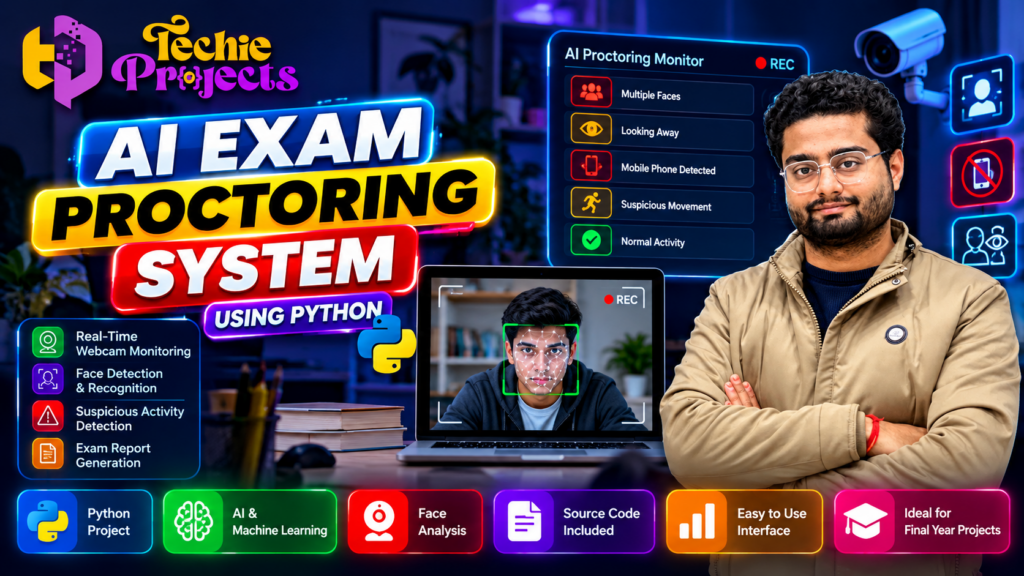
🎓 Looking for a practical AI project for your final-year submission? The AI Exam Proctoring System Using Python is an interesting project idea for engineering students who want to explore artificial intelligence, computer vision, webcam-based monitoring, and automated activity analysis in one application.
Instead of spending days trying to plan a project from scratch, you can explore a ready-made project option from Techie Projects and focus on understanding its workflow, testing the application, preparing your demonstration, and explaining the technical concepts. Whether you are a B.Tech, BCA, MCA, or computer science student, this project can help you explore how AI-based monitoring systems are designed.
🚀 Want to get started? Contact Techie Projects to confirm the available source code, project documentation, installation instructions, demonstration, and support options before purchasing.
🎬 Project Demo
Watch the project demonstration to understand the intended workflow, interface, and key concepts of the AI Exam Proctoring System Using Python.
The demonstration can help you decide whether this project matches your academic requirements. Review the visible features and contact Techie Projects if you need clarification about the implementation or deliverables.
🤖 What Is an AI Exam Proctoring System Using Python?
An AI Exam Proctoring System Using Python is an application concept designed to assist with monitoring online examinations through a webcam and computer vision techniques. Depending on its implementation, the system may analyze camera frames, detect faces, identify certain unusual visual conditions, and record events for later review.
Traditional online examinations may require a human invigilator to observe students throughout a test. AI-assisted monitoring can help automate selected tasks, potentially making it easier to review examination sessions. However, automated alerts are not proof of misconduct and should be checked by a human reviewer.
Python is suitable for this type of project because it supports a broad range of libraries for image processing, machine learning, application development, and data handling.
🎯 Objectives of the Project
The primary objective of an AI Exam Proctoring System Using Python is to demonstrate how computer vision and intelligent monitoring concepts can be combined in an educational application.
Key objectives may include:
- 📷 Exploring webcam-based monitoring.
- 👤 Understanding face detection and face-related analysis.
- 🧠 Learning how AI and computer vision can support examination workflows.
- 🚨 Identifying selected visual events for further review.
- 📊 Organizing monitoring results or session records.
- 💻 Developing practical Python programming skills.
- 🎓 Preparing a technical demonstration for an academic project.
The exact features depend on the selected project implementation. Confirm the available modules before placing your order.
⚙️ Technologies Used in an AI Exam Proctoring System Using Python
A project of this type can use several technologies. The actual technology stack should be verified against the version offered by the provider.
1. Python
Python is the main programming language. Its readable syntax makes it useful for developing prototypes and connecting different computer vision components.
2. OpenCV
OpenCV is a computer vision library that can capture webcam frames, process images, and support face or object detection workflows when the appropriate models are integrated.
3. Machine Learning and AI
Machine learning techniques can be used for specific classification or detection tasks, depending on the project design. Not every proctoring project uses a trained machine learning model, so check the actual implementation.
4. Webcam and Image Processing
The webcam provides video input. Image-processing methods can prepare frames for analysis and display selected information to the user.
5. User Interface
Depending on the implementation, the application may use a desktop interface or a web-based interface to display the camera feed, controls, alerts, or session information.
🔍 How Does the System Work?
The workflow of an AI Exam Proctoring System Using Python may include the following stages.
Step 1: Start the Application
The user launches the application and grants the required webcam permissions. The system may display an initial screen or monitoring interface.
Step 2: Capture Webcam Frames
The webcam supplies video frames for processing. The application can process frames continuously or at selected intervals, depending on its design.
Step 3: Analyze Visual Information
The application processes the captured frames using its configured computer vision or AI components. Possible tasks include face detection and checking for specific visual conditions.
Step 4: Generate Alerts
When the implemented detection rules identify a configured event, the system may display an alert or record the event. Alerts should be treated as signals for review rather than definitive evidence of cheating.
Step 5: Display or Store Results
Depending on the available features, the application may show monitoring information, record selected events, or generate a summary for review.
Step 6: Test and Evaluate
Students can test the application with appropriate sample scenarios, document its limitations, and explain the results during their academic presentation.
✨ Key Features to Explore
The features of an AI Exam Proctoring System Using Python depend on the actual code and included models. Potential features include:
- 📷 Webcam monitoring: Captures video input for the monitoring interface.
- 👤 Face detection: Detects visible faces when the required detection component is implemented.
- 🖥️ Live video display: Shows the webcam feed within the application.
- 🚨 Event alerts: Displays configured notifications for selected detected conditions.
- 📋 Session information: Presents available monitoring details or event records.
- 🧪 Testing workflow: Allows students to evaluate the application under controlled conditions.
- 📚 Learning opportunities: Demonstrates how Python and computer vision components can work together.
Do not assume that every listed feature is included in every project package. Ask Techie Projects to confirm the current version and exact deliverables before purchasing.
🎓 Why Choose This Project for Your Final Year?
An AI Exam Proctoring System Using Python can be a useful academic project for students interested in AI, computer vision, and software development.
Practical technical learning
Students can explore how camera input, image processing, application logic, and event handling fit together in a software system.
Demonstration and presentation
A working application can provide a visual demonstration of the implemented functionality. Students can explain the architecture, workflow, limitations, and test results during a project review.
Opportunities for improvement
The project can be extended, where technically appropriate, with better user interfaces, event summaries, configurable detection rules, or additional testing features.
Relevant computing concepts
The project connects programming, image processing, AI concepts, software testing, and interface development in one practical topic.
Remember that purchasing a project does not replace understanding it. Review your institution’s academic rules, learn the implementation, and follow the requirements for disclosure and individual work.
🧩 Project Modules and Documentation
A well-documented project should make its structure and functionality understandable. Depending on the package, useful modules or documentation sections may include:
| Module | Purpose |
|---|---|
| Camera input | Receives webcam frames |
| Image processing | Prepares frames for analysis |
| Detection component | Runs the implemented detection logic |
| Alert handling | Displays or records configured events |
| User interface | Shows controls and monitoring output |
| Testing and evaluation | Documents tests, observations, and limitations |
Before ordering, ask whether the package includes the Python source code, dependency list, setup instructions, project report, diagrams, presentation materials, and a demonstration. These items are not guaranteed unless explicitly confirmed.
💻 Software and Hardware Requirements
Requirements vary according to the project’s libraries and implementation. A typical Python computer vision project may require:
- A Windows, Linux, or other supported operating system.
- A compatible Python version.
- A webcam for live camera input.
- Sufficient RAM and storage for the selected dependencies.
- Required Python packages, such as OpenCV, if used by the project.
- Internet access for downloading dependencies during setup, if needed.
Check the actual project documentation for supported versions and installation steps. Some AI models may require additional system resources or configuration.
🛒 Purchase the AI Exam Proctoring System Using Python from Techie Projects
If you want to explore this project for your academic work, Techie Projects can help you enquire about the available project package and its deliverables.
Before purchasing, share your course, semester, submission deadline, and any specific requirements from your college. This helps you check whether the project is appropriate for your needs.
What to confirm before ordering
- Whether the source code is included.
- Which features are implemented and tested.
- Whether installation instructions are provided.
- Whether a project report or documentation is included.
- Which Python version and dependencies are required.
- What technical guidance or support is available.
- The current price, delivery method, and expected delivery time.
Ready to enquire?
📲 Call/WhatsApp: +91-9460060699
🌎 Website: www.techieprojects.com
📺 Instagram: @pythonprojects_
Send a message with the project name “AI Exam Proctoring System Using Python” to request the latest package details and pricing. Confirm the deliverables and terms before making payment.
🔮 Future Enhancements
Students can explore possible improvements to an AI Exam Proctoring System Using Python, depending on their skills and project scope.
- Improve the usability and accessibility of the monitoring interface.
- Add clearer session summaries and event timestamps.
- Evaluate detection performance under different lighting conditions.
- Test the system with different camera positions and video quality.
- Improve error handling and installation documentation.
- Add privacy-conscious data retention and deletion controls.
- Evaluate false positives and explain the limitations of automated alerts.
Any additional feature requires suitable implementation and testing; it should not be presented as available until it has been verified.
❓ Frequently Asked Questions
1. What is an AI Exam Proctoring System Using Python?
It is a software project concept that uses Python and, depending on its implementation, computer vision or AI techniques to support selected online examination monitoring tasks.
2. Is this project suitable for final-year engineering students?
It may be suitable for students interested in Python, artificial intelligence, and computer vision. Check your college’s project criteria and confirm the implementation scope before purchasing.
3. Is source code included?
The available deliverables depend on the package. Contact Techie Projects to confirm whether source code is included in the current offer.
4. Can beginners work on this project?
Students with basic Python knowledge can begin by studying the program structure and running the application using its instructions. Understanding computer vision concepts may require additional learning.
5. Does the system detect every form of cheating?
No. Automated monitoring has limitations and can produce false alerts or miss events. Its output should not be treated as definitive evidence of misconduct.
6. How can I purchase the project?
Visit https://techieprojects.com/ or contact Techie Projects on WhatsApp at https://wa.me/919460060699. Ask for the current price, deliverables, compatibility, and support terms.
7. Can I customize the project?
Customization depends on the code, project scope, and your technical requirements. Discuss the changes you need with Techie Projects before ordering.
🎓 Explore Related Projects
If you are exploring more student project ideas, you can also consider related topics such as:
- Face Recognition Attendance System
- Student Performance Prediction Using Machine Learning
- Intrusion Detection System
- Smart Classroom Monitoring System
- Real-Time Object Detection Using Python
- Online Examination Management System
Explore additional project ideas on the Techie Projects website and compare them with your course requirements.
🚀 Get Started with Your Project Today
A well-chosen project can give you a practical way to explore programming concepts and prepare for your academic demonstration. The AI Exam Proctoring System Using Python offers an opportunity to study webcam input, computer vision, event handling, and AI-assisted monitoring in an educational setting.
If this topic matches your interests, contact Techie Projects to review the available version, verify the included materials, and request current pricing before purchasing.
📲 Call/WhatsApp: +91-9460060699
🌎 Website: www.techieprojects.com
📺 Instagram: @pythonprojects_
Academic note: Use the project in accordance with your institution’s rules. Understand the code, acknowledge external assistance as required, and explain the system’s limitations, including privacy considerations and the possibility of inaccurate alerts.