
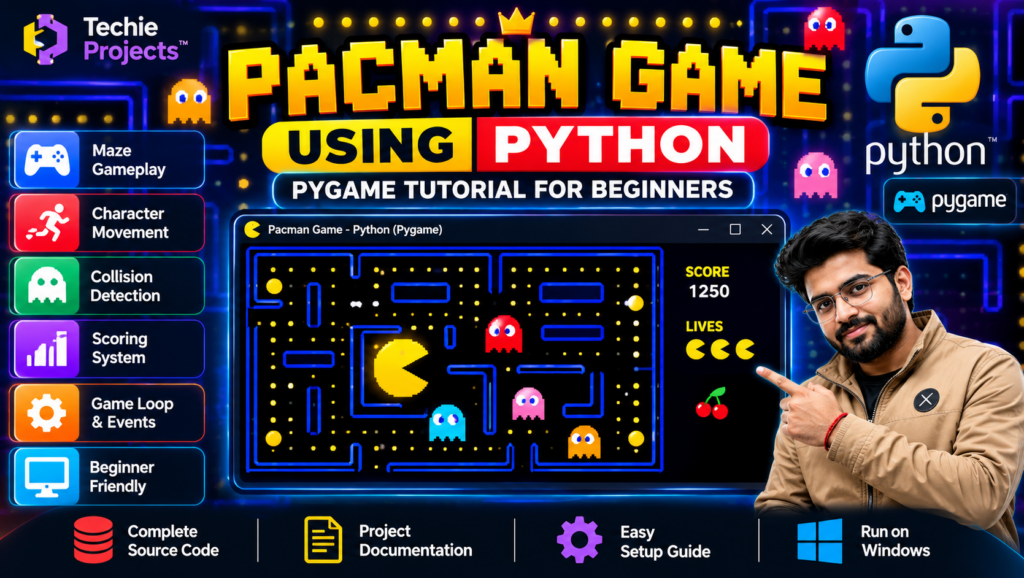
Pacman Game Using Python | Pygame Tutorial for Beginners
Pacman game using Python is a game development project that demonstrates how to create an interactive maze game using Python programming and the Pygame library. The project introduces important game development concepts such as character movement, keyboard controls, maze navigation, collision detection, scoring, and game logic, depending on the implemented version.
If you are a B.Tech, B.E., BCA, MCA, Computer Science, or Information Technology student looking for a Python mini project or final-year project, this game can help you explore practical programming concepts through an interactive application.
Techie Projects offers project options for students who want to learn from practical implementations. Contact us to confirm the available features, source code, documentation, and pricing before purchasing.
🎬 Project Demo
Watch the Pacman Game Using Python demonstration to see the game’s interface, maze layout, and gameplay.
The demo helps you understand how Python and Pygame can be used to develop a graphical game. Review the demonstrated version to confirm its controls, gameplay mechanics, and available features.
🎮 About the Pacman Game Using Python Project
The Pacman game is inspired by classic maze-based arcade games. Players navigate a character through a maze while collecting items and avoiding obstacles or enemies, depending on the implementation.
Developing a Pacman-style game in Python provides practical experience with graphics, keyboard events, game loops, movement logic, and collision handling.
Key Features
- Maze-based gameplay: Navigate a character through a game maze.
- Character movement: Control movement using the implemented keyboard controls.
- Game graphics: Display the maze, character, and other game objects.
- Collision detection: Handle interactions between the character and maze boundaries or other objects.
- Scoring system: Track collected items or points if implemented.
- Enemy movement: Include enemy characters if supported by the supplied version.
- Python and Pygame: Use Python programming and Pygame’s graphics and event-handling capabilities.
- Interactive interface: Play through the available game interface.
The exact features depend on the current project implementation. Contact Techie Projects to confirm which functions are included.
🎯 Objectives of the Pacman Game Project
The main objectives of this project are:
- To develop a graphical game using Python.
- To understand the fundamentals of the Pygame library.
- To implement character movement and keyboard controls.
- To explore maze navigation and collision detection.
- To understand game loops, events, and screen updates.
- To improve practical programming and problem-solving skills.
⚙️ How Does the Pacman Game Work?
A typical Pacman-style game follows these steps.
1. Initialize the Game
The program initializes Pygame and creates the game window with the required display settings.
2. Create the Maze
The maze is represented using a suitable layout or data structure. The game uses this layout to determine where the character can move.
3. Handle Keyboard Input
The program processes keyboard events so the player can control the character’s direction.
4. Update Character Movement
The game updates the character’s position while checking the maze boundaries and movement rules.
5. Detect Collisions
The program checks interactions with maze walls, collectibles, and other game objects supported by the implementation.
6. Update the Score
If scoring is implemented, the game updates the player’s score when eligible items are collected.
7. Render the Game
Pygame redraws the character, maze, and other game elements to display the latest game state.
🧰 Technologies Used
Python
Python is the primary programming language used to implement the game’s logic, functions, conditions, and event handling.
Pygame
Pygame is a Python library used to create 2D games. It supports graphics, keyboard input, event processing, and display updates.
Game Development Concepts
The project can demonstrate game loops, movement logic, collision detection, coordinate systems, and graphical rendering.
The exact libraries and implementation details should be confirmed from the supplied source code.
💻 Software and Hardware Requirements
Software Requirements
- Operating System: Windows or another compatible operating system
- Programming Language: Python
- Game Library: Pygame
- Code Editor: VS Code, PyCharm, or another compatible editor
Hardware Requirements
- Laptop or desktop computer
- Compatible processor
- Sufficient RAM and storage for Python and project files
The required Python version and library dependencies depend on the project package.
🌟 Advantages of the Pacman Game Using Python
- Helps beginners learn practical Python programming.
- Introduces graphical game development.
- Demonstrates keyboard event handling.
- Provides experience with movement and collision logic.
- Encourages problem-solving through game mechanics.
- Can be extended with additional gameplay features.
- Offers a practical example for a Python project demonstration.
🎓 Who Can Choose This Project?
The Pacman Game Using Python project may be suitable for:
- B.Tech and B.E. Computer Science students
- Information Technology students
- BCA and MCA students
- Beginners learning Python programming
- Students preparing Python mini projects
- Learners interested in game development using Pygame
Always confirm your institution’s project requirements before selecting a project for academic submission.
🚀 Future Scope
Students can explore the following enhancements, depending on the existing code:
- Add multiple difficulty levels.
- Improve enemy movement logic.
- Introduce new maze designs.
- Add sound effects and background music.
- Create a high-score system.
- Add a start menu and game-over screen.
- Improve animations and visual effects.
- Save player scores using a file or database.
These are possible extensions, not guaranteed features of the currently available project.
📦 What Should You Check Before Purchasing?
Before ordering the Pacman Game Using Python project, confirm the package’s contents with Techie Projects.
Ask whether it includes:
- Complete Python source code
- Required images and game assets
- Pygame installation instructions
- Project documentation or report
- Setup and execution guidance
- The features demonstrated in the project video
- Available technical support
This helps you understand the actual deliverables before making a purchase.
📲 Purchase Pacman Game Using Python from Techie Projects
Looking for a Pacman game using Python for your college project? Contact Techie Projects to enquire about project availability, pricing, source code, and documentation.
We can help you confirm the available implementation and determine whether it matches your learning goals and academic requirements.
Get Project Price and Details on WhatsApp
👉 Enquire About the Pacman Game Project on WhatsApp
🌐 Explore More Engineering Projects at Techie Projects
📸 Follow Techie Projects on Instagram
Contact us to confirm the current price, available features, source code, documentation, and delivery details before ordering.
🔗 Explore Related Python Game Projects
Interested in developing more games using Python? Explore these related game development topics:
- Snake and Ladder Game Using Python
- Rock Paper Scissors Game in Python
- Sudoku Solver using Python
- Pacman Game using Python
Visit Techie Projects to explore available Python and game development projects. Link each project name to its specific article when the corresponding page is available.
❓ Frequently Asked Questions
1. What is a Pacman game using Python?
A Pacman game using Python is a maze-based game developed with Python and, commonly, the Pygame library. It can demonstrate character movement, maze navigation, game graphics, and collision detection.
2. Which library is used to develop the game?
Pygame is commonly used to create the graphical interface, process keyboard events, and update game objects.
3. Is this project suitable for beginners?
It may be suitable for beginners who want to understand Python programming and basic 2D game development. The difficulty depends on the project’s implementation.
4. Can I modify the Pacman game?
If source code is included in the purchased package, you can explore modifications in accordance with the applicable project terms.
5. Is the source code included?
Contact Techie Projects to confirm source code availability, game assets, documentation, and setup instructions for the current version.
6. How can I purchase this project?
You can contact Techie Projects on WhatsApp to enquire about pricing and availability.
📝 Conclusion
The Pacman Game Using Python project is a practical way to explore Python programming and 2D game development. It introduces concepts such as character movement, maze navigation, event handling, collision detection, and graphical rendering.
If you want to purchase this project for learning or academic purposes, contact Techie Projects to confirm the available implementation, deliverables, and price.
👉 Contact Techie Projects on WhatsApp to get started.
📲 Call/WhatsApp: +91-9460060699
🌎 Website: www.techieprojects.com
📺 Instagram: @pythonprojects_