
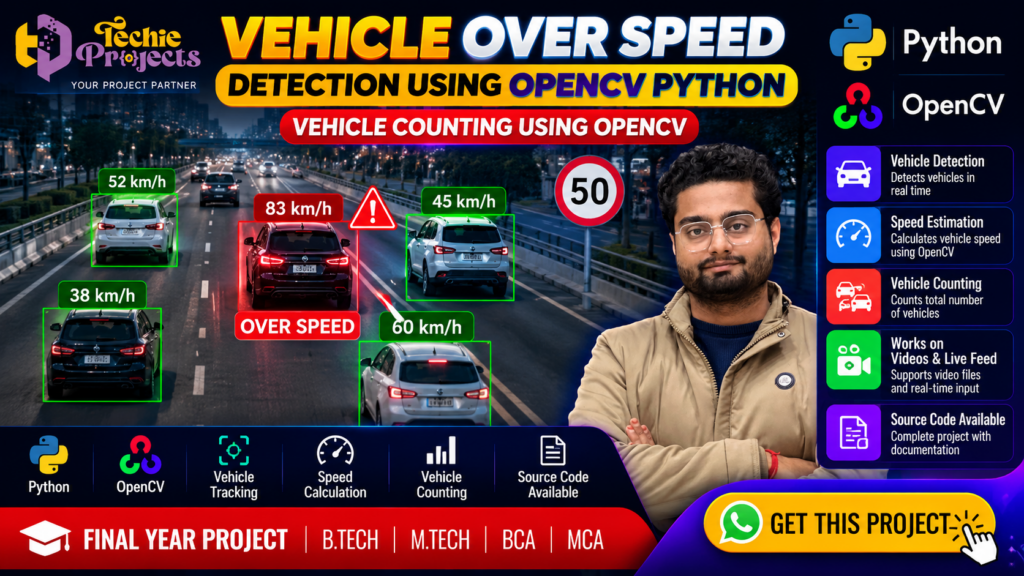
Are you looking for a practical AI and computer vision project for your B.Tech, M.Tech, BCA, MCA, or final-year submission? The Vehicle Over Speed Detection Using OpenCV Python project is an excellent choice for exploring real-time vehicle monitoring, speed estimation, vehicle detection, and traffic analysis using Python.
If you want more than a basic project idea, Techie Projects can help you get started with a project package designed around your academic requirements. Enquire about the Vehicle Over Speed Detection Using OpenCV Python project to learn about source code availability, installation support, project explanation, technical documentation, and demonstration guidance before purchasing.
Instead of spending weeks assembling disconnected code examples, you can discuss the available project deliverables with our team and choose an option that fits your syllabus, budget, and learning goals.
🎬 Vehicle Over Speed Detection Using OpenCV Python – Project Demo
Watch the project demonstration to understand how vehicle detection, speed estimation, and vehicle counting can work together in a computer vision application. The demonstration helps you explore the project workflow, visible detection results, and the practical concepts involved.
Use the demo to identify the features you want to understand and discuss any questions about implementation, system requirements, or project documentation with Techie Projects.
🚦 What Is Vehicle Over Speed Detection Using OpenCV Python?
Vehicle over-speed detection is a computer vision application that analyses traffic footage to identify vehicles and estimate their movement speed. When the estimated speed exceeds a configured threshold, the system can flag the vehicle as potentially overspeeding.
The Vehicle Over Speed Detection Using OpenCV Python project combines image and video processing techniques with vehicle tracking and speed estimation. Depending on the implementation, it may also count vehicles, display tracking information, and highlight detected vehicles in the video.
OpenCV is a popular computer vision library that provides tools for reading video frames, processing images, drawing bounding boxes, and displaying results. Python makes it easier to organise the application logic and integrate supported detection or tracking techniques.
This project is suitable for students interested in artificial intelligence, computer vision, intelligent transportation systems, and practical Python development.
🎯 Objectives of the Project
The main objective is to demonstrate how computer vision techniques can support traffic monitoring and vehicle analysis.
Key learning objectives include:
- Understanding video processing using OpenCV.
- Detecting vehicles in traffic footage.
- Tracking vehicles across video frames.
- Exploring speed estimation using movement information.
- Identifying vehicles that exceed a configured speed threshold.
- Counting vehicles that cross a defined region.
- Displaying detection results using visual annotations.
- Understanding the limitations of automated traffic analysis.
The exact capabilities depend on the selected implementation, detection model, configuration, and available project package.
🚗 Benefits of Vehicle Over Speed Detection Using OpenCV Python
The Vehicle Over Speed Detection Using OpenCV Python project helps students understand how computer vision can be applied to traffic monitoring. It combines video processing, vehicle detection, movement tracking, and speed estimation in a practical application.
Key benefits include:
- Learning how Python and OpenCV process video frames.
- Understanding vehicle detection and tracking concepts.
- Exploring speed estimation and threshold-based alerts.
- Practising vehicle counting and visual result analysis.
- Building a foundation for further intelligent transportation projects.
The project also provides opportunities to investigate how lighting, camera position, video quality, and calibration affect detection results.
⚙️ Key Features of the Vehicle Over Speed Detection Project
🚘 1. Vehicle Detection
Vehicle detection identifies vehicles appearing in video frames. Depending on the implementation, the system may recognise cars, buses, trucks, motorcycles, or other supported vehicle classes.
Detected vehicles can be marked with bounding boxes and labels to make the output easier to understand.
📏 2. Vehicle Speed Estimation
Speed estimation analyses vehicle movement between frames. A typical implementation uses tracked positions, elapsed time, and a configured relationship between image coordinates and real-world distance.
Accurate speed measurement requires suitable calibration and reliable tracking. Without these elements, the result should be treated as an estimate rather than an official speed reading.
⚠️ 3. Overspeed Alert
The application can compare an estimated vehicle speed with a configured threshold. When the estimate exceeds that threshold, the interface may display a warning label or highlight the vehicle.
This feature demonstrates how computer vision output can be converted into a simple traffic-monitoring alert.
🔢 4. Vehicle Counting
Vehicle counting determines how many vehicles cross a selected line or region. A tracking-based implementation can help avoid counting the same vehicle repeatedly as it remains visible in consecutive frames.
🎥 5. Video Processing
OpenCV supports loading and processing video files frame by frame. Depending on the package, students may be able to use sample footage or a supported live camera input.
📊 6. Visual Results
Bounding boxes, vehicle labels, speed estimates, counters, and warning indicators can make the results easier to demonstrate during a project presentation.
Confirm the exact interface and features available in the package before purchasing.
🧠 How Does the Project Work?
The general workflow of the Vehicle Over Speed Detection Using OpenCV Python project can be divided into the following stages.
Step 1: Load the Video
The application reads a supported traffic video or camera stream. Video frames become the input for subsequent processing.
Step 2: Process Video Frames
OpenCV prepares each frame for analysis. Depending on the implementation, preprocessing may include resizing, colour conversion, or other operations.
Step 3: Detect Vehicles
A detection algorithm identifies vehicles in the frame. The algorithm may use a trained object-detection model or another supported computer vision method.
Step 4: Track Vehicle Movement
The system associates detections across frames to estimate which observations belong to the same vehicle. Tracking helps calculate movement and support vehicle counting.
Step 5: Estimate Speed
The application uses movement between tracked positions, frame timing, and calibration parameters to estimate speed. Camera perspective, frame rate, tracking quality, and distance calibration can affect the result.
Step 6: Check the Speed Threshold
The estimated speed is compared with the configured threshold. Vehicles above that threshold can be highlighted for review.
Step 7: Count and Display Results
The application displays supported outputs such as bounding boxes, vehicle labels, speed estimates, warnings, and vehicle counts.
This workflow illustrates the core concepts behind the project. Actual algorithms and implementation details may vary between project versions.
🛠️ System Requirements for Vehicle Over Speed Detection Using OpenCV Python
Before purchasing the Vehicle Over Speed Detection Using OpenCV Python project, check that your computer meets the software and hardware requirements for the selected implementation.
A typical setup may require Python, OpenCV, NumPy, a compatible code editor, sufficient RAM, and sample traffic videos. Some versions may require additional detection models or libraries.
Ask Techie Projects for the supported Python version, installation instructions, dependency list, and any model files included in the package. Confirming these details beforehand can help prevent compatibility issues during installation.
🛠️ Technologies Used
The technology stack depends on the version supplied. Common technologies for this type of application include:
- Python: Main programming language.
- OpenCV: Video capture, image processing, and visualisation.
- NumPy: Numerical operations on image and tracking data.
- Object-detection model: Used when the implementation includes a trained detection model.
- Tracking algorithm: Helps associate vehicle detections across frames.
- Visual interface: Displays processed video and detection results, if included.
Additional packages may be required depending on the model and implementation. Ask for the exact dependency list before installing the project.
💻 Software and Hardware Requirements
Software Requirements
A typical setup may require:
- Python installed on a compatible operating system.
- OpenCV and other required Python libraries.
- A code editor or Python IDE.
- Project files and any required model weights.
- Sample video footage or a supported camera input.
Hardware Requirements
A computer with a modern processor, adequate memory, and sufficient storage is generally suitable for basic video-processing experiments. More demanding detection models may benefit from a compatible GPU, although GPU support depends on the selected framework and installation.
Important: Confirm the exact Python version, package versions, model requirements, and hardware recommendations with Techie Projects before purchasing. Requirements can vary between implementations.
🎓 Who Should Choose Vehicle Over Speed Detection Using OpenCV Python?
The Vehicle Over Speed Detection Using OpenCV Python project may suit B.Tech, M.Tech, BCA, MCA, and computer science students interested in artificial intelligence and computer vision.
It can be useful for learning video analysis, vehicle tracking, speed estimation, and traffic-monitoring concepts. Students can also explore extensions such as traffic analytics, event logging, or a dashboard, depending on their skills and the project scope.
Use the project to support your learning, understand the implementation, and prepare your own demonstration according to your institution’s academic guidelines.
🎓 Why Choose This Project for Your Academic Work?
Practical Computer Vision Experience
The project connects image processing concepts with a visible application. Students can explore how software analyses video rather than relying only on theoretical explanations.
Useful for Project Demonstrations
Traffic footage, bounding boxes, speed labels, and counting results can help make a demonstration more engaging when those features are implemented and configured correctly.
Supports Technical Learning
Working through the project can introduce students to Python programming, image processing, object detection, tracking, and application testing.
Suitable for Further Development
Students may explore improvements such as better tracking, configurable speed thresholds, different vehicle classes, reporting, or a graphical interface, subject to their skills and project requirements.
Helps Organise Project Preparation
A suitable project package can reduce the time spent assembling the initial implementation. Students should still study the code, understand the algorithms, test the application, and prepare their own presentation.
📲 Purchase Vehicle Over Speed Detection Using OpenCV Python from Techie Projects
Looking for a project package with source code and technical guidance? Contact Techie Projects to confirm the current availability, price, features, and deliverables for the Vehicle Over Speed Detection Using OpenCV Python project.
Depending on the selected package, you can enquire about source code, installation guidance, code explanation, and documentation.
When you enquire, ask whether your selected package includes:
- Project source code.
- Installation instructions and dependency details.
- Guidance for running the application.
- Code explanation or technical discussion.
- Project report or documentation, if available.
- Demonstration or setup assistance, if offered.
- Clarification of supported features and limitations.
The inclusion of each item depends on the package you select. Please confirm the deliverables, price, delivery format, and support terms before placing your order.
📲 Contact Techie Projects
- 📲 Call/WhatsApp: +91-9460060699
- 🌎 Website: www.techieprojects.com
- 📺 Instagram: @pythonprojects_
Send a message with the project name Vehicle Over Speed Detection Using OpenCV Python and mention your course, preferred features, and documentation requirements. This helps the team respond with relevant information.
🔬 Possible Applications
Vehicle detection and speed estimation techniques can be explored in several areas:
- Traffic monitoring: Analysing vehicle movement in recorded traffic footage.
- Intelligent transportation systems: Studying how software can support traffic analysis.
- Vehicle counting: Measuring traffic volume across a defined region.
- Road safety research: Exploring how vehicle movement and speed estimates can be visualised.
- Computer vision education: Demonstrating detection, tracking, and video-processing concepts.
A student prototype should not be presented as a certified traffic enforcement system. Real-world deployment requires appropriate calibration, validation, privacy safeguards, and compliance with applicable laws.
🧪 Testing and Evaluation
Testing is essential for understanding how reliably the application works. Students can evaluate the implementation using different video clips and recording conditions.
Consider testing:
- Videos with light and heavy traffic.
- Vehicles entering and leaving the frame.
- Vehicles moving at different apparent speeds.
- Different lighting and weather conditions.
- Occlusion, overlapping vehicles, and camera movement.
- Counting accuracy across a known video segment.
- Speed-estimation consistency under the same calibration settings.
Record the test conditions and actual observations. Avoid claiming a particular accuracy percentage unless it has been measured and documented using a suitable evaluation method.
🚀 Future Enhancements
The project can provide a foundation for further experimentation. Potential enhancements include:
📡 Live Camera Integration
A compatible camera input could allow the application to analyse a live stream, provided the selected implementation supports it.
🧠 Improved Object Detection
Students can investigate alternative detection models and compare their speed, accuracy, and resource requirements on an appropriate dataset.
📈 Traffic Analytics Dashboard
A dashboard could summarise vehicle counts, estimated speeds, and detected overspeed events for a selected video.
💾 Event Logging
The application could save selected events and timestamps for later review. Any saved footage or identifying information should be handled responsibly.
🌐 Web-Based Interface
A web interface could allow users to upload video clips and view the processed output, if the project is extended with suitable backend functionality.
These enhancements are possible development ideas, not guarantees that every feature is already included in the current package.
🔗 Explore Related Python Projects
If you are interested in similar AI and computer vision applications, explore other project topics available through Techie Projects.
- Vehicle Detection and Counting Using Python: Explore detection and traffic-counting workflows.
- Helmet Detection Using Deep Learning: Study helmet detection in road-scene images or videos.
- Number Plate Detection Using Python: Investigate vehicle plate localisation and related image-processing tasks.
- Lane Detection for Self-Driving Cars: Explore road-lane identification using computer vision.
- Accident Detection Using Machine Learning: Study approaches for analysing possible accident events.
- AI Exam Proctoring System: Explore computer vision applications in examination monitoring.
Visit Techie Projects to browse available project categories and confirm the details of each project.
❓ Frequently Asked Questions
1. What is the Vehicle Over Speed Detection Using OpenCV Python project?
It is a computer vision project that can detect vehicles in video footage and estimate their movement speed. Depending on the implementation, it may also identify potential overspeed events and count vehicles.
2. Which programming language is used?
Python is commonly used for the application logic, while OpenCV supports video processing and visualisation. Other libraries may be required depending on the selected implementation.
3. Can the project count vehicles?
Vehicle counting can be included through a suitable detection and tracking workflow. Confirm whether counting is implemented in the package you intend to purchase.
4. Does the project support real-time video?
Real-time processing may be possible if the implementation supports a compatible camera input and the computer can process frames at a suitable rate. Ask the team to confirm this feature before purchasing.
5. Can I get the source code?
Contact Techie Projects to confirm source-code availability, the included files, any model dependencies, and the applicable purchase terms.
6. Is installation support available?
Ask about the available installation guidance, dependency instructions, troubleshooting assistance, and code explanation before placing an order.
7. Is the project suitable for B.Tech and final-year students?
The topic can be suitable for students studying computer science, artificial intelligence, machine learning, or computer vision. Confirm that the implementation and scope meet your institution’s requirements.
8. How can I purchase the project?
Contact Techie Projects on WhatsApp, mention the project name, and request the latest price and package details.
✅ Conclusion
The Vehicle Over Speed Detection Using OpenCV Python project brings together vehicle detection, tracking, speed estimation, and traffic analysis in a practical computer vision topic. It can help students explore Python, OpenCV, and intelligent transportation concepts through video-based experiments.
If you want to move forward with a ready-to-explore project package, contact Techie Projects to confirm the source code, features, documentation, installation guidance, price, and support terms.
📲 Enquire about this project on WhatsApp and take the next step toward planning your academic project.
Academic note: Use the project to support learning and your own implementation work. Follow your institution’s rules for project submissions, attribution, and permitted assistance.