
Introduction
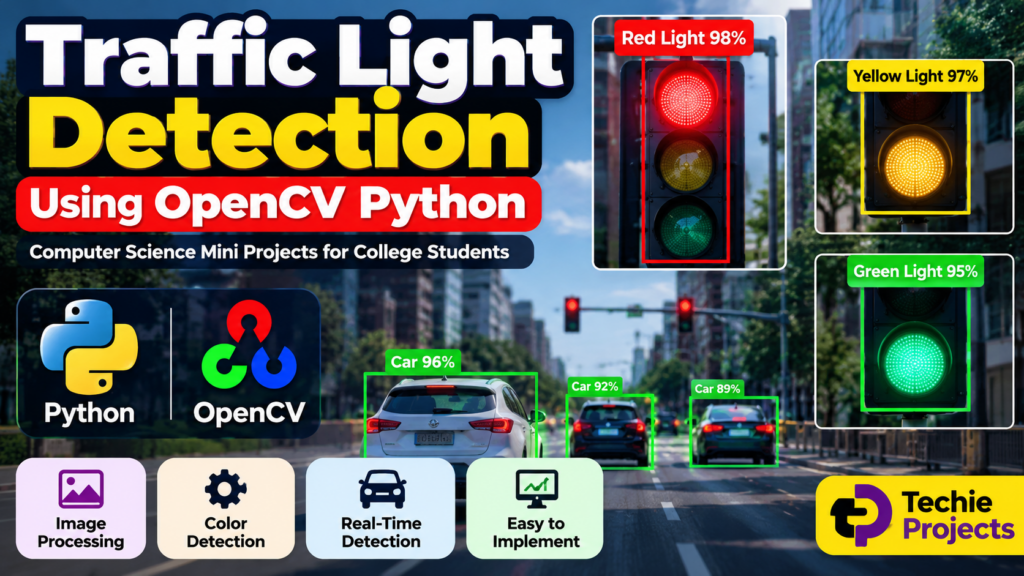
Traffic Light Detection Using OpenCV Python is a practical computer vision project that detects and identifies traffic light colors such as red, yellow, and green from images or video. The project demonstrates how Python and OpenCV can be used for image processing, color detection, object recognition, and real-time computer vision.
This project is suitable for B.Tech, BCA, MCA, Computer Science, IT, and engineering students looking for a Python project, OpenCV project, computer vision mini project, major project, or final-year project.
The system can analyze a video or camera feed and identify the current traffic light condition. Depending on the implementation, the project can be extended with machine learning, object detection, real-time alerts, and intelligent transportation features.
🎥 Watch the Traffic Light Detection Using OpenCV Python Project Working Demo
Before selecting or purchasing the project, students can watch the Traffic Light Detection Using OpenCV Python working demo to understand the user interface, detection process, output, and overall project workflow.
The working video can also help students understand how the project can be demonstrated during a final-year project presentation, viva, or practical demonstration.
What Is Traffic Light Detection?
Traffic light detection is a computer vision application that identifies traffic signals from images or video frames.
A traffic signal normally contains three primary colors:
- Red
- Yellow
- Green
The computer vision system analyzes the input frame and attempts to identify the traffic light and determine which signal is active.
For example:
Red Light: Stop
Yellow Light: Wait or prepare to stop
Green Light: Proceed
A Python-based implementation can use OpenCV for image acquisition, preprocessing, color analysis, contour detection, and visualization.
Traffic Light Detection Using OpenCV Python
Python is one of the most popular programming languages for computer vision projects because libraries such as OpenCV provide powerful image and video processing functionality.
In this project, OpenCV can be used to:
- Capture video frames
- Process images
- Detect colors
- Identify traffic light regions
- Analyze contours
- Display detection results
- Process real-time camera input
- Draw bounding boxes and labels
The project provides students with practical experience in Python programming and computer vision.
How Does the Traffic Light Detection System Work?
The basic workflow of the project can be divided into several stages.
1. Input Image or Video
The system receives input from either:
- Webcam
- Recorded video
- Image
- CCTV-style camera feed
- Other supported video sources
The video is processed frame by frame.
2. Frame Processing
Each frame is converted into a format suitable for analysis.
OpenCV can perform operations such as:
- Resizing
- Noise reduction
- Color conversion
- Image filtering
- Region extraction
3. Color Detection
The system analyzes the traffic light colors.
HSV color space can be useful for color-based computer vision because it separates color information from brightness more effectively than directly working with RGB values in many situations.
The system can create masks for:
- Red
- Yellow
- Green
4. Traffic Light Region Detection
After color segmentation, the system can identify candidate regions using image-processing techniques such as contours.
The detected regions can then be analyzed based on their:
- Size
- Shape
- Position
- Color
- Area
5. Signal Classification
The system determines which traffic light color is detected.
Possible outputs include:
RED LIGHT DETECTED
YELLOW LIGHT DETECTED
GREEN LIGHT DETECTED
6. Display the Result
The detected traffic signal can be highlighted on the video frame using:
- Bounding boxes
- Labels
- Confidence information
- Color indicators
This makes the output easy to understand during a project demonstration.
Key Features of Traffic Light Detection Project
Real-Time Detection
The project can be implemented to process video from a webcam or other camera source in real time.
Traffic Light Color Recognition
The system can identify red, yellow, and green traffic signals.
Image Processing
OpenCV can be used for preprocessing, filtering, segmentation, and object-region analysis.
Video Processing
The system can process recorded videos as well as live camera feeds.
Detection Visualization
Bounding boxes, labels, and other visual indicators can be displayed on the output.
Simple User Interface
A basic interface can be developed to make the project easy to demonstrate.
Expandable Architecture
Students can extend the project with machine learning, object detection, alert systems, and intelligent transportation modules.
Technologies Used
A typical Traffic Light Detection Using OpenCV Python project can use the following technologies.
Software Requirements
- Programming Language: Python
- Computer Vision Library: OpenCV
- Image Processing: OpenCV
- Operating System: Windows/Linux
- Code Editor: VS Code, PyCharm, or similar IDE
- Python Environment: Python 3.x
Additional libraries can be included depending on the project implementation.
Hardware Requirements
- Computer or Laptop
- Webcam or Camera
- Keyboard
- Mouse
- Minimum 4 GB RAM
- Adequate storage for project files and datasets
A dedicated GPU is generally not required for a basic color-based OpenCV implementation, although hardware requirements can change if advanced deep learning models are added.
OpenCV Functions Used in the Project
Several OpenCV functions can be useful for developing this project.
VideoCapture
VideoCapture can be used to capture frames from a webcam or video file.
cvtColor
cvtColor can be used to convert images between color spaces such as BGR and HSV.
inRange
inRange can be used to create a mask based on a specified color range.
findContours
findContours can be used to identify regions within a binary image.
boundingRect
boundingRect can help determine the bounding rectangle around a detected region.
rectangle
The rectangle function can be used to draw detection boxes around traffic lights.
These functions provide a useful foundation for students learning practical OpenCV programming.
Traffic Light Detection Workflow
The complete project workflow can be represented as:
Camera/Video Input → Frame Capture → Preprocessing → Color Conversion → Color Segmentation → Traffic Light Detection → Signal Classification → Result Display
This workflow can be explained during a project presentation to demonstrate how the system processes visual information.
Example Output
The project can display output such as:
Red Light — Stop
Yellow Light — Wait
Green Light — Go
The output can also show a bounding box around the detected traffic light.
For a more advanced version, the system can display detection information directly on the video screen.
Applications of Traffic Light Detection
Traffic light detection technology has several potential applications.
Intelligent Transportation Systems
Traffic signal recognition can be incorporated into intelligent transportation systems.
Autonomous Vehicles
Advanced traffic signal recognition systems can help autonomous driving systems understand traffic signals when combined with other perception technologies.
Driver Assistance Systems
The concept can be extended into driver assistance applications.
Traffic Monitoring
Computer vision can be used for monitoring road environments and traffic infrastructure.
Smart City Projects
Traffic signal recognition can be integrated into broader smart-city and intelligent transportation projects.
Academic Projects
The project is particularly useful as a:
- Computer Science mini project
- Python project
- OpenCV project
- Computer vision project
- B.Tech project
- BCA project
- MCA project
- Final-year engineering project
Advantages of Traffic Light Detection Using OpenCV
The project offers several advantages for students.
- Demonstrates practical computer vision
- Uses Python and OpenCV
- Provides real-time processing experience
- Helps students understand image processing
- Can be demonstrated using a webcam
- Can be extended with machine learning
- Provides an interesting project for presentations
- Can be customized according to project requirements
Limitations
A basic color-based traffic light detection system can have limitations.
Detection accuracy can be affected by:
- Poor lighting
- Weather conditions
- Camera quality
- Different traffic light designs
- Reflections
- Occlusion
- Similar colors in the background
- Camera angle
- Distance from the traffic signal
For real-world deployment, additional testing and more advanced computer vision techniques may be required.
How Can Machine Learning Improve the Project?
The basic project can be extended by integrating machine learning or deep learning.
Instead of relying only on color segmentation, an object detection model can be trained to identify traffic lights in different environments.
Possible technologies include:
- YOLO
- CNN
- Deep Learning
- Transfer Learning
- Object Detection
- Image Classification
A dataset containing traffic light images can be used for training and evaluation.
This creates an opportunity for students to develop an advanced Traffic Light Detection Using Machine Learning project.
Future Scope
Students can add several advanced features to the project.
Vehicle Detection
Vehicle detection can be integrated to identify cars, buses, motorcycles, and trucks.
Traffic Signal Violation Detection
The system can potentially be extended to detect vehicles crossing signals under defined conditions.
Number Plate Recognition
Automatic Number Plate Recognition can be integrated for vehicle identification in appropriate academic or authorized applications.
Emergency Vehicle Detection
The system can be extended to identify emergency vehicles and support intelligent traffic management concepts.
Real-Time Alerts
Audio or visual alerts can be generated when specific traffic conditions are detected.
Deep Learning-Based Detection
A trained object detection model can improve robustness in complex environments.
Smart Traffic Management
The project can become part of a larger intelligent transportation system.
Project Ideas You Can Add
Students can extend the project with additional modules such as:
- Vehicle Detection and Counting
- Number Plate Recognition
- Road Lane Detection
- Accident Detection
- Helmet Detection
- Driver Drowsiness Detection
- Pedestrian Detection
- Traffic Sign Recognition
- Smart Parking System
- Intelligent Traffic Management System
- Emergency Vehicle Detection
Is This a Good Final-Year Project?
Yes. Traffic Light Detection Using OpenCV Python is a good project for students who want to demonstrate practical knowledge of Python, OpenCV, image processing, and computer vision.
The project can be developed as a mini project, major project, final-year project, or resume project depending on the complexity and additional features implemented.
Students can explain the following concepts during their project presentation:
- Image processing
- Color detection
- HSV color space
- Video processing
- OpenCV
- Computer vision
- Object detection
- Real-time processing
Can This Project Be Converted Into an Advanced AI Project?
Yes. The basic OpenCV implementation can be expanded into an advanced AI-based traffic monitoring system.
Additional modules can include:
- YOLO-based traffic light detection
- Vehicle detection
- Vehicle counting
- Traffic density estimation
- Number plate recognition
- Lane detection
- Traffic violation detection
- Real-time analytics
- Dashboard
- Alert system
The final system can therefore combine Python, OpenCV, Machine Learning, Deep Learning, and computer vision.
🎓 Need Help With Your Final-Year Project?
Looking for a Python, AI, Machine Learning, Computer Vision, or final-year engineering project?
Techie Projects can help you discuss your project idea, required features, source-code requirements, documentation, and project scope before development.
🌐 Website: www.techieprojects.com
🔗 Explore Related Engineering Projects
Students looking for similar computer vision and Python project ideas can also explore:
- Vehicle Detection and Counting Project
- Number Plate Detection Using Python
- Helmet Detection Using YOLO
- Face Recognition Attendance System
- Object Detection and Recognition Using Python
- Road Lane Detection Using OpenCV
- Computer Vision Projects
- Python Projects for Final-Year Students
Conclusion
Traffic Light Detection Using OpenCV Python is a practical computer vision project that demonstrates how Python and OpenCV can be used to process images and video and identify traffic light signals.
The project provides students with hands-on experience in image processing, color detection, video processing, OpenCV, and real-time computer vision.
With additional development, the system can be extended into an advanced intelligent transportation project by integrating machine learning, deep learning, vehicle detection, number plate recognition, traffic monitoring, and real-time analytics.
For students looking for a Python project, OpenCV project, computer vision project, mini project, or final-year engineering project, Traffic Light Detection provides a strong foundation that can be customized according to academic requirements.