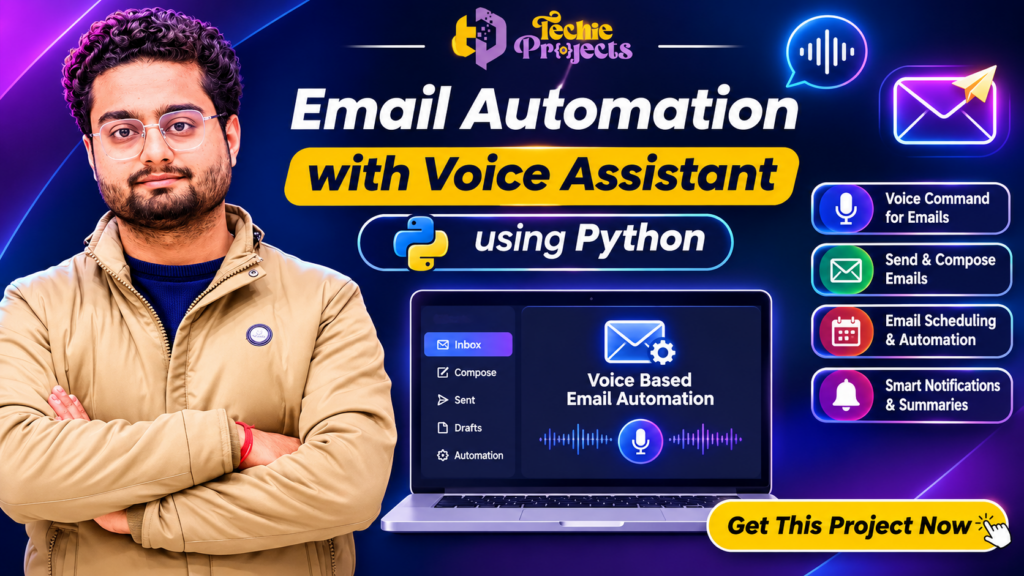
🚀 Buy Email Automation with Voice Assistant Using Python – Complete Project for Final Year Students
Looking for an innovative Python project that combines Artificial Intelligence, voice recognition, and email automation? Get the Email Automation with Voice Assistant Using Python project from Techie Projects and explore how voice commands can make email management faster, smarter, and more accessible.
This project is an excellent choice for B.Tech, BCA, MCA, Computer Science, IT, and final-year engineering students who want to develop a practical application using Python and AI technologies.
Instead of manually opening an email account, searching through messages, and typing every instruction, this system demonstrates how users can interact with email functionality through voice commands. It combines speech recognition, text-to-speech technology, Python programming, and email automation to create an intelligent email assistant.
🎓 Why purchase this project from Techie Projects?
- Practical Python-based project implementation.
- Voice-controlled email management concept.
- Integration of speech recognition and text-to-speech.
- Useful for AI, Python, and automation project demonstrations.
- Suitable for academic project development.
- Technical guidance and project enquiry support.
If you want a ready-to-explore project for your academic demonstration, contact Techie Projects today and get started!
📞 Contact Techie Projects for Project Enquiries
Interested in purchasing the Email Automation with Voice Assistant Using Python Project? Contact us to enquire about package availability, pricing, source code, documentation, installation guidance, and technical support options.
💬 WhatsApp Enquiry: Chat with Techie Projects
📱 Contact Number: +91 94600 60699
🌐 Official Website: www.techieprojects.com
📸 Instagram: Follow Techie Projects
🎓 Project Areas: Robotics, Machine Learning, Arduino, Deep Learning, Artificial Intelligence, and Android App.
✅ Request Project Details: Share your engineering branch, preferred features, and technical requirements to enquire about the most suitable available package.
🚀 Ready to get started? Click here to enquire on WhatsApp and mention Email Automation with Voice Assistant Using Python Project.
Package contents, prices, hardware availability, and support options should be confirmed before purchase.
🎬 Watch the Email Automation with Voice Assistant Using Python Project Demo
Explore the project demonstration to understand its interface, voice-based interaction, email management workflow, and implementation.
Watch the demonstration available in this project post to see how Python can be used to develop a voice-enabled email management application.
Interested in the complete project? Contact Techie Projects to enquire about purchasing the project.
💡 What Is Email Automation with Voice Assistant Using Python?
Email Automation with Voice Assistant Using Python is an AI-based application designed to simplify email management through voice interaction.
Traditional email applications require users to perform several operations manually, including opening their inbox, reading messages, composing emails, entering recipient addresses, and sending messages.
This project introduces a voice-based approach to these activities.
Users can provide spoken instructions, and the application processes the input using speech recognition technology. Based on the recognized command, the system can perform supported email-related operations.
For example, a user may provide instructions such as:
- Open my inbox.
- Read my latest email.
- Compose a new email.
- Send an email to a particular recipient.
- Read email information aloud.
- Check available messages.
The application processes the spoken input and responds through voice output wherever the corresponding functionality is implemented.
The primary objective is to demonstrate how Python, automation, and voice technologies can work together to improve digital accessibility and user interaction.
🎯 Objectives of the Project
The main objective of Email Automation with Voice Assistant using Python is to develop an intelligent application that makes email operations easier through voice-based interaction.
The important objectives include:
- Voice-Based Interaction: Allow users to communicate with the application using spoken commands.
- Email Automation: Reduce repetitive manual operations involved in email management.
- Speech Recognition: Convert spoken instructions into text that Python can process.
- Text-to-Speech: Provide spoken responses to improve accessibility.
- User-Friendly Interface: Develop an understandable interface for interacting with email functionality.
- Accessibility: Explore voice-based computer interaction for users who may find conventional interfaces difficult to operate.
- Python Integration: Demonstrate practical implementation of Python libraries and email-related services.
⚙️ Key Features of Email Automation with Voice Assistant Using Python
The following are the major features and functional modules of this project.
1. 🎤 Voice Command Recognition
Voice command recognition is one of the most important components.
The application receives spoken instructions through a microphone and processes them using speech recognition technology.
Users can interact with the system without entering every instruction manually.
2. 📩 Email Inbox Management
The inbox management module helps users access their email messages through supported application commands.
Users can explore received emails and retrieve relevant message information.
3. ✉️ Email Composition
The email composition feature allows users to initiate a new email using voice-based instructions.
The application can collect information such as the recipient, subject, and message content, depending on the implemented workflow.
4. 📤 Sending Emails
After collecting the required information, the application can initiate the email-sending process through the configured email service.
This feature demonstrates how Python can automate repetitive email operations.
5. 🔊 Text-to-Speech Response
The text-to-speech module converts system responses into spoken output.
It helps users listen to information rather than depending entirely on visual interaction.
6. 🧠 Natural Language Interaction
The system is designed around understandable voice instructions.
Instead of requiring users to interact only with traditional buttons, it demonstrates how spoken commands can control application operations.
7. 🖥️ Graphical User Interface
The application can provide a graphical interface for interacting with the voice assistant.
The GUI makes it easier to understand the application’s workflow and monitor supported operations.
8. ♿ Accessibility-Oriented Design
Voice-based interaction can be useful for individuals who experience difficulties using conventional keyboard and mouse interfaces.
The project demonstrates how technology can support more accessible digital experiences.
🛠️ Technologies Used in the Project
Email Automation with Voice Assistant Using Python combines several technologies to implement voice recognition and email-related operations.
Programming Language: Python
Python is the primary programming language used for application development.
Its extensive collection of libraries makes it suitable for building automation applications, speech-processing systems, and AI-based solutions.
Speech Recognition
Speech recognition technology converts spoken words into text.
It allows the application to understand user instructions and process supported commands.
Text-to-Speech Technology
Text-to-speech technology converts written responses into audible speech.
It helps the voice assistant communicate information to users.
Email Automation
Python email-related libraries and protocols can be used to connect with email services and perform supported email operations.
Depending on the configuration, SMTP can be used for sending messages, while IMAP can be used for retrieving emails.
Tkinter GUI
Tkinter is a Python library used to develop graphical user interfaces.
It can provide buttons, text fields, windows, and other interface components for the application.
Operating System
The application can be configured to run in a compatible desktop environment with the required Python dependencies.
📚 Python Libraries Used
The following libraries and technologies are relevant to developing a voice-enabled email automation application. The exact dependencies depend on the implementation.
| Library / Technology | Purpose |
|---|---|
| SpeechRecognition | Speech-to-text processing |
| Pyttsx3 | Text-to-speech conversion |
| Tkinter | Graphical user interface |
| Smtplib | Sending emails through SMTP |
| Imaplib | Retrieving emails through IMAP |
| Creating and processing email messages | |
| OS | Operating system-related operations |
These technologies provide a foundation for implementing voice-controlled email functionality.
🔄 How Does the Project Work?
Understanding the workflow is important for students who want to learn how voice recognition and email automation operate together.
The general workflow of Email Automation with Voice Assistant Using Python is explained below.
Step 1: Application Initialization
The user starts the Python application.
The system loads the required modules and initializes the graphical interface, microphone access, and configured email services.
Step 2: Voice Input
The user provides a voice command through the microphone.
The application captures the spoken instruction for further processing.
Step 3: Speech Recognition
The speech recognition component processes the captured audio and converts it into text.
This text becomes the input for the command-processing module.
Step 4: Command Processing
The application identifies the intended operation based on the recognized instruction.
For example, the user may request to read an email, compose a message, or access the inbox.
Step 5: Email Operation
The application executes the corresponding supported operation using the configured email functionality.
For example, it may retrieve messages or prepare an outgoing email.
Step 6: Voice Response
The text-to-speech component communicates the system response.
The user can receive spoken feedback about the operation.
Step 7: Complete the Operation
The application completes the requested task or asks for additional information if required.
For sensitive actions such as sending an email, confirmation is a useful safety feature.
🌟 Advantages of Email Automation with Voice Assistant Using Python
This project offers several technical and academic advantages.
- Hands-Free Interaction: Users can explore email operations through voice commands.
- Automation: Reduces repetitive manual email-management activities.
- Accessibility: Demonstrates an alternative interaction method for users with accessibility requirements.
- Python Development: Provides practical experience with Python programming.
- AI Integration: Introduces students to speech recognition and natural language interaction.
- Practical Application: Demonstrates how programming concepts can solve real-world problems.
- Expandable Architecture: Additional features can be developed based on project requirements.
- Academic Learning: Helps students understand the integration of multiple Python technologies.
🎓 Why Is This Project Suitable for Final-Year Students?
Final-year engineering students often need to develop projects that demonstrate programming knowledge, practical implementation, and technical understanding.
Email Automation with Voice Assistant Using Python is a suitable academic project because it combines multiple important areas of computer science.
Students can explore:
- Python application development.
- Artificial Intelligence fundamentals.
- Speech recognition.
- Text-to-speech processing.
- Email protocols.
- Automation techniques.
- Graphical user interface development.
- Software integration.
It can be considered for B.Tech CSE, B.Tech IT, BCA, MCA, and other computer-related academic programs.
The project also provides opportunities for students to understand how different software components communicate with each other.
🧪 Applications of Voice-Based Email Automation
Voice-enabled email applications have several potential applications.
1. Accessibility Applications
Voice interaction can help individuals who experience difficulties with traditional keyboard-based interfaces.
2. Personal Productivity
Users can explore voice-based workflows for managing routine email activities.
3. Office Automation
Voice-controlled interfaces can demonstrate alternative approaches to repetitive communication tasks.
4. Educational Demonstrations
Students can use the project to understand speech recognition, Python automation, and software integration.
5. AI-Based Assistants
The project provides a foundation for exploring more advanced intelligent assistant applications.
🚀 Future Scope of the Project
The system can be extended with additional features to improve functionality and usability.
Some possible future enhancements include:
- AI-Powered Email Summarization: Generate short summaries of lengthy emails.
- Multilingual Voice Recognition: Support additional languages for voice commands.
- Smart Email Classification: Categorize emails based on their content.
- Spam Email Detection: Integrate machine learning techniques to identify potentially unwanted emails.
- Voice-Based Search: Search for emails using spoken keywords.
- Calendar Integration: Connect email notifications with calendar events.
- Advanced Natural Language Processing: Improve the interpretation of complex voice instructions.
- Mobile Application: Develop a mobile version of the voice assistant.
- Enhanced Security: Add secure authentication and confirmation mechanisms.
- AI-Based Reply Suggestions: Generate suggested email responses using an AI model.
These improvements can transform the basic application into a more advanced intelligent email assistant.
💻 Why Choose Techie Projects for Your Python Project?
Choosing an appropriate project is an important part of academic project development.
At Techie Projects, we focus on providing practical technology projects across different domains, including Artificial Intelligence, Machine Learning, Python, Data Science, Deep Learning, Computer Vision, IoT, and Web Development.
Students interested in purchasing Email Automation with Voice Assistant Using Python can contact our team to discuss project availability and requirements.
Benefits of Choosing Techie Projects
- Project options across multiple technical domains.
- Practical project demonstrations.
- Python and AI-based project solutions.
- Assistance with project-related technical queries.
- Options for students from different engineering branches.
- Project enquiry and purchasing support.
Our objective is to help students explore practical technology implementations and understand how software applications are developed.
🛒 How to Purchase Email Automation with Voice Assistant Using Python?
Want to purchase this project for your final-year submission or academic demonstration?
Follow these simple steps:
Step 1: Visit the official Techie Projects website.
Step 2: Explore the Email Automation with Voice Assistant Using Python project.
Step 3: Contact our team through WhatsApp.
Step 4: Discuss the project requirements, pricing, deliverables, and availability.
Step 5: Confirm your purchase and obtain the agreed project materials.
Step 6: Explore the implementation and prepare for your academic demonstration.
📲 Get This Project Now!
Contact Techie Projects to enquire about purchasing the complete project.
👉 WhatsApp: https://wa.me/919460060699
💡 Recommended Projects from Techie Projects
Looking for more innovative Python and Artificial Intelligence projects? Explore these related project ideas.
- AI Personal Voice Assistant: Develop an intelligent assistant that responds to voice commands.
- Email Automation Using Machine Learning: Identify spam and legitimate emails using classification algorithms.
- AI Chatbot Using Python: Create an interactive chatbot for automated communication.
- Speech Recognition System Using Python: Convert spoken language into text.
- Face Recognition Attendance System: Automate attendance using facial recognition.
- Fake News Detection Using Machine Learning: Classify news content using machine learning algorithms.
- Text Summarization Using NLP: Generate concise summaries from lengthy documents.
- Smart Email Classification System: Categorize emails based on their content.
- AI-Based Resume Screening System: Analyze and classify resumes.
- Real-Time Object Detection: Detect objects using computer vision techniques.
Explore more project ideas on www.techieprojects.com.
❓ Frequently Asked Questions (FAQs)
1. What is Email Automation with Voice Assistant Using Python?
It is a Python-based application that demonstrates how users can interact with email-related functions through spoken commands using speech recognition and text-to-speech technologies.
2. Is this project suitable for final-year engineering students?
Yes. It is suitable for students studying Computer Science, Information Technology, BCA, MCA, and related technical courses.
3. Which programming language is used?
Python is the primary programming language used to develop the application.
4. Does the project support voice commands?
Yes. Voice command recognition is a central part of the project. The supported commands depend on the implemented functionality.
5. Which technologies are used?
Relevant technologies include Python, speech recognition, text-to-speech, Tkinter, SMTP, and IMAP.
6. Can this project be extended with Artificial Intelligence?
Yes. Possible extensions include AI-powered email summarization, spam detection, smart classification, and natural language processing.
7. Can I purchase this project from Techie Projects?
Yes. Contact Techie Projects to enquire about project availability, pricing, deliverables, and purchasing assistance.
8. How can I contact Techie Projects?
You can contact us through WhatsApp at +91 94600 60699 or visit www.techieprojects.com.
🎯 Conclusion
Email automation is an important application area where Python programming and intelligent technologies can work together to simplify everyday digital activities.
Email Automation with Voice Assistant Using Python demonstrates how speech recognition, text-to-speech, and email-related operations can be integrated into a single application.
For final-year students, this project provides an opportunity to explore Python programming, automation, AI technologies, and accessibility-focused software development.
Whether you are interested in developing an academic project, understanding voice-based applications, or exploring intelligent automation, this project is a valuable learning opportunity.
🚀 Ready to purchase your Python project?
Get in touch with Techie Projects today!
📞 Contact / WhatsApp: +91 94600 60699
🌐 Website: www.techieprojects.com
📸 Instagram: Techie Projects
Techie Projects – Turning Innovative Ideas into Practical Technology Projects!