
Introduction
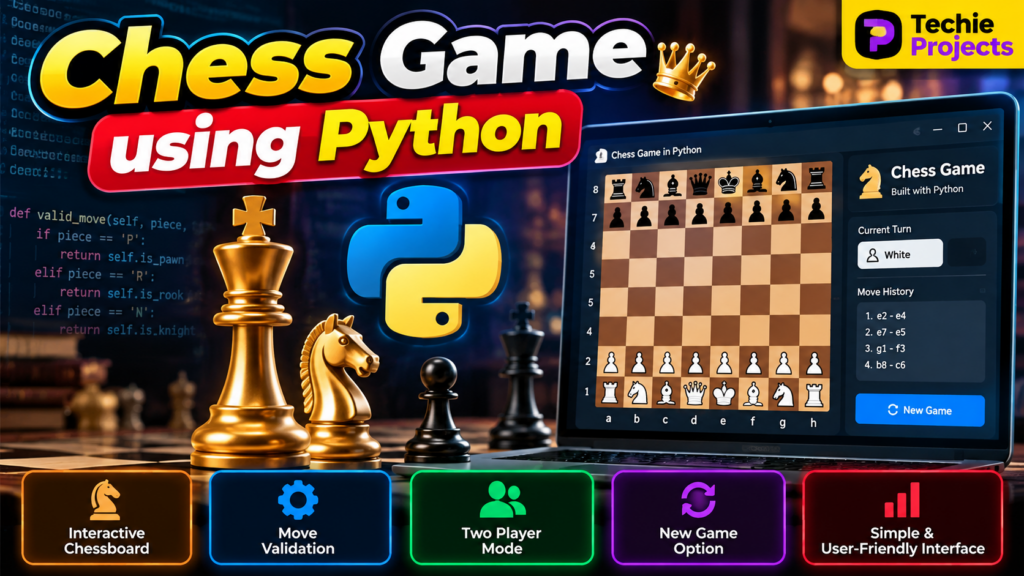
The Chess Game Using Python is an interactive game development project that demonstrates how Python can be used to build a digital chessboard, manage chess pieces, validate moves, and implement chess gameplay. This project is suitable for B.Tech Computer Science students, final-year engineering students, diploma students, and beginners interested in Python programming and game development.
The project helps students understand game logic, user interaction, programming fundamentals, and the structure of a playable chess application. Depending on the implementation, it can include a graphical chessboard, two-player gameplay, legal move validation, and a new-game option.
If you are looking for a Python project for your academic submission, explore the features and working demonstration below to understand whether this project matches your requirements.
🎬 Project Working Demo – Chess Game Using Python
Watch the project demonstration to see how the Chess Game Using Python works and understand its interface and gameplay.
The demonstration can show the chessboard interface, movement of chess pieces, player turns, move validation, and restarting a game, depending on the features supported by the actual implementation.
🎯 Objectives of the Project
The main objectives of the chess game project are:
- Develop a playable chess game using Python.
- Create an interactive chessboard interface.
- Implement movement rules for chess pieces.
- Validate legal moves according to the selected game logic.
- Support two-player gameplay, if included.
- Provide a simple interface for starting and playing a game.
- Demonstrate Python programming and game development concepts.
⭐ Key Features of the Chess Game Using Python
1. Interactive Chessboard
The application displays a digital chessboard with black and white squares. Players can interact with the board to select pieces and make moves.
2. Chess Piece Movement
Each chess piece follows its designated movement rules. The implementation may use a chess library or custom game logic to manage these movements.
3. Move Validation
Move validation helps prevent illegal moves and maintains the rules of chess. Advanced implementations can also support check, checkmate, castling, and other special moves.
4. Two-Player Mode
A two-player mode allows two people to play on the same computer, taking turns to move their pieces, if this feature is included in the project.
5. New Game Option
A restart or new-game option allows players to reset the board and begin another match.
6. User-Friendly Interface
A graphical interface makes the game easier to use and helps demonstrate the project’s functionality during an academic presentation.
⚙️ Technologies Used
The technologies depend on the implementation. A Python chess game may use:
- Python: Core programming language.
- Pygame or Tkinter: Optional graphical interface tools.
- python-chess: Optional library for chess rules and move validation.
- Object-oriented programming: Useful for organizing pieces, board state, and gameplay logic.
Verify the actual project files before listing a particular library as a project dependency.
🔄 How Does the Chess Game Work?
Step 1: Initialize the Chessboard
The application creates the board and places the chess pieces in their starting positions.
Step 2: Select a Chess Piece
The current player selects a piece to move. The application identifies the selected piece and its position.
Step 3: Choose a Destination
The player selects a destination square for the piece.
Step 4: Validate the Move
The game checks whether the selected move is legal according to the implemented chess rules. If the move is invalid, the application can reject it and allow the player to try again.
Step 5: Update the Board
After a valid move, the board updates the positions of the pieces and switches to the next player’s turn.
Step 6: Continue the Game
Players continue taking turns until the game reaches an ending condition or a player chooses to start a new game.
💻 Software Requirements
Typical requirements for a Python chess game include:
- Python 3
- A compatible code editor, such as Visual Studio Code or PyCharm
- Required Python libraries for the selected implementation
- Windows, Linux, or another supported operating system
Install the exact library versions specified in the project’s documentation.
🖥️ Hardware Requirements
- Laptop or desktop computer
- Keyboard and mouse
- Sufficient RAM to run Python and the selected libraries
- Storage space for the project files and dependencies
A dedicated graphics card is generally unnecessary for a basic chess game.
🎓 Applications of the Project
The Chess Game Using Python can be useful for:
- Learning Python programming.
- Practising object-oriented programming.
- Understanding game loops and event handling.
- Demonstrating logical problem-solving skills.
- Exploring graphical user interface development.
- Learning how game rules can be represented in software.
✅ Advantages of the Chess Game Using Python
- Provides practical experience with Python.
- Combines programming logic and interactive design.
- Can be extended with additional gameplay features.
- Offers a clear demonstration for project presentations.
- Helps students practise debugging, testing, and software development.
🚀 Future Scope
The project can be enhanced with additional features, such as:
- Single-player mode against a computer opponent.
- Difficulty levels using a chess engine.
- Game timer and move history.
- Save and load game functionality.
- Online multiplayer support.
- Improved graphics and sound effects.
- Player statistics and match records.
These are possible enhancements and should not be described as existing features unless they are already implemented.
❓ Frequently Asked Questions
1. What is a chess game project in Python?
It is a software application that implements chess gameplay using Python, including a chessboard, piece movement, and game rules.
2. Is this project suitable for final-year engineering students?
It can be suitable for students studying Computer Science or related fields, depending on their academic requirements and the project’s complexity.
3. Which Python libraries can be used?
Pygame or Tkinter can be used for the interface, while python-chess can help implement chess rules and move validation. The specific libraries depend on the project.
4. Can beginners understand this project?
Yes. A basic implementation can help beginners learn functions, classes, event handling, conditional logic, and application development.
5. Can I customize the chess game?
Customization depends on the project structure. Potential additions include a computer opponent, timers, move history, and improved graphical elements.
6. What should I check before purchasing a project?
Review the supported features, source-code availability, installation requirements, documentation, customization options, and available technical support before purchasing.
🔗 Explore Related Python Projects
Explore other project ideas from Techie Projects:
- Snake Game Using Python
- Sudoku Solver using Python
- Rock Paper Scissors Game in Python
- Pacman Game using Python
- Hangman Game using Python
🎓 Looking for a Python Project for Your Final Year?
Need a Python project with source code and implementation guidance? Techie Projects helps students explore programming, Artificial Intelligence, Machine Learning, Computer Vision, and game development projects.
Before purchasing, contact us to confirm the available project features, source-code package, documentation, installation requirements, and support options.
- 📲 Call/WhatsApp: +91-9460060699
- 🌎 Website: www.techieprojects.com
- 📺 Instagram: @pythonprojects_
Contact us with your project requirements to discuss availability and suitable options for your academic submission.
Conclusion
The Chess Game Using Python is a practical project for learning game development, programming logic, chess rules, and interactive application design. It can be extended with additional features to create a more advanced gaming experience.
Explore the available project options from Techie Projects and choose an implementation that matches your learning goals and academic requirements.