
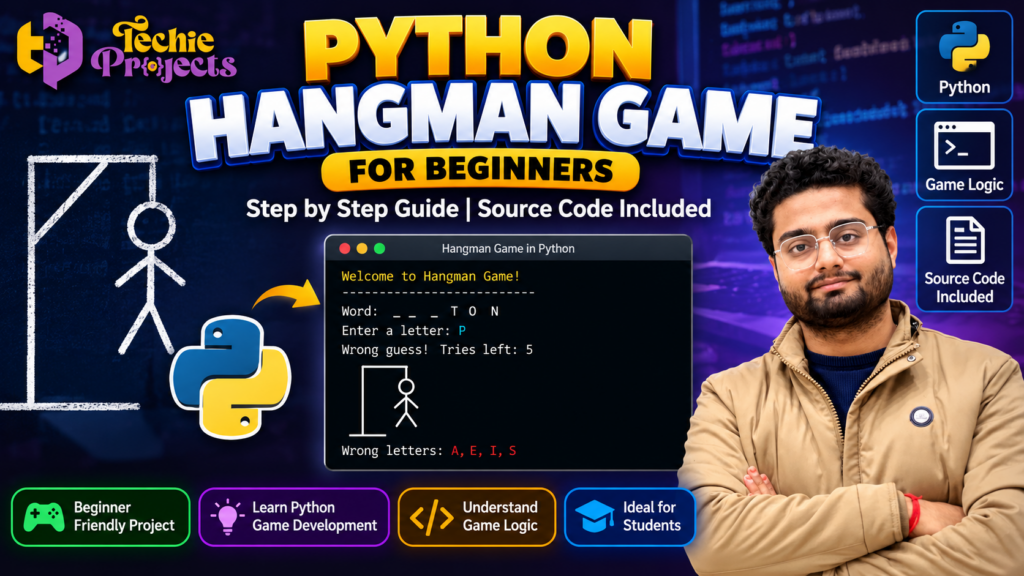
Are you looking for a Hangman Game in Python project for your college assignment, Python programming practice, or computer science mini project? 🎓 Techie Projects offers project-based learning resources to help students understand programming concepts by exploring a practical game development example.
Instead of starting with complicated software development projects, you can begin with a classic word-guessing game that demonstrates Python fundamentals, conditional statements, loops, strings, lists, and game logic. This project is suitable for beginners who want to strengthen their programming skills while building an interactive application.
Get in touch with Techie Projects to enquire about the Hangman Game in Python project, available code, installation guidance, and project deliverables before purchasing. Whether you are a B.Tech student, diploma student, or Python learner, this project can provide a practical starting point for understanding how simple games are developed.
🎬 Watch the Hangman Game in Python Project Demo
Explore the project demonstration to understand how the word-guessing game works, how players enter letters, and how the program responds to correct and incorrect guesses.
🎮 What Is a Hangman Game in Python?
The Hangman Game in Python is a word-guessing application in which a player tries to identify a hidden word by entering one letter at a time. The program displays blank spaces for the unknown letters and reveals the correct positions whenever the player makes a valid guess.
When a player enters an incorrect letter, the application records the mistake and reduces the remaining attempts. The game ends when the player guesses the complete word or reaches the maximum number of incorrect attempts.
Python is well suited to this project because it provides straightforward syntax and built-in data structures for handling words, guesses, and game conditions.
The project is especially useful for beginners because it combines several programming concepts in one practical application without requiring an advanced machine learning model or complex development environment.
🚀 Why Choose This Python Game Development Project?
Selecting a project that is both understandable and demonstrable can make your programming practice more productive. This game provides an opportunity to connect theoretical concepts with practical implementation.
1. Beginner-Friendly Programming
Students can learn the fundamentals of Python without first mastering advanced frameworks. The core gameplay can be developed using variables, strings, lists, loops, and conditional statements.
2. Practical Logic Building
The program must compare user input with the hidden word, identify repeated guesses, update the displayed word, and determine when the game should end. These tasks help learners practise logical thinking.
3. Interactive Gameplay
Players actively participate by entering letters and observing the results. This makes the project easier to demonstrate than a program that only prints a static result.
4. Useful for Academic Demonstrations
The application can serve as a Python mini project or a programming exercise, depending on your institution’s requirements. Students should confirm the required complexity and submission format with their faculty.
5. Opportunities for Further Development
Once the basic version works, learners can add features such as difficulty levels, score tracking, a graphical interface, or a larger word list.
⚙️ Main Features of the Hangman Game in Python
The exact features depend on the implementation. A typical version of this project may include the following functionality.
- Hidden word display: Shows blank spaces for letters that have not been guessed.
- Letter input: Allows the player to enter a letter for each turn.
- Correct guess handling: Reveals matching letters in the hidden word.
- Incorrect guess tracking: Counts wrong attempts and updates the remaining chances.
- Repeated-letter validation: Helps prevent duplicate guesses from being counted unnecessarily.
- Win condition: Identifies when the player has successfully guessed the complete word.
- Game-over condition: Ends the round when the allowed incorrect guesses are exhausted.
- Replay option: Can allow the player to start another round, if implemented.
These features make the game a practical example of how a program accepts input, processes decisions, and produces output.
Before purchasing a specific version, ask Techie Projects which of these features are included in the available implementation.
🧠 How Does the Hangman Game Work?
The application follows a sequence of simple programming steps.
Step 1: Select a Word
The program selects a word from a predefined list. Depending on the implementation, the selection may be random or based on another selection method.
Step 2: Display Hidden Letters
The game displays underscores or blank spaces corresponding to the letters in the selected word.
Step 3: Accept a Guess
The player enters a letter. The program can validate the input to ensure that it contains an acceptable character.
Step 4: Check the Letter
The application compares the entered letter with the characters in the hidden word. If the letter is present, the matching positions are revealed. Otherwise, the incorrect-guess count increases.
Step 5: Update the Game
After each turn, the application updates the displayed word and the remaining attempts.
Step 6: Determine the Result
The game checks whether the player has guessed every letter or exhausted the allowed attempts. It then displays the appropriate result.
This workflow demonstrates the relationship between user input, data processing, conditional logic, and program output.
💻 Technologies Used in the Project
A basic command-line implementation can be developed using Python and its built-in features.
| Technology | Purpose |
|---|---|
| Python | Main programming language |
| Variables and strings | Store the word and player input |
| Lists | Store possible words and guessed letters |
| Loops | Repeat gameplay until a stopping condition is met |
| Conditional statements | Check guesses and determine game results |
| Random module | Select a word randomly, if used |
A graphical version may require an additional library such as Tkinter. However, a graphical interface should not be assumed to be included in every version.
🖥️ Software and Hardware Requirements
The basic game generally has modest system requirements.
Software requirements
- Python installed on the computer
- A code editor such as Visual Studio Code, IDLE, or another compatible editor
- An operating system compatible with the selected Python version
- Additional libraries only if required by the implementation
Hardware requirements
- A standard desktop computer or laptop
- Keyboard for entering guesses
- Sufficient memory and storage to run the Python environment
A simple command-line version does not normally require a dedicated GPU. Confirm the actual Python version and any additional dependencies before installation.
🎓 Learning Outcomes for Students
Working through this Python programming project can help students develop several foundational skills.
- Understand variables, strings, lists, and user input.
- Apply
if,elif, andelsestatements to game decisions. - Use loops to repeat gameplay.
- Practise input validation and basic error handling.
- Understand how to organise a program into manageable steps.
- Debug logical errors and test different gameplay scenarios.
- Explain the relationship between requirements, implementation, and output.
Students can also extend the application to practise functions, modular programming, file handling, and graphical user interface development.
For academic submissions, make sure you understand the code and can explain its operation rather than relying only on the final output.
🌟 Real-World Learning Applications
Although Hangman is a small game, the programming techniques it demonstrates are useful in many other applications.
Educational Software
Word games can help introduce vocabulary, spelling, and language-learning exercises. Similar logic can be adapted for quizzes and interactive learning tools.
Quiz Applications
The same input-checking and result-evaluation concepts can be used in multiple-choice quizzes, trivia applications, and practice tests.
Game Development
The project introduces core ideas such as game states, player input, rules, attempts, and winning or losing conditions.
Logic and Problem-Solving Practice
Developers can reuse similar decision-making patterns in puzzles, number-guessing games, and other beginner-level applications.
🔧 Possible Project Enhancements
If you want to make the application more advanced, consider adding improvements after the basic version is working.
- Difficulty levels: Offer easy, medium, and hard word lists.
- Score tracking: Award points based on correct guesses or the number of attempts used.
- Graphical interface: Add buttons, labels, and input fields with a suitable GUI library.
- Word categories: Allow players to select topics such as animals, technology, or countries.
- Persistent scores: Save results to a file so that scores can be viewed later.
- Improved validation: Handle empty input, multiple characters, and repeated guesses.
- Restart functionality: Let players begin a new round without relaunching the application.
These enhancements can help transform a simple programming exercise into a more substantial learning project. Their implementation may require additional code and testing.
🛒 Purchase the Hangman Game in Python Project from Techie Projects
Need a Python project to practise game development or prepare for a college demonstration? Contact Techie Projects to enquire about the available Hangman Game in Python project and confirm whether it matches your requirements.
Before placing an order, ask about the current package, supported Python version, included files, installation instructions, documentation, demonstration materials, and any available explanation or support. Deliverables may vary by package, so confirm everything before payment.
Why Enquire with Techie Projects?
- Explore programming project options for students.
- Discuss whether a project fits your academic requirements.
- Confirm available code and other deliverables before purchasing.
- Ask questions about installation and the technologies used.
- Discover related Python, game development, and computer science projects.
📲 Contact Techie Projects
- 📲 Call/WhatsApp: +91-9460060699
- 🌎 Website: www.techieprojects.com
- 📺 Instagram: @pythonprojects_
Send your course, project requirements, and preferred features to receive relevant information about availability and pricing.
🎓 Explore Related Python Projects
If you are interested in more programming ideas, explore related projects on the Techie Projects website. Depending on your interests, you may consider:
- Snake and Ladder Game Using Python
- Sudoku Solver using Python
- Pacman Game using Python
- Rock Paper Scissors Game using Python
- Chess Game Using Python
- Cow and Bull Game in Python
These projects cover different programming concepts and can help you choose a suitable topic for your current skill level. Check the website for relevant project listings and available details.
❓ Frequently Asked Questions
1. Is the Hangman Game in Python suitable for beginners?
Yes. A basic version is suitable for beginners because it can be built using core Python concepts such as variables, strings, loops, lists, and conditional statements.
2. Can this project be used for a college assignment?
It may be suitable for a programming assignment or mini project, depending on your institution’s requirements. Confirm the expected complexity, documentation, and submission rules with your faculty.
3. Does the project require machine learning?
No. A basic Hangman game uses standard programming logic and does not require machine learning. Advanced features are optional.
4. Can a graphical interface be added?
Yes. A GUI can be developed using a library such as Tkinter. Whether it is included in the package depends on the specific implementation.
5. What should I check before purchasing?
Confirm the available source code, Python version, installation requirements, documentation, demonstration, pricing, and any support included in the package.
6. How can I enquire about the project?
Contact Techie Projects through WhatsApp or visit techieprojects.com to ask about availability, deliverables, and pricing.
🎯 Conclusion
The Hangman Game in Python is a practical starting point for learning programming through an interactive application. It demonstrates how to handle input, compare characters, use loops, apply conditions, and manage a game’s progress.
Whether you are practising Python fundamentals or exploring a suitable mini-project topic, this application provides a clear example of basic software development. Review the demonstration, confirm the package details, and choose a version that aligns with your learning goals.
Ready to explore the project? Contact Techie Projects to discuss the available version, confirm its deliverables, and enquire about pricing before purchasing.