
Introduction
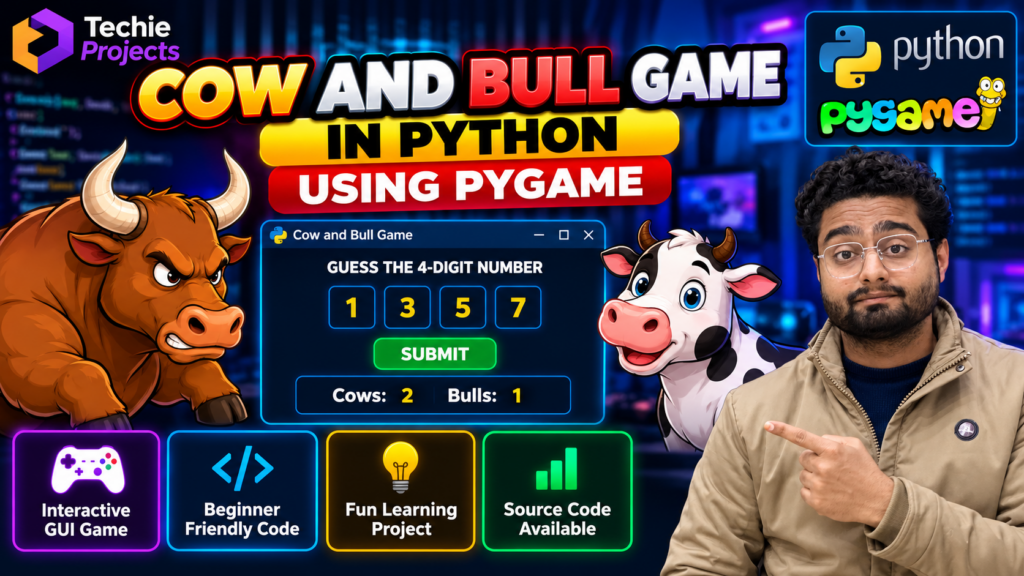
The Cow and Bull Game in Python is an interactive number-guessing game developed using Python programming and the Pygame library. This project is suitable for students who want to learn game development, logical programming, user interaction, and basic software design.
The game challenges players to guess a hidden number using clues called cows and bulls. A bull indicates that a digit is correct and in the correct position, while a cow indicates that a digit is correct but in the wrong position. The player uses these clues to improve each guess until the secret number is identified.
At Techie Projects, we help engineering and computer science students explore practical Python projects for academic learning, demonstrations, and project development. You can contact us to discuss source code availability, setup assistance, and customization options for this game.
🎬 Cow and Bull Game in Python – Project Demo Video
Watch the Cow and Bull Game demonstration to understand the gameplay, number-guessing logic, and interactive interface. The demo helps you see how the project works before deciding whether it matches your learning objectives or academic requirements.
Watch Python Projects on the Techie Projects YouTube channel
🎮 Cow and Bull Game Using Pygame – Project Overview
The Cow and Bull Game is a Python-based game in which the computer generates a secret number and the player attempts to identify it through repeated guesses.
After every attempt, the game provides feedback based on the digits and their positions. This feedback makes the game interactive and encourages players to use logical reasoning.
Using Pygame, developers can build a graphical interface with buttons, input fields, text, and other visual elements, depending on the implementation.
This project is useful for students who want hands-on experience with Python programming and beginner-level game development.
🎯 Objectives of the Project
The main objectives of the Cow and Bull Game in Python include:
- Developing an interactive number-guessing game.
- Understanding Python variables, loops, conditions, and functions.
- Implementing logic to compare guessed digits with a secret number.
- Displaying feedback based on correct digits and positions.
- Learning the fundamentals of graphical game development using Pygame.
- Improving problem-solving and logical-thinking skills.
- Understanding how user input and game states work together.
⚙️ How Does the Cow and Bull Game Work?
The project generally follows these steps:
1. Generate the Secret Number
The game generates a secret number according to the selected rules. The number of digits and whether repeated digits are allowed depend on the implementation.
2. Enter a Guess
The player enters a number through the game’s interface. The application checks whether the input meets the required format.
3. Compare the Digits
The game compares the player’s guess with the secret number to identify matching digits and positions.
4. Calculate Cows and Bulls
- Bull: A digit matches the secret number and its position.
- Cow: A digit exists in the secret number but appears in a different position.
The counting logic should account for duplicate digits according to the game’s rules.
5. Display Feedback
The interface displays the result of the guess so the player can make a more informed next attempt.
6. Complete the Game
The game ends when the player guesses the secret number or reaches a defined attempt limit, if that feature is implemented.
⭐ Key Features of the Cow and Bull Game Project
The available features depend on the delivered version of the project. Common features may include:
- Interactive number-guessing gameplay.
- Secret-number generation.
- Cow and bull calculation logic.
- Input validation.
- Graphical user interface using Pygame.
- Feedback after each guess.
- Win and game-over messages.
- Restart or replay functionality, if implemented.
- Readable Python code for learning and modification.
Before purchasing, contact Techie Projects to confirm the exact features included in the available version.
💻 Technologies Used
The project can use the following technologies:
- Programming language: Python
- Game development library: Pygame
- Development environment: Visual Studio Code, PyCharm, or another compatible Python IDE
- Core concepts: Conditional statements, loops, functions, lists, strings, and number comparison
- Interface: Pygame graphical interface, depending on the implementation
🖥️ Software and Hardware Requirements
Software Requirements
- Python installed on the computer.
- Pygame library installed in the selected Python environment.
- A compatible code editor or IDE.
- Operating system that supports the required Python and Pygame versions.
Hardware Requirements
- Desktop computer or laptop.
- Keyboard and display.
- Basic computing resources sufficient to run Python and Pygame.
A dedicated graphics card is generally not necessary for a basic 2D game of this type.
📚 What Will Students Learn From This Project?
The Cow and Bull Game in Python offers practical experience with several programming concepts:
- Conditional logic: Making decisions based on game conditions.
- Loops: Repeating gameplay until the game-ending condition is reached.
- Functions: Organizing code into reusable components.
- String and list operations: Comparing digits and processing player input.
- Random number generation: Creating a secret number.
- GUI development: Building an interactive application with Pygame.
- Debugging: Identifying and correcting errors in game logic.
These concepts can also help students prepare for more advanced Python applications and game development projects.
🎓 Applications of the Project
The Cow and Bull Game can be used for:
- Python programming practice.
- Beginner-level game development.
- College mini-project demonstrations.
- Learning logical reasoning and number comparison.
- Understanding event-driven graphical interfaces.
- Extending a simple game with additional features.
The project is intended for educational and learning purposes. Academic acceptance depends on your institution’s project guidelines and assessment requirements.
🚀 Future Enhancements
Students can extend the project with additional features, depending on their requirements:
- Multiple difficulty levels.
- A timer-based challenge.
- Score tracking and leaderboards.
- A limited number of attempts.
- Improved graphics and animations.
- Sound effects and background music.
- A player name and score screen.
- A database for saving game statistics.
- A redesigned interface with additional gameplay options.
Customization options should be confirmed before purchase based on the requested scope.
🛒 Purchase the Cow and Bull Game in Python From Techie Projects
Looking for a Cow and Bull Game in Python using Pygame for learning, practice, or a college project demonstration?
Techie Projects can help you explore the available project version and discuss your requirements before ordering.
Who Can Benefit From This Project?
- B.Tech and B.E. Computer Science students.
- BCA and MCA students.
- Beginners learning Python programming.
- Students exploring Pygame and game development.
- Learners looking for a small interactive programming project.
What Should You Confirm Before Purchasing?
Contact us to confirm:
- Source code availability and included files.
- Python and Pygame version requirements.
- Setup and execution instructions.
- Available documentation or implementation guidance.
- Customization scope and applicable charges.
- Delivery timeline and support availability.
📲 Contact Techie Projects
Interested in purchasing this project? Contact us to discuss availability, pricing, and any customization requirements.
- 📲 Call/WhatsApp: +91-9460060699
- 🌎 Website: www.techieprojects.com
- 📺 Instagram: @pythonprojects_
Send us a message with your course, project requirements, and preferred features so we can discuss the appropriate option.
🎓 Explore Related Projects
Students interested in Python programming and interactive applications may also explore these project ideas:
- Snake Game Using Python
- Chess Game Using Python
- Sudoku Solver using Python
- Rock Paper Scissors Game Using Python
- Pacman Game using Python
Contact Techie Projects if you need help exploring available projects or discussing a customized Python application.
❓ Frequently Asked Questions
1. What is the Cow and Bull Game in Python?
It is a number-guessing game in which players identify a secret number using feedback about matching digits and their positions.
2. Which library is used to develop this game?
Pygame can be used to create the game’s graphical interface, handle user input, and manage gameplay events.
3. Is this project suitable for beginners?
Yes. The basic game is suitable for learners who understand fundamental Python concepts. Students should confirm the complexity of the specific implementation before purchasing.
4. Can I customize the Cow and Bull Game?
Potential customizations may include a timer, difficulty levels, score tracking, improved graphics, and additional gameplay options. Confirm feasibility and pricing with Techie Projects before ordering.
5. Can I purchase the source code?
Contact Techie Projects through WhatsApp to confirm current availability, the included files, pricing, and delivery terms.
6. Does the project require a powerful computer?
A basic Pygame game generally runs on an ordinary laptop or desktop that supports the required Python environment.
7. How can I order this project?
Message Techie Projects on WhatsApp with your requirements. We can discuss the available version, pricing, and any requested customization.
✅ Conclusion
The Cow and Bull Game in Python using Pygame is a useful beginner-friendly project for exploring programming logic, number comparison, and interactive game development. It provides an opportunity to practice Python concepts through a simple game that can be extended with additional features.
If you are looking for a Python game project for learning or academic demonstration, contact Techie Projects to discuss source code availability, setup requirements, and customization options.
Start your Python project journey with Techie Projects.