
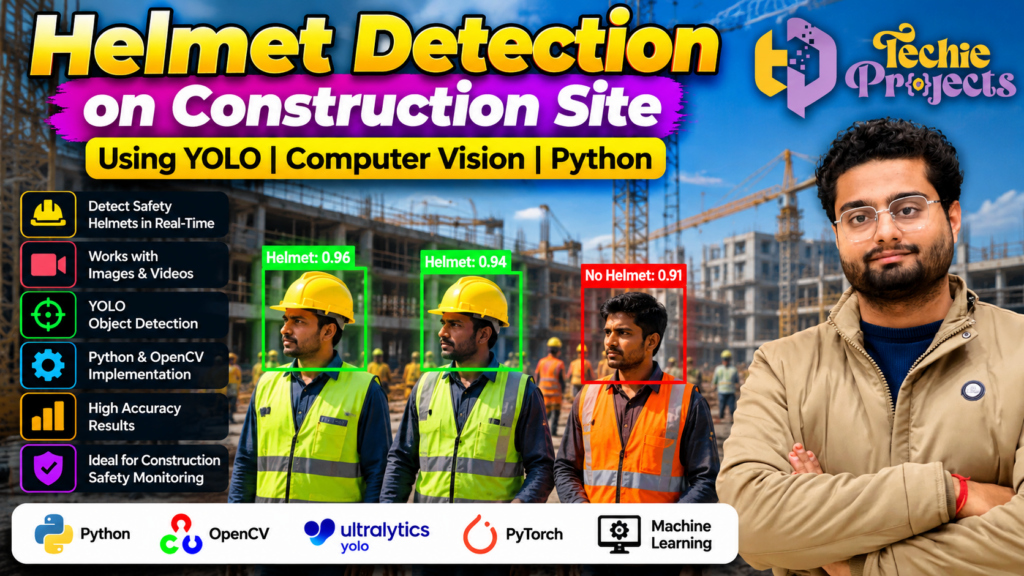
Are you looking for a practical Helmet Detection on Construction Site project for your final-year engineering submission, computer vision portfolio, or machine learning demonstration? Techie Projects offers project options designed to help students explore how Python, YOLO, and OpenCV can be used to identify safety helmets in construction-site images and videos.
Instead of spending excessive time trying to assemble a computer vision project from scratch, explore this real-world project concept and check the available implementation, installation requirements, and deliverables before purchasing. It can be a valuable choice for Computer Science Engineering, Information Technology, Artificial Intelligence, and Data Science students who want to demonstrate their understanding of object detection.
Explore the project with Techie Projects: Visit https://techieprojects.com/ or contact us directly on WhatsApp to enquire about project availability, pricing, and included materials.
🎬 Watch the Helmet Detection on Construction Site Project Demo
Explore the Helmet Detection on Construction Site project demonstration to understand the visual workflow, detection output, and practical application of computer vision.
The project focuses on identifying people wearing safety helmets and detecting potential helmet non-compliance in construction environments. Actual results depend on the implementation, trained model, image quality, lighting conditions, and camera angle.
🏗️ What Is Helmet Detection on Construction Site Using YOLO?
Helmet detection is a computer vision application that identifies safety helmets in images or video frames. Construction environments often contain workers, equipment, vehicles, and changing lighting conditions, making automated visual detection an interesting machine learning problem.
The Helmet Detection on Construction Site project uses object detection techniques to locate relevant objects and classify them according to the classes supported by the trained model. Depending on the implementation, these classes may include helmet, no helmet, and person.
YOLO, which stands for You Only Look Once, is a family of object detection models designed to predict object locations and classes efficiently. Python provides the programming environment, while OpenCV can help with image and video processing.
The main objective is to demonstrate how computer vision can support construction safety monitoring. This project is an educational prototype and should not be treated as a certified safety system without appropriate validation and testing.
🎯 Why Choose This Python and Machine Learning Project?
Students often need a final-year project that combines programming concepts with a practical application. Helmet detection connects machine learning theory with a recognizable workplace safety challenge.
1. Practical computer vision application
The project demonstrates how images and video frames can be analyzed to locate safety-related objects. It helps students connect object detection concepts with an application used in industrial research and development.
2. Learn YOLO object detection
YOLO-based detection provides an opportunity to understand bounding boxes, class labels, confidence scores, model inference, and object localization.
3. Develop Python programming knowledge
Python is widely used in computer vision and artificial intelligence. Working with a detection project can help students become more familiar with libraries, input processing, model execution, and output visualization.
4. Suitable for academic demonstrations
A construction safety use case can be explained through a project presentation, demonstration, technical discussion, and viva. Students should review the actual implementation and understand its limitations before presenting it.
5. Connect theory with real-world problems
The project provides a way to discuss how computer vision might assist safety teams with visual monitoring, while recognizing that automated predictions require human oversight.
🎯 Benefits of Helmet Detection on Construction Site Using YOLO
The Helmet Detection on Construction Site project demonstrates how computer vision can identify safety helmets in construction environments. By using YOLO-based object detection with Python, students can explore how a trained model locates objects and displays predictions in images or video.
Key benefits include:
- Visual safety monitoring: Explore helmet detection in construction-site footage.
- Practical machine learning: Understand object localization, class labels, and confidence scores.
- Python programming experience: Learn how computer vision libraries can work together.
- Academic demonstration: Present a practical AI application for engineering coursework.
⚙️ How the Helmet Detection System Works
A typical helmet detection pipeline contains several stages. The exact workflow depends on the model and application included with the selected project.
Step 1: Image or video input
The system receives a construction-site image, a video file, or a supported camera stream. The quality of the input can influence the detection results.
Step 2: Frame processing
For video, the application processes frames individually. OpenCV may be used to read frames, resize images, manage video input, and display the resulting output.
Step 3: YOLO model inference
The trained object detection model analyzes each frame and predicts the locations and classes of objects it recognizes. Relevant predictions may include helmets and people, depending on the model’s training classes.
Step 4: Detection visualization
The application can display bounding boxes, class labels, and confidence scores around detected objects. A model trained to distinguish helmet and no-helmet classes may provide a visual indication of possible non-compliance.
Step 5: Output review
Users can examine the processed image or video and assess whether the predictions are appropriate. False detections and missed objects can occur, so results should be evaluated rather than assumed to be correct.
⚙️ Features of the Helmet Detection on Construction Site Project
The Helmet Detection on Construction Site system can demonstrate helmet-related object detection using a supported YOLO model. Depending on the implementation, it may display bounding boxes, class labels, and confidence scores for detected objects.
Students can use this project to study model predictions, test different images, and understand how lighting, camera angles, and image quality affect detection accuracy. The available features depend on the specific project version.
🧰 Technologies Used in Helmet Detection on Construction Site
The following technologies are commonly associated with this type of computer vision project. Confirm the exact libraries and versions included in the available implementation before installation.
- Python: Main programming language for the application.
- YOLO: Object detection model for locating and classifying objects.
- OpenCV: Image and video processing.
- Ultralytics: A framework commonly used to work with supported YOLO models.
- PyTorch: Deep learning framework used by many YOLO implementations.
- Machine Learning: Techniques for learning visual patterns from training data.
The precise software stack may vary by model version and project configuration.
🚀 Key Features of a Helmet Detection Project
The following are common capabilities for this project category. The features available in the purchased version should be confirmed before ordering.
- Detection of safety helmets in supported images or videos.
- Object localization using bounding boxes.
- Display of predicted classes and confidence scores.
- Visual identification of supported helmet-related classes.
- Processing of sample construction-site footage.
- Results suitable for a computer vision demonstration.
- An opportunity to explore object detection and model inference.
Features such as live camera processing, report generation, attendance tracking, cloud storage, or automatic alerts should not be assumed unless they are specifically included in the selected implementation.
🏢 Applications of Construction Helmet Detection
Construction-site safety monitoring
A computer vision prototype can help demonstrate how visual systems identify workers and helmets in recorded footage. In real workplaces, it may form part of a broader safety-monitoring workflow after proper validation.
Industrial safety research
Students and researchers can explore how object detection models perform in environments containing different backgrounds, lighting conditions, and worker positions.
Smart surveillance prototypes
Helmet detection can be studied alongside other computer vision applications, such as person detection, restricted-area monitoring, and vehicle detection.
Academic research and experimentation
The project can provide a foundation for testing model performance, comparing detection results, and studying how image quality affects predictions.
Automated detection does not guarantee that every safety violation will be identified. Real-world deployment requires careful evaluation, privacy safeguards, human oversight, and appropriate workplace procedures.
🎓 Learning Outcomes for Engineering Students
Working with a helmet detection application can help students investigate several technical concepts:
- Image and video processing with Python.
- Object detection and bounding-box interpretation.
- The role of training data in model performance.
- Model inference and confidence scores.
- Integration of computer vision libraries.
- Testing, debugging, and interpreting prediction errors.
- Preparing technical explanations and project demonstrations.
For a successful academic presentation, students should understand how the model works, which classes it detects, what the output represents, and where the system may fail. The ability to explain the implementation is as important as showing the output.
💻 Software and Hardware Requirements
Requirements depend on the selected YOLO model, Python version, dependency versions, and whether inference runs on a CPU or GPU.
Software requirements
A typical setup may include:
- Windows or Linux operating system.
- Python version compatible with the project dependencies.
- OpenCV.
- The required YOLO framework and model weights.
- PyTorch or other framework dependencies used by the implementation.
- An IDE or code editor, such as Visual Studio Code.
Hardware requirements
A modern computer with sufficient RAM and storage is useful for running a computer vision application. A compatible NVIDIA GPU may accelerate some workloads, but GPU support depends on the installed software stack. Smaller models may run on a CPU, although processing speed can vary.
Check the actual project requirements before purchasing or installing dependencies.
🛒 Purchase the Helmet Detection on Construction Site Project
Looking for a Helmet Detection on Construction Site project for your final-year engineering submission? Contact Techie Projects to check availability, pricing, software requirements, and the materials included with the project package.
Before placing an order, confirm the included source code, model files, installation instructions, documentation, demonstration materials, and support arrangements. Availability may vary by project package, so make sure the selected package matches your academic and technical requirements.
Contact Techie Projects:
- 📲 Call/WhatsApp: +91-9460060699
- 🌎 Website: www.techieprojects.com
- 📺 Instagram: @pythonprojects_
Send your enquiry to discuss the project, confirm the available package, and check compatibility with your computer before purchasing.
🎓 Recommended Projects from Techie Projects
Students interested in computer vision, machine learning, and practical engineering applications can also explore these related project ideas:
- Vehicle Detection and Counting System – Detect and count vehicles in images or video.
- Car Number Plate Detection Using Python – Locate vehicle number plates using image processing and object detection.
- Pothole Detection System – Identify road surface defects in images or video.
- Garbage Detection Using YOLO – Detect supported waste categories in visual data.
- Fire and Smoke Detection – Explore computer vision methods for identifying fire or smoke.
- PPE Detection System – Study the detection of selected personal protective equipment.
- Real-Time Object Detection with Python – Demonstrate object localization and classification.
These are project ideas; their implementation details and availability should be confirmed individually.
❓ Frequently Asked Questions
What is a Helmet Detection on Construction Site project?
It is a computer vision application that identifies safety helmets in images or video using an object detection model. The exact detected classes depend on the model and training data.
Which programming language is used?
Python is commonly used because it supports computer vision and deep learning libraries. The exact implementation may use OpenCV, YOLO, and associated frameworks.
Is YOLO used for helmet detection?
YOLO models can be trained or configured to detect helmets and other supported classes. Performance depends on the model, training data, and environmental conditions.
Can the project be used for a final-year engineering submission?
It may be suitable for a computer science, IT, AI, or data science project, depending on your institution’s requirements. Confirm the scope with your project guide and ensure you understand the implementation.
Does the system guarantee detection of every worker without a helmet?
No. Detection systems can miss objects or make incorrect predictions. Performance must be evaluated under relevant conditions, and real-world safety decisions should not rely solely on automated output.
How can I enquire about purchasing this project?
Visit Techie Projects or contact WhatsApp support to ask about current availability, pricing, and the deliverables included in the package.
✅ Conclusion
The Helmet Detection on Construction Site project using YOLO and Python is a practical way to explore object detection, image processing, and machine learning through a construction safety application. It connects programming concepts with a real-world challenge and offers opportunities to study detection results, model limitations, and computer vision workflows.
If you are looking for a project for your engineering coursework or final-year presentation, contact Techie Projects to check the available implementation and package details. Confirm the requirements and included materials before purchasing so you can choose an option that fits your academic goals.
Start your enquiry today: Techie Projects Website | Contact on WhatsApp