
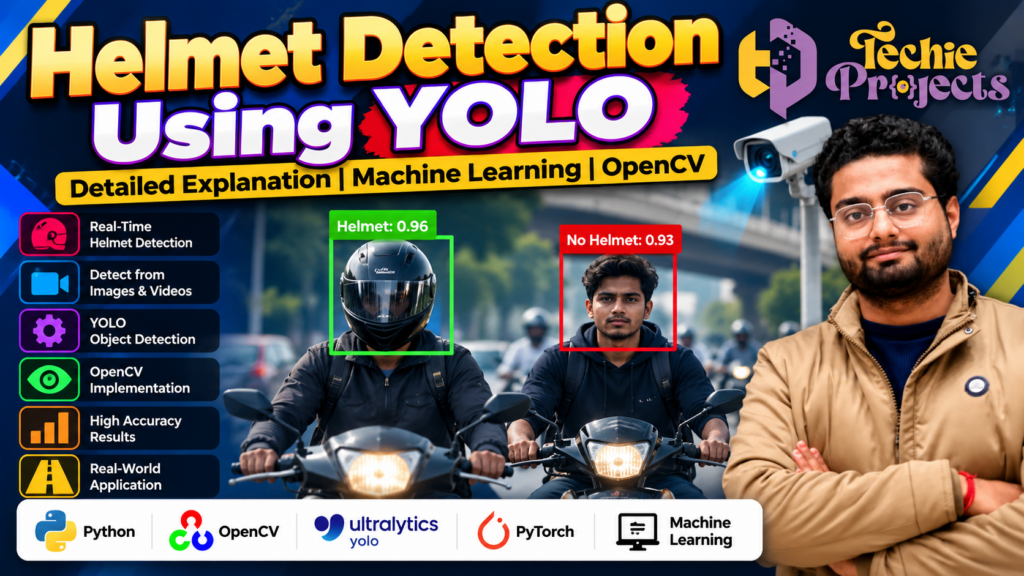
Looking for a practical, industry-relevant machine learning project for your final-year submission? Helmet Detection Using YOLO is an excellent choice for engineering students who want to explore computer vision, deep learning, object detection, and real-world road safety applications. Instead of choosing a basic project with limited practical value, you can work on a computer vision application designed to identify helmet and no-helmet cases from images or video, depending on the implementation.
At Techie Projects, we help students explore Python, artificial intelligence, and machine learning project opportunities. The Helmet Detection Using YOLO project combines a relevant road-safety problem with modern object detection techniques, making it a useful topic for B.Tech, BCA, MCA, diploma, and other computer science students.
If you want to develop your understanding of AI-based object detection and prepare a meaningful academic project, explore this project from Techie Projects. Contact us to confirm the available source code, documentation, installation requirements, demonstration, and package details before purchasing.
🎬 Watch the Helmet Detection Using YOLO Project Demo
Watch the Helmet Detection Using YOLO project demonstration to understand the interface, detection process, and expected output. The video provides a visual overview of how an object detection system can identify helmet-related objects and display detection results.
The demonstration is useful for students who want to understand the project’s practical application before deciding whether it matches their academic requirements.
🤖 What Is Helmet Detection Using YOLO?
Helmet Detection Using YOLO is a computer vision application that uses a YOLO (You Only Look Once) object detection model to identify helmet-related objects in images or video frames. Depending on the trained model and implementation, the system can classify visible cases into categories such as helmet and no helmet.
YOLO is widely used for object detection because it can identify objects and their locations within an image in a single model inference process. The model can return bounding boxes, class labels, and confidence scores for detected objects.
Python provides the programming environment for building the application, while OpenCV can help process images, read video streams, and display detection results. The actual detection performance depends on the model version, training data, camera conditions, and implementation.
For students, this project offers an opportunity to understand how computer vision techniques can be applied to a real-world road safety challenge.
🎯 Why Choose Helmet Detection Using YOLO for Your Final-Year Project?
Selecting a suitable academic project is important for demonstrating technical knowledge and practical problem-solving skills. A well-developed object detection project can help you connect theoretical machine learning concepts with an application that is easy to explain during a presentation.
1. Practical computer vision experience
Students can explore how image frames are processed and how an object detection model identifies relevant objects. This provides a practical introduction to computer vision.
2. Python and machine learning concepts
The project brings together Python programming, model inference, image processing, and detection output. It can help students understand how these components work together in an AI application.
3. A relevant real-world problem
Road safety remains an important public concern. Helmet monitoring is one example of how computer vision can support traffic observation and safety-related analysis.
4. Useful academic demonstration
Visual detection results can make the project easier to demonstrate during a college presentation or viva. Students can explain the model’s purpose, workflow, output, limitations, and possible improvements.
5. Scope for further development
Depending on the project requirements, the system may be extended with additional classes, video input, performance evaluation, or reporting features. These additions should be implemented and tested rather than assumed to be part of every project package.
⚙️ Key Features of the Helmet Detection Using YOLO Project
The following are common capabilities of a YOLO-based helmet detection implementation. The features available in a specific Techie Projects package should be confirmed before purchase.
- Object detection: Identifies target objects learned by the trained model.
- Helmet and no-helmet classification: Supports these categories when the model has been trained and configured for them.
- Bounding boxes: Marks detected objects within an image or video frame.
- Confidence scores: Displays model confidence values when supported by the implementation.
- Image processing: Processes still images to produce visual detection results.
- Video analysis: Can process video files or camera streams if these input modes are supported.
- Visual output: Presents the detection results in a format suitable for demonstration and analysis.
These capabilities make the project relevant to students interested in object detection, deep learning, and practical AI applications.
🔄 How Does Helmet Detection Using YOLO Work?
Understanding the workflow is essential for explaining the project confidently during a technical presentation.
Step 1: Input collection
The system receives an image, video, or camera feed, depending on the available input options. The quality and visibility of the input can affect detection performance.
Step 2: Image preprocessing
The input is prepared for the trained YOLO model. This may include resizing frames to the model’s required dimensions and converting the input into the appropriate format.
Step 3: Object detection
The trained model analyses the input and predicts the locations and classes of objects it has learned to recognise. Its predictions depend on the model architecture, training dataset, and configuration.
Step 4: Result processing
The application processes the model’s predictions and applies relevant confidence thresholds or other configured rules. It may then display class labels, bounding boxes, and confidence scores.
Step 5: Output display
The final result is displayed to the user. For video input, the application may process successive frames to show detection results over time.
This workflow helps students understand the relationship between data input, model inference, and visual output.
🧰 Technologies Used in Helmet Detection Using YOLO
The exact software stack depends on the implementation, but a typical project may use the following technologies.
Python
Python is the main programming language for connecting the detection model, handling input data, and managing application logic.
YOLO
YOLO is the object detection model family used to locate and classify target objects. The specific version and model weights should be verified for the project being purchased.
OpenCV
OpenCV is commonly used for image and video processing, camera access, drawing bounding boxes, and displaying results.
Machine learning and deep learning
The project demonstrates model inference and the use of trained neural networks. If model training is included, students can also explore datasets, training configuration, validation, and evaluation.
Supporting libraries
Additional Python libraries may be required for model loading, numerical operations, image processing, or the user interface. Their names and versions depend on the implementation.
💻 Software and Hardware Requirements
A suitable development environment helps students install and run the application successfully.
Typical software requirements may include:
- A compatible Python installation
- OpenCV
- The required YOLO framework or inference library
- Compatible trained model weights
- Supporting Python packages
- Windows or another operating system supported by the project
Typical hardware requirements may include:
- A desktop computer or laptop
- Sufficient RAM and storage for the application and model files
- A webcam if live camera input is supported
- A compatible GPU for accelerated processing, if required
The exact Python version, package versions, RAM requirements, GPU compatibility, and installation steps should be confirmed for the specific project package. A GPU is not necessarily required for every implementation, although processing speed may differ.
📚 What Can Students Learn from This Project?
The project offers several learning opportunities for students interested in AI and computer vision.
- Object detection: Understand how models locate objects and assign class labels.
- Image and video processing: Learn how input frames are handled and visual results are displayed.
- Model inference: Explore how trained model weights generate predictions.
- Performance evaluation: Study precision, recall, false detections, missed detections, and inference speed where evaluation data is available.
- Technical problem-solving: Investigate installation issues, input quality, model compatibility, and detection errors.
- Project presentation: Explain the system architecture, workflow, results, limitations, and possible extensions.
These concepts can help students build a stronger understanding of how AI applications are developed and evaluated.
🚦 Real-World Applications of Helmet Detection Using YOLO
Computer vision-based helmet detection has potential applications in several road safety and monitoring scenarios.
Traffic observation
A suitable detection system can help analyse images or video footage for visible helmet-related events.
Road safety research
Researchers and students can use object detection experiments to study helmet usage patterns in appropriately collected and authorised datasets.
Smart city prototypes
Helmet detection can be explored as one component of a broader intelligent transportation or traffic monitoring prototype.
Academic computer vision research
Students can compare model versions, evaluate detection results, test different lighting conditions, and investigate how occlusion or camera angles affect performance.
Important limitation: A detection model does not guarantee correct classification in every situation. Poor lighting, crowded scenes, unusual helmet designs, low-resolution footage, and camera angles can reduce accuracy. Any real-world monitoring system also needs appropriate privacy safeguards, lawful data collection, and human review where necessary.
🛒 Purchase the Helmet Detection Using YOLO Project from Techie Projects
Choose a project that matches your course requirements and gives you a clear technical topic to study. The Helmet Detection Using YOLO project is relevant to students who want to explore deep learning, Python programming, object detection, and road safety applications in a practical academic setting.
Techie Projects provides a point of contact for students exploring engineering and machine learning projects. Before confirming your order, discuss the exact package contents, project compatibility, installation process, documentation, demonstration availability, and price.
Contact Techie Projects to check availability and select a package that matches your requirements.
- 📲 Call/WhatsApp: +91-9460060699
- 🌎 Website: www.techieprojects.com
- 📺 Instagram: @pythonprojects_
When making your enquiry, mention Helmet Detection Using YOLO so the team can identify the project you are interested in.
🎓 Recommended Projects Related to Computer Vision
If you are exploring other AI and computer vision topics, consider these related project ideas:
- Number Plate Detection Using YOLO
- Vehicle Detection and Counting
- Face Mask Detection Using YOLO
- Traffic Sign Recognition
- Crowd Detection Using Computer Vision
- Car Speed Detection Using YOLO
- Accident Detection and Alert System
- Real-Time Object Detection Using YOLO
- Fire and Smoke Detection Using Deep Learning
- Pothole Detection Using Computer Vision
Each project has a different objective and implementation scope. Choose one based on your interests, available resources, and academic requirements.
❓ Frequently Asked Questions
1. What is Helmet Detection Using YOLO?
It is a computer vision project that uses a trained YOLO object detection model to identify helmet-related objects in images or video, depending on the implementation.
2. Which programming language is used?
Python is commonly used to build the application, with supporting libraries such as OpenCV and the relevant YOLO framework.
3. Is this project suitable for final-year students?
It can be suitable for B.Tech, BCA, MCA, diploma, and computer science students interested in machine learning and computer vision. Confirm that the available implementation meets your institution’s requirements.
4. Can it detect helmets in real time?
Real-time detection may be possible when the implementation supports live video or webcam input and the hardware provides adequate processing performance.
5. Does the system always provide accurate results?
No detection model is perfect. Accuracy depends on the trained model, dataset quality, input resolution, lighting, camera angle, and other environmental factors.
6. How can I purchase the project?
Contact Techie Projects through WhatsApp or visit techieprojects.com. Ask about availability, pricing, supported software versions, and included deliverables before placing an order.
✅ Conclusion
Helmet Detection Using YOLO is a practical machine learning project for students who want to understand object detection and explore a meaningful road safety application. By combining Python, YOLO, and image processing techniques, the project demonstrates how a trained model can identify target objects and display its predictions in visual form.
For engineering students, it provides a useful opportunity to study model inference, image and video processing, detection results, evaluation, and the limitations of computer vision systems. Its real-world relevance also makes it an engaging subject for an academic demonstration when implemented and evaluated carefully.
If you are looking for a computer vision project for your academic work, contact Techie Projects to enquire about the Helmet Detection Using YOLO project, confirm the available package details, and discuss your requirements.
Get started: Enquire on WhatsApp | Visit Techie Projects