
Crowd Counting from Heatmap Images Using Python
Introduction
Crowd counting has become an important computer vision application in modern surveillance systems, event management, smart cities, shopping mall and public safety monitoring. Object Detection technique often sometime failed in large crowded areas due to severe occlusions and overlapping individuals. To overcome this issue, researchers use heatmap-based crowd counting technique that estimate crowd density instead of counting each person individually.
In this blog, we will explore how to perform crowd counting from heatmap images using Python and understand the workflow behind density estimation techniques.
What is Crowd Counting?
Crowd counting is the process of counting the number of people present in an image or video frame. It is widely used in:
- Retail analytics
- Public event analysis
- Smart city surveillance
- Security and safety systems
- Stadium crowd management
- Traffic and pedestrian monitoring
The goal is to accurately count the number of people even when person is partially visible or heavy crowded.
Project Working Video:
Real Time Crowd Counting using OpenCV
What is a Heatmap Image?
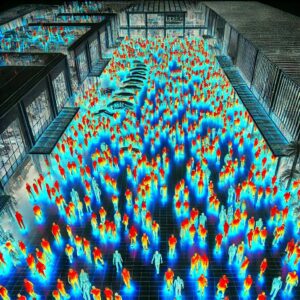
A heatmap is a visual representation of crowd density where different colors show different levels of density.
- Blue Areas: Low density
- Green Areas: Medium density
- Red/Yellow Areas: High crowd density
A heatmap highlights regions where people are likely present, instead of identifying each person individually.
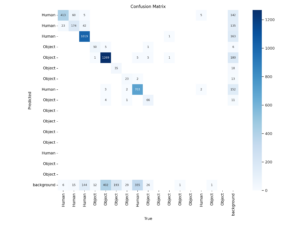
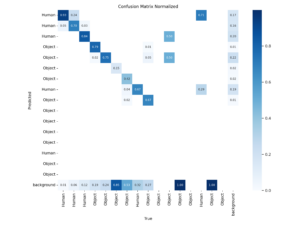
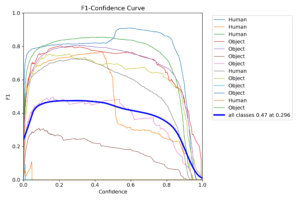
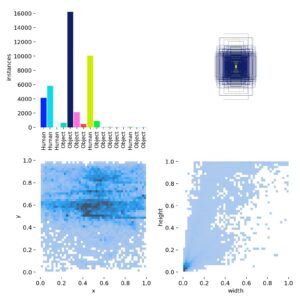
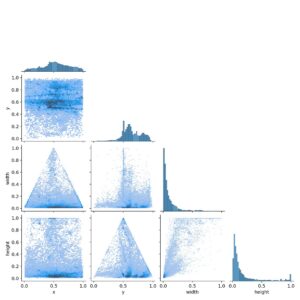
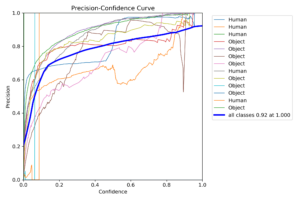
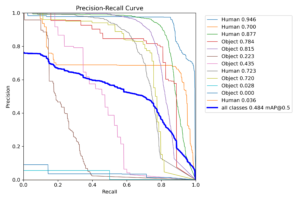
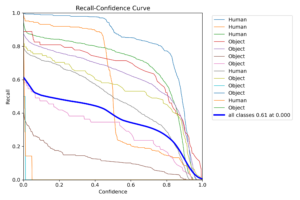
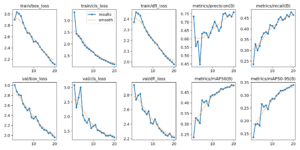
Graphs:-
Why Use Heatmaps for Crowd Counting?
- Improved Scalability: Heatmaps work efficiently in more crowded areas such as festivals, concerts, and sports events.
- Better Performance in Dense Crowds: Heatmaps focus on density estimation rather than individual detection. making object detection difficult because people often overlap in crowded scenes.
- Enhanced Accuracy: Modern deep learning models generate highly accurate density maps that provide reliable crowd counts.
- Reduced Occlusion Issues: density maps can still estimate crowd presence accurately, even when people are partially hidden
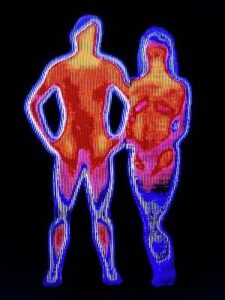
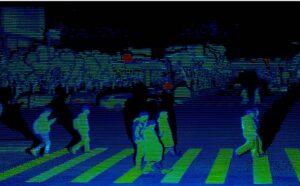
Results:
Workflow of Heatmap-Based Crowd Counting:
Step 1: Input Image Collection
Capture images from drones, surveillance cameras, or public monitoring systems.
Step 2: Heatmap Generation
Density heatmap generated by a trained deep learning model showing crowd concentration.
Step 3: Density Extraction
Pixel intensity values from the heatmap represent estimated crowd density.
Step 4: Crowd Count Calculation
The density values are summed to estimate the total number of people.
Step 5: Visualization
Display the original image alongside the generated heatmap and estimated crowd count.
Python Implementation
Install Required Libraries
pip install opencv-python numpy matplotlib
Load and Analyze Heatmap
- import cv2
- import numpy as np
- import matplotlib.pyplot as plt
- # Load heatmap image
- heatmap = cv2.imread(‘heatmap.png’, cv2.IMREAD_GRAYSCALE)
- # Normalize heatmap values
- density_map = heatmap / 255.0
- # Estimate crowd count
- crowd_count = np.sum(density_map)
- print(“Estimated Crowd Count:”, int(crowd_count))
- # Display heatmap
- plt.imshow(heatmap, cmap=’jet’)
- plt.title(“Crowd Density Heatmap”)
- plt.colorbar()
- plt.show()
Understanding the Code
Reading the Heatmap
- The grayscale heatmap is loaded using OpenCV.
- heatmap = cv2.imread(‘heatmap.png’, cv2.IMREAD_GRAYSCALE)
Density Normalization
density_map = heatmap / 255.0
This converts pixel values into normalized density values between 0 and 1.
Crowd Count Estimation
crowd_count = np.sum(density_map)
The total density values are summed to estimate the crowd size.
Advanced Deep Learning Models:
1.CSRNet
- Uses dilated convolutions
- High accuracy for dense crowds
2. CrowdNet
- Accurate density estimation
- Combines deep and shallow networks
3. MCNN (Multi-Column Convolutional Neural Network)
- Multiple convolution branches
- Handles varying crowd densities
4. SANet
- Scale aggregation network
- Effective for perspective variations
5. Bayesian Crowd Counting
- Improved generalization
- Robust against annotation errors
Applications of Crowd Counting:
- Public Safety: Detect overcrowded areas and prevent accidents.
- Event Management: Estimate attendance at festivals, concerts, and sports events.
- Smart Cities: Monitor pedestrian flow and optimize urban planning.
- Transportation Systems: Analyze passenger density at airports and stations.
- Retail Analytics: Measure customer traffic and shopping patterns.
Challenges in Crowd Counting:
- Dense Crowds: Extremely crowded scenes make counting difficult.
- Occlusion: Individuals may be partially hidden.
- Complex Backgrounds: Objects in the background may resemble humans.
- Scale Variation: People appear at different sizes due to camera perspective.
Future Trends:
Emerging technologies are improving crowd counting through:
- Edge AI deployment
- Real-time crowd analytics
- Vision Transformers (ViTs)
- Attention-based neural networks
- Drone-based crowd monitoring
- Multi-camera crowd estimation
These innovations are making crowd analysis more accurate and efficient.
Conclusion:
Crowd Counting from heatmap images is powerful computer vision technique for estimating the how many numbers of people in crowded area. By utilizing deep learning models and density maps, developers can achieve accurate crowd estimation even in highly congested scenes. Python, with OpenCV and modern neural networks, provides an effective platform for building scalable crowd counting applications for surveillance, transportation systems, smart cities, and event management.
Crowd Counting, Heatmap Image Processing, Crowd Density Estimation, Python Crowd Counting, OpenCV Crowd Analysis, Deep Learning Crowd Detection, CSRNet, MCNN, Density Map Estimation, Computer Vision Projects, AI Crowd Monitoring, Smart Surveillance System.
☎️ Contact Us For More Queries:-
📲 Call/WhatsApp: +91-9460060699
🌎 Website: www.techieprojects.com
📺 Instagram: @pythonprojects_
💡 Checkout Related Projects:-
1. Android App:- Click Here
2. Java Projects:- Click Here
3. OpenCV Projects:- Click Here
4. Data Science Projects:- Click Here
5. Data Analytics Projects:- Click Here
5. Deep Learning Projects:- Click Here
6. Cyber Security Projects:- Click Here
7. Machine Learning Projects:- Click Here
8. Image Processing Projects:- Click Here
9. Web Development Projects:- Click Here
10. Game Development Projects:- Click Here
11. Artificial Intelligence Projects:- Click Here
12. Database Management System:- Click Here