
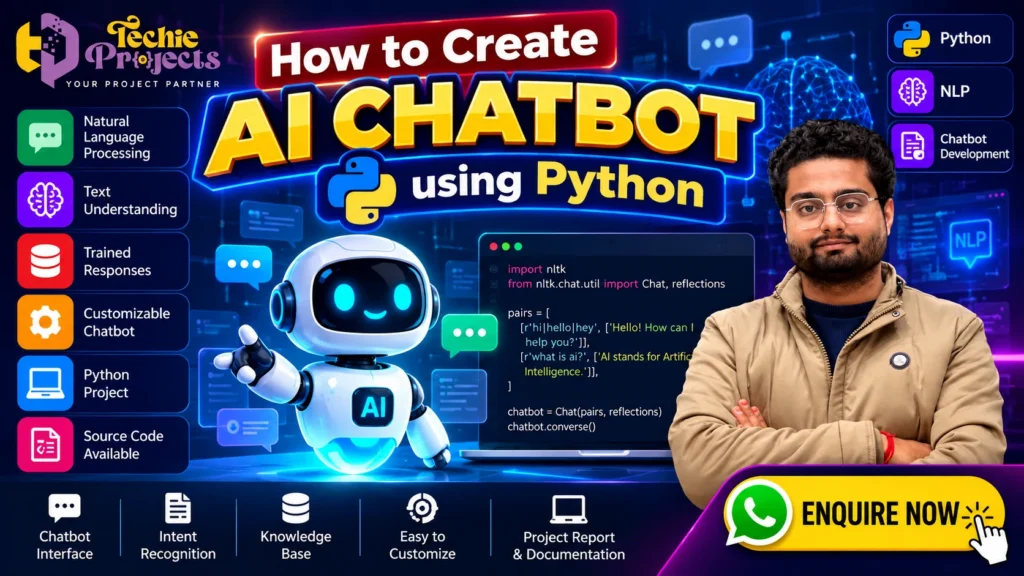
🤖 Looking for an AI chatbot project using Python for your engineering submission? Techie Projects helps students explore practical artificial intelligence projects with options to enquire about source code, project documentation, installation guidance, and technical support. If you want to understand how chatbots process questions, recognize user inputs, and generate relevant responses, the How to Create AI Chatbot Using Python project is an excellent topic to explore.
Instead of spending weeks searching for scattered tutorials and combining different code examples, you can enquire about an available project package that matches your academic requirements. Whether you are pursuing B.Tech, M.Tech, BCA, MCA, or Computer Science Engineering, this project offers an opportunity to study Python programming, Natural Language Processing (NLP), chatbot logic, and conversational interfaces.
Discover the project features, technologies, working methodology, and implementation possibilities below. Contact Techie Projects to discuss package availability, pricing, and the support options available for your requirements.
📞 Contact Techie Projects for Project Enquiries
Interested in purchasing the How to Create AI Chatbot Using Python project? Contact us to enquire about package availability, pricing, source code, documentation, installation guidance, and technical support options.
💬 WhatsApp Enquiry: Chat with Techie Projects
📱 Contact Number: +91 94600 60699
🌐 Official Website: https://techieprojects.com/
📸 Instagram: Follow Techie Projects
🎓 Project Categories: Artificial Intelligence, Python, Natural Language Processing, Machine Learning, and Chatbot Development.
✅ Request Project Details: Share your engineering branch, preferred chatbot features, and technical requirements to enquire about the most suitable available package.
🚀 Ready to get started? Click here to enquire on WhatsApp and mention How to Create AI Chatbot Using Python.
🎬 AI Chatbot Using Python – Project Demo
An AI chatbot project demonstrates how software can interact with users through a conversational interface. Depending on its implementation, the chatbot may recognize greetings, respond to frequently asked questions, identify user intentions, or retrieve relevant information from a predefined knowledge base.
The demonstration helps students understand the relationship between user input, text processing, chatbot logic, and generated responses. It also provides a practical way to present the project during an academic demonstration.
Explore the chatbot demonstration on the Techie Projects website or YouTube channel to understand the available interface and functionality.
🧠 What Is an AI Chatbot Using Python?
An AI chatbot is a software application designed to communicate with users through text or, in some implementations, voice. Python is commonly used for chatbot development because it offers accessible syntax and libraries for text processing, machine learning, web development, and artificial intelligence.
The How to Create AI Chatbot Using Python project introduces students to the essential components of a conversational application. These components can include a user interface, message processing logic, predefined responses, an intent recognition module, and a response-generation mechanism.
Not every chatbot uses the same level of artificial intelligence. A rule-based chatbot follows predefined conditions, while an NLP-based chatbot analyzes text to identify patterns and user intentions. More advanced chatbots may use machine learning models or large language models to produce more flexible responses.
Choosing the right approach depends on your academic objectives, available computing resources, and desired functionality.
🎯 Objectives of the AI Chatbot Project
The main objective is to develop a conversational application that accepts user messages and provides appropriate responses.
Key learning objectives include:
- Understanding Python-based application development.
- Learning the fundamentals of Natural Language Processing.
- Processing text entered by users.
- Designing a conversation flow.
- Mapping questions or intents to suitable responses.
- Developing and testing a chatbot interface.
- Understanding basic model evaluation and error handling.
- Exploring practical applications of conversational AI.
For students, these objectives connect programming concepts with a practical software development problem.
⚙️ Key Features of the AI Chatbot Using Python
The features depend on the specific implementation selected for the project. Common features that can be included are outlined below.
💬 1. Interactive Chat Interface
A chat interface allows users to enter questions and view chatbot responses. It can be developed as a command-line application or through a graphical interface or web application.
A clear interface makes it easier to demonstrate the conversation flow during a project presentation.
🧠 2. Natural Language Processing
NLP techniques help a chatbot process written language. Depending on the design, the system may normalize text, tokenize sentences, remove unnecessary elements, or identify important words.
These techniques help prepare user messages for further processing.
🎯 3. Intent Recognition
Intent recognition attempts to determine what a user wants to accomplish. For example, messages such as “Hello” and “Hi there” may belong to a greeting intent.
A simple chatbot can use keyword matching, while a machine learning implementation may classify messages using labelled training examples.
📚 4. Predefined Knowledge Base
A knowledge base stores information or responses that the chatbot can use to answer supported questions. This may include frequently asked questions, course information, general help content, or project-specific details.
A well-organized knowledge base makes the chatbot easier to maintain and update.
⚡ 5. Automated Responses
After processing a message, the chatbot selects or generates a response according to its design. A rule-based system returns predefined answers, whereas an advanced model may generate responses dynamically.
The quality of responses depends on the implementation, training data, and available information.
🛠️ 6. Customizable Conversation Flow
A chatbot can be configured for different purposes, including student support, website assistance, customer enquiries, and frequently asked questions.
The response categories and interface can be adapted to the intended use case.
🧪 7. Error Handling
The chatbot should handle unknown questions gracefully. For example, it can ask the user to rephrase a question when it cannot identify a suitable response.
This improves usability and helps demonstrate thoughtful software design.
🤖 Benefits of How to Create AI Chatbot Using Python
Learning How to Create AI Chatbot Using Python helps students understand how conversational applications process user messages and provide automated responses. This project combines Python programming, Natural Language Processing, and chatbot logic in a practical application.
Key benefits include:
- 💬 Learning how a chatbot accepts and processes text input.
- 🧠 Understanding NLP and intent recognition.
- ⚙️ Exploring response selection and conversation flow.
- 💻 Practising Python application development.
- 🎓 Preparing a working demonstration for an academic project.
- 🚀 Exploring possible enhancements such as a web interface or database integration.
The actual features depend on the chatbot implementation and the libraries used.
💻 Technologies Used in the Python Chatbot Project
The technology stack depends on the version of the project you choose. Common technologies include:
🐍 Python
Python is the main programming language for implementing the chatbot’s processing logic, response handling, and application functionality.
📝 Natural Language Processing Libraries
Libraries such as NLTK or spaCy can support text processing, tokenization, and other NLP operations. The actual library depends on the project implementation.
📊 Machine Learning with Scikit-learn
Scikit-learn can be used for tasks such as text classification and intent recognition. A possible workflow includes converting text into numerical features and training a classification model.
🌐 Web Interface
Flask or Streamlit can be used to build a web-based interface, if required by the chosen implementation.
🗂️ Data Storage
A simple chatbot may store responses in Python dictionaries or structured files. A more advanced application can use a database to manage conversation records or knowledge-base content.
Important: These are possible technology choices, not a guarantee that every library or feature is included in every project package. Confirm the actual requirements and included components before purchasing.
🔄 How Does an AI Chatbot Work?
The typical workflow can be divided into several stages.
Step 1: User Enters a Message
The user types a question or greeting into the chatbot interface.
Step 2: Text Preprocessing
The application prepares the message for analysis. Depending on the implementation, this may involve converting text to lowercase, tokenizing words, or removing unnecessary characters.
Step 3: Message Analysis
The chatbot identifies relevant words, patterns, or intents. A rule-based application uses predefined conditions, while an NLP or machine learning application may use a trained model.
Step 4: Response Selection
The system selects an appropriate response from its predefined responses or knowledge base. Advanced implementations may generate a response using a language model.
Step 5: Response Display
The chatbot displays the answer to the user. If it cannot process the message, it should provide a helpful fallback response.
Step 6: Testing and Improvement
Developers test the application using different questions and evaluate whether the responses are appropriate. The knowledge base, rules, or model can then be improved.
💻 Steps for How to Create AI Chatbot Using Python
To understand How to Create AI Chatbot Using Python, start by defining the chatbot’s purpose and the types of questions it should answer.
- 📝 Prepare responses: Create a set of questions, intents, and suitable responses.
- 🐍 Set up Python: Install the required libraries and configure the development environment.
- 🧹 Process user input: Apply the text-processing steps required by the chatbot.
- 🧠 Implement chatbot logic: Use rules, NLP techniques, or a trained model to select a response.
- 🖥️ Build the interface: Display messages and responses in a command-line or web interface.
- 🧪 Test the application: Try different questions and check how the chatbot handles unknown inputs.
These steps provide a learning roadmap; the exact implementation depends on the selected project package.
📦 What Can Be Included in an AI Chatbot Project Package?
If you are planning to purchase an AI chatbot project for academic learning, confirm the deliverables before placing an order.
Depending on package availability, you can enquire about:
- Python source code: Files needed to understand and run the implemented application.
- Project documentation: An explanation of the problem statement, objectives, methodology, and system design.
- Installation guidance: Instructions for setting up the required environment and dependencies.
- Project demonstration: A walkthrough of the implemented features.
- Technical explanation: Details about the code structure, processing logic, and selected technologies.
- Presentation support: Information that may help you explain the implementation during your academic presentation.
- Technical support options: Assistance available for setup and project-related questions.
The exact deliverables, charges, and support arrangements should be confirmed directly with Techie Projects before purchase.
🎓 Why Choose This Python Project for Your Academic Work?
The How to Create AI Chatbot Using Python project combines several concepts that students can study in one application.
📘 Practical Programming Experience
You can examine how Python functions, conditional statements, data structures, modules, and application logic work together.
🤖 Introduction to Artificial Intelligence
The project introduces conversational systems and demonstrates how software can process user messages and respond according to programmed logic or trained models.
📝 Understanding NLP Concepts
Students can explore text preprocessing, intent recognition, and response selection in a practical context.
🎤 Project Presentation Opportunities
A working chatbot can provide a visual demonstration of the system’s input and output. Students can explain the architecture, implementation decisions, testing approach, and limitations.
🚀 Scope for Future Enhancements
Depending on the original design, possible enhancements include a database-backed knowledge base, multilingual support, speech input, authentication, or integration with an external language model.
These enhancements may require additional development and should not be assumed to be included in a basic project.
🏢 Real-World Applications of Chatbots
Chatbots are used in a range of industries and services.
- Education: Answering common student questions and providing course information.
- Customer Support: Handling frequently asked questions and directing users to relevant information.
- E-commerce: Helping users find products or understand order-related information.
- Healthcare Administration: Providing general appointment or service information, subject to appropriate safeguards.
- Banking Services: Supporting general information requests and navigation to services.
- Website Assistance: Helping visitors locate information and understand available services.
- Business Enquiries: Responding to common questions about products, services, and contact procedures.
A student prototype is intended for learning and demonstration. Deploying a chatbot in a real business environment may require privacy safeguards, security controls, accurate knowledge sources, and human oversight.
🧪 Testing and Evaluation
Testing helps determine whether the chatbot responds appropriately to supported messages.
A basic testing plan can include:
- Greeting tests: Check whether common greetings receive suitable responses.
- Known-question tests: Verify responses to questions included in the knowledge base.
- Alternative wording tests: Try different ways of expressing the same question.
- Unknown-input tests: Confirm that unsupported questions receive a useful fallback response.
- Interface tests: Check that messages are displayed correctly.
- Error tests: Examine how the application handles empty inputs and unexpected values.
- Performance tests: Observe response time and resource usage under normal conditions.
For machine learning implementations, students can also examine suitable evaluation metrics, such as accuracy, precision, recall, and F1-score, when the dataset and task support them.
💰 Enquire About the AI Chatbot Project Price
Looking for a Python chatbot project that fits your academic requirements? Techie Projects provides a place to enquire about available engineering project packages and related technical services.
Before purchasing, discuss your requirements, expected features, programming experience, submission deadline, and preferred implementation. Ask for a clear explanation of the included source code, documentation, installation requirements, and support options.
Pricing may vary according to the implementation, features, and deliverables. Contact the team for current package availability and a quotation.
Start your enquiry today:
- 📲 Call/WhatsApp: +91-9460060699
- 🌎 Website: www.techieprojects.com
- 📺 Instagram: @pythonprojects_
Share your course, branch, and preferred chatbot functionality so the team can discuss a suitable available option.
❓ Frequently Asked Questions
1. What is an AI chatbot project using Python?
It is a software application developed with Python that accepts user messages and responds using programmed rules, NLP techniques, machine learning, or a combination of these methods.
2. Is Python suitable for chatbot development?
Yes. Python offers libraries for text processing, machine learning, web applications, and AI integration, making it a practical option for chatbot development.
3. Do I need machine learning to create a chatbot?
No. A basic chatbot can use predefined rules and responses. Machine learning or advanced language models can be introduced when more flexible language understanding or response generation is required.
4. Can beginners understand this project?
Beginners can start with a simple rule-based chatbot and gradually learn about NLP and machine learning. The complexity depends on the implementation.
5. Can I customize the chatbot?
Customization depends on the code structure and available features. Common possibilities include adding new responses, changing the interface, and expanding the knowledge base.
6. Does the project include source code and documentation?
The available deliverables depend on the package. Contact Techie Projects to confirm source code availability, documentation, installation guidance, and support before purchasing.
7. How can I enquire about the project?
Visit Techie Projects or contact the team through WhatsApp to discuss availability, pricing, and requirements.
8. Can a student chatbot be used directly by a business?
Not necessarily. An academic prototype may need further testing, security improvements, privacy safeguards, and ongoing maintenance before business deployment.
🎓 Explore Related Python Projects
If you are interested in artificial intelligence and software development, you may also explore these project topics:
- News Classification Using Natural Language Processing
- Fake News Detection Using Machine Learning
- Sentiment Analysis Using Python
- American Sign Language to Text Conversion using Python
- Health Care Chatbot Project with Source Code
- Voice Assistant Using Python
- Malware Detection using Python
Explore related projects on Techie Projects and compare their objectives, technologies, and available features.
✅ Conclusion
The How to Create AI Chatbot Using Python project provides an approachable introduction to conversational software, Python programming, and Natural Language Processing. By studying the interface, message processing, intent recognition, response logic, and testing process, students can develop a better understanding of how chatbot applications work.
Whether you are exploring your first chatbot or looking for a more advanced NLP-based implementation, choose a project that matches your learning objectives and academic requirements. Review the actual features, software dependencies, documentation, and support options before making a purchase.
For project availability, pricing, source code enquiries, and technical support options, contact Techie Projects through WhatsApp or visit https://techieprojects.com/.
🚀 Take the next step: Discuss your requirements with Techie Projects and explore the available AI chatbot project package for your academic work.