
Introduction
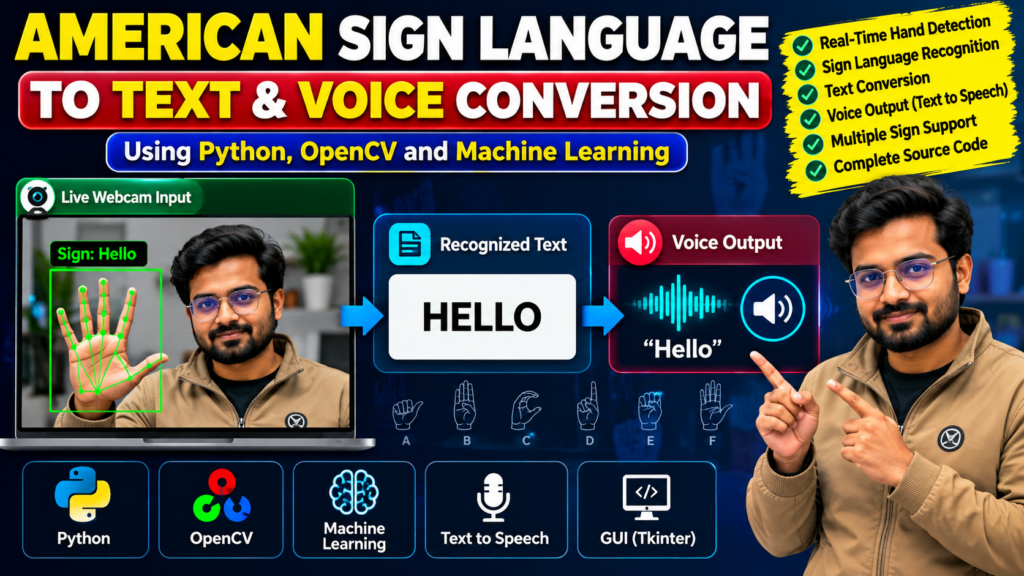
The American Sign Language to Text Conversion with Voice Output Using Python project demonstrates how computer vision and machine learning can help recognize hand gestures and convert them into readable text and spoken output. It is a practical project for students interested in artificial intelligence, accessibility technology, Python programming, and real-time gesture recognition.
The American Sign Language to Text Conversion with Voice Output project combines gesture recognition, text generation, and speech synthesis in a Python-based application.
This project explores how a camera can capture hand gestures, how a recognition model can classify signs, and how the recognized output can be displayed as text or converted into speech. It is suitable for B.Tech, BCA, MCA, and computer science students looking to understand a real-world application of computer vision.
🎬 Project Demo Video
Watch the project demonstration to see how sign language recognition, text conversion, and voice output work in the implemented application.
🎯 Project Overview
The American Sign Language (ASL) to text conversion system aims to make selected hand gestures easier for a computer to interpret. Using Python and computer vision libraries, the application processes visual input and predicts the corresponding sign or character supported by its trained model.
The recognized result can then appear on the screen. A text-to-speech component can read the recognized text aloud, depending on the features included in the implementation.
This project provides a learning opportunity to explore gesture recognition, image processing, classification models, and speech synthesis.
⭐ Key Features
1. Real-Time Hand Gesture Detection
Capture hand gestures through a webcam and process the visual input for recognition.
2. Sign Language Recognition
Classify supported hand gestures using the project’s trained recognition model.
3. Text Conversion
Display the recognized sign or character as readable text.
4. Voice Output
Convert recognized text into spoken audio using a compatible text-to-speech library, if included in the implementation.
5. User-Friendly Interface
Present the camera input and recognition output in an interface appropriate to the project.
6. Python-Based Implementation
Use Python libraries for image processing, gesture recognition, and output generation.
🛠️ Technologies Used
The following technologies may be used, depending on the actual source code:
- Python — core programming language
- OpenCV — image processing and camera access
- MediaPipe — optional hand landmark detection
- Machine Learning — gesture classification
- Text-to-Speech Library — speech generation from recognized text
- Tkinter — optional graphical user interface
The exact technologies depend on the implementation and the trained model supplied with the project.
⚙️ How Does the Project Work?
In the American Sign Language to Text Conversion with Voice Output system, the final prediction can be displayed as text and spoken aloud when text-to-speech functionality is enabled.
The general workflow of an ASL recognition application includes the following steps.
Step 1: Capture Hand Gestures
The webcam captures images or video frames containing the user’s hand gestures.
Step 2: Image Processing
The application processes the frames to identify the hand region or relevant visual features.
Step 3: Hand Landmark Detection
If the project uses a hand-tracking library, it can identify important hand landmarks and use them as input features.
Step 4: Gesture Classification
A trained machine learning model predicts the supported sign or character from the extracted features.
Step 5: Text Generation
The predicted result is displayed as text on the screen.
Step 6: Speech Generation
If text-to-speech functionality is implemented, the application converts the recognized text into audio.
Note: Recognizing individual signs or characters is different from understanding continuous sign language. Accuracy depends on the training data, lighting, camera quality, gesture variations, and model design.
💻 Software Requirements
Typical requirements include:
- Python 3
- OpenCV
- A compatible machine learning library
- A webcam
- Required model and dataset files
- A compatible code editor, such as VS Code or PyCharm
- Additional packages required by the implementation
🖥️ Hardware Requirements
A standard laptop or desktop computer is generally sufficient for a basic implementation.
- Dual-core processor or better
- At least 4 GB RAM
- Webcam
- Keyboard and mouse
- Sufficient storage for the source code, dependencies, and model files
Hardware requirements may vary with the selected model and whether inference runs on the CPU or GPU.
🎓 Applications of ASL Recognition
Potential applications include:
- Educational demonstrations of sign language recognition
- Accessibility-focused software prototypes
- Human-computer interaction
- Gesture-controlled applications
- Computer vision research
- Learning projects involving speech synthesis
This type of application should be treated as an assistive technology prototype rather than a replacement for professional interpreters or a complete sign language translation system.
✅ Advantages of the Project
- Demonstrates a practical computer vision application.
- Combines image processing and machine learning concepts.
- Introduces gesture classification and text-to-speech functionality.
- Can be extended with additional supported gestures.
- Helps students understand the stages of an AI-based application.
- Provides opportunities for further experimentation and improvement.
⚠️ Limitations
- Recognition may be limited to the signs represented in the training dataset.
- Lighting and camera positioning can affect predictions.
- Similar-looking gestures may be difficult to distinguish.
- Continuous sign language involves movement, context, facial expressions, and grammar that a basic classifier may not capture.
- Performance depends on the quality and diversity of the training data.
🚀 Future Scope
The project can be extended with features such as:
- Support for additional ASL signs
- Improved recognition models
- Better handling of continuous gestures
- Sentence-level output
- A mobile or web-based interface
- Multilingual text-to-speech output
- Testing with more diverse users and lighting conditions
These enhancements depend on the project’s architecture, dataset, and available development resources.
❓ Frequently Asked Questions
1. What is an American Sign Language to Text Conversion project?
It is a computer vision application that recognizes selected hand gestures and converts supported signs or characters into readable text.
2. Which programming language is used?
Python is commonly used because it supports camera access, image processing, machine learning, and speech synthesis libraries.
3. Does the project support voice output?
Voice output is possible when a text-to-speech component is included and connected to the recognition results.
4. Can the project recognize every ASL sentence?
Not necessarily. A basic project may recognize only a limited set of signs or characters. Continuous sign language translation requires more advanced modeling and evaluation.
5. Can students purchase this project?
Students can contact Techie Projects to enquire about source code availability, documentation, installation requirements, included features, and customization options.
🎓 Recommended Projects
- Sign Language Recognition Using Machine Learning
- Sign Language to Text Conversion Using OpenCV
- Hand Gesture Recognition Using Python
- Gesture-Controlled Virtual Mouse Using OpenCV
- Real-Time Object Detection Using Python
- Speech-to-Text Conversion Using Python
📩 Get the Project from Techie Projects
Looking for an American Sign Language Recognition Project Using Python for your final-year or academic project?
Techie Projects helps students explore software project options and enquire about source code packages, documentation, setup instructions, and implementation support.
Before purchasing, confirm the available features, source code, project requirements, pricing, and support included in the package.
📲 Call/WhatsApp: +91-9460060699
🌎 Website: www.techieprojects.com
📺 Instagram: @pythonprojects_
Conclusion
The American Sign Language to Text Conversion with Voice Output project demonstrates how Python, computer vision, and machine learning can be combined to recognize selected hand gestures and generate text or speech. It offers students a practical introduction to gesture recognition and accessibility-focused software development.
Contact Techie Projects to enquire about the available project package and determine whether it meets your academic and implementation requirements.