
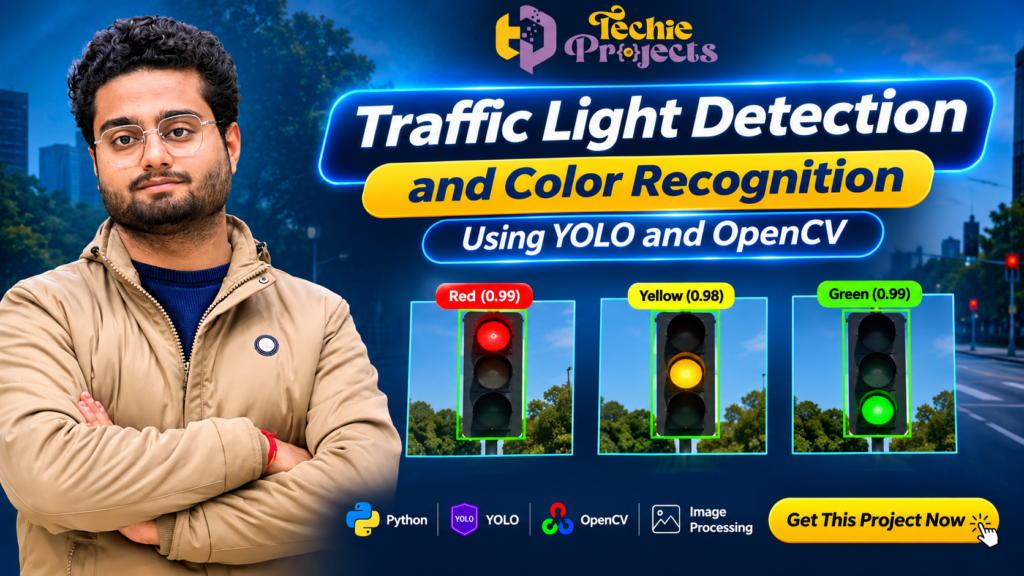
🚦 Looking for a ready-to-use Traffic Light Detection and Color Recognition project for your final-year engineering submission? Get this practical computer vision project from Techie Projects and explore how artificial intelligence can identify traffic signals and recognize their colors using YOLO, Python, and OpenCV.
Instead of spending weeks developing an object detection application from scratch, you can enquire about our Traffic Light Detection and Color Recognition project package. It is designed for students interested in artificial intelligence, machine learning, deep learning, computer vision, and intelligent transportation systems.
This project demonstrates how a computer vision application can process images or video frames, identify traffic lights, and classify detected signals according to their visible colors. It provides an interesting academic implementation of object detection and image processing techniques.
🎓 Whether you are a B.Tech, BCA, MCA, M.Tech, or diploma student, this project can help you understand practical computer vision concepts and prepare for your academic project demonstration.
🚦 Traffic Light Detection Using YOLO – Project Overview
The Traffic Light Detection project using YOLO and OpenCV demonstrates how artificial intelligence can identify traffic signals and recognize their colors from images or video frames. Developed using Python, this computer vision application introduces students to object detection, image processing, and intelligent transportation systems.
If you are looking for a practical Traffic Light Detection Using Python project for your final-year engineering submission, contact Techie Projects to enquire about source code, documentation, installation instructions, and available technical support.
📞 Contact Techie Projects for Project Enquiries
Interested in purchasing the Traffic Light Detection and Color Recognition project? Contact Techie Projects to discuss the available package, source code, documentation, installation guidance, and technical support.
- 📱 WhatsApp: https://wa.me/919460060699
- ☎️ Contact Number: +91 94600 60699
- 🌐 Official Website: www.techieprojects.com
- 📸 Instagram: @pythonprojects_
Share your academic requirements and preferred features to confirm the available project package before purchasing.
🎬 Watch the Traffic Light Detection and Color Recognition Project Demo
Explore the project demonstration to understand how the application processes traffic scenes, detects traffic signals, and identifies their colors using computer vision techniques.
The demonstration provides a practical overview of the application interface and its detection workflow. Contact Techie Projects if you need further information about the implementation, source code, or available project deliverables.
🚦 What Is Traffic Light Detection and Color Recognition?
Traffic Light Detection and Color Recognition is a computer vision application that identifies traffic signals in images or video frames and determines their visible signal color.
Traffic lights are important components of road transportation systems. They communicate instructions to drivers and pedestrians through different signal colors, primarily red, yellow, and green. Automatically identifying these signals is an important computer vision task in intelligent transportation research.
Traditional image processing techniques can identify objects through color ranges, shapes, and image features. However, modern object detection models such as YOLO can help locate objects within an image and provide detection information in a single processing workflow.
In this project, YOLO is used for object detection, while OpenCV supports image and video processing operations. The system can identify traffic light regions and recognize their colors depending on the implemented detection and classification approach.
The project is useful for students who want to explore how Python-based computer vision applications can be developed for intelligent transportation and traffic monitoring concepts.
🎯 Objectives of the Traffic Light Detection Project
The main objective of this project is to demonstrate how computer vision and deep learning can be applied to traffic signal identification.
The key objectives include:
- Traffic Light Detection: Identify traffic light objects from supported image or video input.
- Color Recognition: Recognize visible red, yellow, and green traffic signal states.
- Object Localization: Display the detected traffic light region using bounding boxes.
- Image Processing: Apply OpenCV operations to process input images and video frames.
- Deep Learning Application: Explore YOLO-based object detection techniques.
- Visual Output: Display detection results for easier interpretation.
- Academic Learning: Understand the practical implementation of computer vision concepts.
These objectives make the project a useful learning application for engineering students interested in artificial intelligence and computer vision.
⚙️ How Does Traffic Light Detection and Color Recognition Work?
The application follows a sequence of image processing and object detection operations. The exact workflow depends on the selected model, training configuration, and implementation.
1. Image or Video Input
The system receives an input image, recorded video, or supported camera stream. This input contains a road scene in which traffic signals may be visible.
The quality of the input is important because poor lighting, motion blur, distance, and obstruction can affect detection results.
2. Image Preprocessing Using OpenCV
OpenCV provides image processing functions that help prepare input frames for detection.
Common preprocessing operations may include:
- Resizing images to the required input dimensions.
- Converting image color formats.
- Preparing video frames.
- Improving image visibility where appropriate.
- Managing frame-by-frame processing.
Preprocessing helps maintain a consistent input format for the detection model.
3. Traffic Light Detection Using YOLO
YOLO is a deep learning-based object detection approach used to locate objects in images.
In this project, the configured YOLO model is used to identify traffic light objects. When a traffic light is detected, the model can provide information such as its bounding box and confidence score.
The detection output depends on the trained model, dataset, and implementation settings.
4. Traffic Signal Color Recognition
After identifying the traffic light region, the application determines its visible signal color.
The implementation may use image color analysis, region-based processing, or a trained classification approach to identify red, yellow, and green signals.
The color recognition stage is important because detecting a traffic light alone does not automatically determine which signal is illuminated.
5. Displaying Detection Results
The application can display the processed image or video frame with visual detection information.
Depending on the implementation, the output may include:
- Detected traffic light regions.
- Bounding boxes.
- Recognized signal colors.
- Confidence information.
- Processed video frames.
This visual output helps students understand the detection workflow and demonstrate the project during academic evaluation.
🧠 Technologies Used in This Project
The project combines Python programming, deep learning, and computer vision tools.
Python
Python is the primary programming language used to develop the application. It provides libraries and frameworks for image processing, model integration, and application development.
YOLO
YOLO is an object detection model family used to locate objects in images. It is suitable for exploring object detection tasks where the system needs to identify objects and their positions. YOLO Object Detection
The exact YOLO version and model configuration depend on the selected project package.
OpenCV
OpenCV is a computer vision library used for image and video processing. It supports operations such as reading images, handling video frames, resizing images, and displaying processed results.
Deep Learning
Deep learning techniques help train or use models that identify visual patterns in images. The model’s performance depends on its architecture, training data, and configuration.
Image Processing
Image processing techniques help prepare and analyze visual input. They can support traffic light region analysis and color recognition.
⭐ Key Features of the Project
The Traffic Light Detection and Color Recognition project demonstrates several useful computer vision features.
🚦 Traffic Light Identification
The system is designed to identify traffic light objects from supported visual input.
🔴 Red Signal Recognition
The application can identify red signal regions when supported by the configured model and color recognition implementation.
🟡 Yellow Signal Recognition
Yellow signal identification demonstrates how the system can distinguish another traffic signal state.
🟢 Green Signal Recognition
Green signal recognition helps demonstrate the identification of a different traffic light color.
🎥 Image and Video Processing
OpenCV can be used to process image files and video frames, depending on the available input options in the project.
📦 Object Detection Output
The system can display detected objects using bounding boxes and associated detection information.
💻 Python-Based Implementation
Python makes the project suitable for students who want to explore computer vision and deep learning development.
Note: Actual features, supported input methods, model version, and output options should be confirmed with Techie Projects before purchasing.
🏗️ Applications of Traffic Light Detection
Traffic light detection is an important research area in intelligent transportation systems. The techniques explored in this academic project have several potential application areas.
1. Intelligent Transportation Systems
Computer vision can help identify traffic-related objects and provide visual information for transportation research applications.
2. Autonomous Driving Research
Autonomous driving research investigates how vehicles can understand their surroundings. Traffic signal detection is one of the visual perception tasks studied in this field.
This project provides an educational introduction to that concept, but it should not be treated as a road-ready autonomous driving system.
3. Smart City Research
Smart city projects explore how technology can support urban infrastructure and transportation management. Traffic signal detection can be studied as one component of a larger intelligent transportation solution.
4. Traffic Monitoring
Computer vision-based traffic monitoring systems can analyze road scenes and identify different objects. Traffic light detection can be integrated into broader research applications.
5. Academic Research and Learning
Students can use this project to understand YOLO, OpenCV, image processing, and deep learning concepts through a practical implementation.
🎓 Why Choose This Project for Your Final-Year Engineering Submission?
Selecting a suitable final-year project is important for students who want to demonstrate practical technical knowledge.
The Traffic Light Detection and Color Recognition project combines multiple technical areas in one application.
Computer Vision Knowledge: Students can explore how computer vision systems process visual information.
Deep Learning Concepts: The project introduces object detection using a YOLO-based model.
Python Programming: Students can understand how Python libraries work together in an application.
Practical Demonstration: Visual detection results can make it easier to explain the system workflow during a project presentation.
Technical Discussion: The project provides opportunities to discuss model selection, image preprocessing, detection results, and limitations.
Project Customization: Additional features may be possible depending on the source code, model, and technical requirements.
If you are looking for a practical computer vision project, contact Techie Projects to check the available package and implementation details.
💡 Possible Future Enhancements
The basic Traffic Light Detection Using Python project concept can be extended with additional research and development features.
1. Real-Time Camera Detection
A compatible camera input can be explored to detect traffic signals from live video frames.
2. Multiple Traffic Light Detection
The detection model can be evaluated on road scenes containing multiple traffic lights.
3. Improved Color Classification
Color recognition can be refined to handle challenging lighting conditions and variations in image quality.
4. Vehicle Detection Integration
Vehicle detection can be combined with traffic light detection to explore a broader intelligent transportation application.
5. Traffic Signal Status Logging
Recognized signal states can potentially be stored with timestamps for academic analysis.
6. Web-Based Dashboard
A dashboard can be developed to display detection results and related information, depending on the available implementation.
7. Performance Evaluation
Students can evaluate detection performance using suitable metrics such as precision, recall, and inference time.
These enhancements can provide additional learning opportunities, subject to the selected model and development scope.
💻 Software and Hardware Requirements
The following are general requirements for a Python-based computer vision application. Actual requirements depend on the selected YOLO model and software package.
Software Requirements
- Programming Language: Python
- Computer Vision Library: OpenCV
- Object Detection: YOLO-based model
- Deep Learning Framework: As required by the selected model
- Operating System: Windows or another compatible operating system
- Development Environment: VS Code, PyCharm, or compatible Python IDE
Hardware Requirements
- Processor: Modern Intel or AMD processor
- RAM: 8 GB recommended as a starting point
- Storage: Sufficient space for Python libraries, model weights, and project files
- Camera: Optional, depending on the input method
- GPU: Optional but useful for supported model acceleration
A compatible GPU can improve processing speed for some deep learning configurations. However, actual performance depends on the hardware, model size, and software setup.
💡 Recommended Projects
Explore more AI, machine learning, and computer vision projects from Techie Projects:
- 🚗 Vehicle Detection and Counting Using YOLO – Detect and count vehicles from traffic images and video footage.
- 🚘 Automatic Number Plate Recognition Using Python – Identify vehicle registration plates using image processing and OCR techniques.
- 🪖 Helmet Detection Using YOLO – Detect motorcycle riders wearing or not wearing helmets.
- 🚦 Traffic Sign Recognition Using Machine Learning – Classify different road traffic signs using computer vision.
- 🛣️ Lane Detection Using OpenCV – Identify road lanes from images and video frames.
- 🚗 Accident Detection Using Machine Learning – Explore accident detection concepts using video analysis and machine learning.
- 🎥 Real-Time Object Detection Using YOLO – Identify multiple objects from images or live video.
- 🚨 Red Light Violation Detection System – Explore traffic signal monitoring and vehicle movement analysis.
- 🚙 Car Brand and Model Recognition Using Deep Learning – Identify vehicle categories using image classification.
- 🅿️ Smart Parking Management System Using Computer Vision – Explore vehicle and parking-space detection.
📞 Want to purchase any of these projects?
Contact Techie Projects for source code availability, documentation, pricing, and technical support.
- WhatsApp: https://wa.me/919460060699
- Website: www.techieprojects.com
📦 What Do You Get When You Purchase This Project?
If you are planning to purchase the Traffic Light Recognition Using YOLO project, contact Techie Projects to confirm the available package contents.
Depending on the selected package, the deliverables may include:
- Python project source code.
- Required project files.
- Model files or configuration details, where included.
- Installation and execution instructions.
- Project documentation, where included.
- Demonstration or implementation guidance.
- Technical support options, as agreed before purchase.
Before placing an order, share your college requirements, preferred technology, and expected deliverables. This helps confirm whether the available package matches your academic needs.
🛒 Why Purchase Your Project from Techie Projects?
Choosing the right project provider can make the development and learning process easier.
Techie Projects provides engineering project solutions across domains such as artificial intelligence, machine learning, Python, computer vision, IoT, data analytics, and web development.
Here are some reasons to contact Techie Projects:
- 🎓 Projects for engineering and computer science students.
- 💻 Practical project ideas across multiple technical domains.
- 📁 Source code availability depending on the selected package.
- 📚 Documentation and installation guidance where included.
- 🤝 Assistance with understanding project implementation.
- 📞 Direct communication for project enquiries.
- 🧩 Discussion of customization requirements before purchase.
Our goal is to help students explore practical technical projects and understand their implementation.
💰 How to Purchase the Traffic Light Detection Project
Getting project details is simple.
- Visit https://techieprojects.com/.
- Contact Techie Projects through WhatsApp.
- Mention that you are interested in the Traffic Light Detection and Color Recognition project.
- Share your course, branch, and academic requirements.
- Confirm source code, documentation, features, pricing, and support availability.
- Proceed with the purchase after confirming the package details.
🚀 Ready to get this project? Contact Techie Projects today to enquire about the Traffic Light Detection and Color Recognition project, source code availability, documentation, pricing, and technical support.
📱 WhatsApp: https://wa.me/919460060699
🌐 Website: www.techieprojects.com
Techie Projects – Your Partner in Engineering Projects.
Do not finalize your purchase without confirming the included features and deliverables.
❓ Frequently Asked Questions (FAQs)
1. What is the Traffic Light Detection and Color Recognition project?
It is a computer vision project that identifies traffic lights in supported images or video frames and recognizes their visible colors using YOLO, Python, and image processing techniques.
2. Which programming language is used?
Python is used as the primary programming language for the application.
3. Which technologies are used in this project?
The project uses YOLO for object detection and OpenCV for image and video processing. Additional libraries depend on the selected implementation.
4. Can this project detect red, yellow, and green traffic lights?
The project is designed to recognize these three traffic signal colors. Actual recognition performance depends on the model, training data, image quality, and implementation.
5. Is this project suitable for final-year students?
Yes. It can be a suitable academic project for students interested in artificial intelligence, deep learning, Python programming, and computer vision.
6. Can I get the source code?
Contact Techie Projects to confirm source code availability and the deliverables included in the selected package.
7. Does the project support real-time detection?
Real-time detection may be supported depending on the configured camera input, model, hardware, and implementation. Confirm this feature before purchasing.
8. Can I customize the project?
Customization may be possible depending on the selected source code, technical requirements, and development scope. Discuss your requirements before ordering.
9. Do I receive project documentation?
Documentation availability depends on the selected package. Contact Techie Projects to confirm the documentation and other deliverables.
10. How can I purchase this project?
You can contact Techie Projects through WhatsApp at +91 94600 60699 or visit https://techieprojects.com/ to enquire about pricing and availability.
🎯 Conclusion
The Traffic Light Detection and Color Recognition project is a practical way to explore computer vision, deep learning, YOLO-based object detection, and OpenCV image processing. It demonstrates how a Python application can identify traffic light objects and recognize their visible signal colors from supported visual input.
For students interested in artificial intelligence, machine learning, and intelligent transportation systems, this project offers an opportunity to study object detection and image analysis through a practical application.