
Introduction
Blur image filtering is an important technique in digital image processing and computer vision. It helps reduce noise, smooth image details, and improve images before applying advanced computer vision algorithms. Using Python and OpenCV, developers can implement different blur filters and compare their results on images.
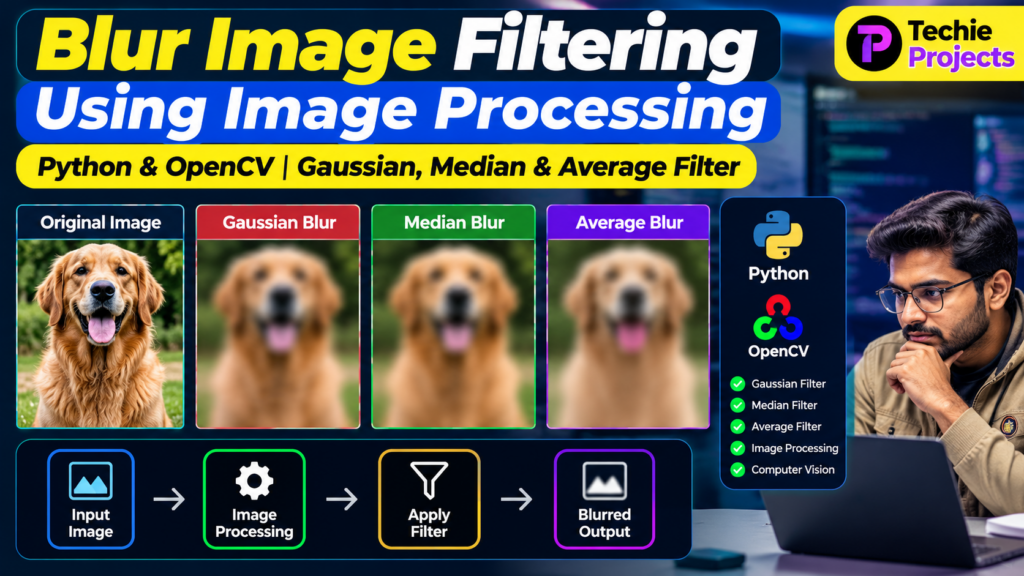
The Blur Image Filtering System Using Image Processing is a useful Python project for students who want to understand image smoothing, filtering techniques, and practical image processing operations. The system applies filters such as Gaussian blur, median blur, and average blur to an input image and displays the resulting outputs.
🎥 Project Working Demo
Before selecting or purchasing this project, students can watch the Blur Image Filtering System Working Demo to understand the interface, image-processing operations, available filters, and output results.
The demonstration helps explain how an original image changes after applying different blur filters and how Python and OpenCV can be used to implement these operations.
Watch the Project Working Demo: Add your relevant YouTube demonstration link here.
What Is Blur Image Filtering?
Blur image filtering is an image-processing operation that reduces fine details and smooths variations between neighboring pixels. It is commonly used for noise reduction, preprocessing, and preparing images for further analysis.
For example, a noisy image can be blurred before edge detection or object recognition to reduce unwanted variations that may affect the results.
Python’s OpenCV library provides built-in functions for implementing several blur filters efficiently.
“This blur image filtering using image processing project demonstrates how Python and OpenCV can smooth images using different filtering techniques.”
🎯 Objectives of the Project
The main objectives of this project are:
- To implement image blurring using Python and OpenCV.
- To understand different image filtering techniques.
- To reduce unwanted noise and fine details in images.
- To compare the outputs of different blur filters.
- To develop practical knowledge of digital image processing.
- To understand how filtering can support computer vision applications.
Key Features of the Blur Image Filtering System
The project can include the following features, depending on the implementation:
- Image Input: Load an image from a local computer.
- Gaussian Blur: Smooth an image using a Gaussian-weighted kernel.
- Median Blur: Replace pixel values using the median of neighboring pixels.
- Average Blur: Smooth images by averaging neighboring pixel values.
- Output Comparison: Compare the original image with filtered versions.
- Image Display: Display the processed results for visual inspection.
- Filter Customization: Adjust kernel size or other supported filter parameters.
- Simple Interface: Provide an easy way to load images and apply filters, if a graphical interface is implemented.
Types of Blur Filters in Image Processing
1. Gaussian Blur
Gaussian blur smooths an image by applying a Gaussian-weighted kernel. Pixels closer to the center of the kernel contribute more strongly to the output.
It is frequently used to reduce image noise and prepare images for operations such as edge detection.
In OpenCV, Gaussian blur can be applied using cv2.GaussianBlur().
2. Median Blur
Median blur replaces each pixel with the median value of the pixels in its neighborhood. It is particularly useful for reducing salt-and-pepper noise while preserving some edges.
In OpenCV, the cv2.medianBlur() function is used to perform median filtering.
3. Average Blur
Average blur, also called mean or box filtering, calculates the average of neighboring pixel values. This operation smooths image details, although it can make edges less sharp.
In OpenCV, average blur can be applied using cv2.blur().
4. Bilateral Filtering
Bilateral filtering smooths an image while attempting to preserve edges. It considers both the spatial distance between pixels and differences in their intensity values.
OpenCV provides the cv2.bilateralFilter() function for this technique.
Technologies Used
The project can be developed using the following technologies:
- Python: Main programming language.
- OpenCV: Image loading, filtering, and processing.
- NumPy: Numerical operations on image arrays.
- Matplotlib: Optional visualization of images and filtering results.
- Tkinter: Optional graphical user interface.
- Jupyter Notebook or Visual Studio Code: Development environment.
The final technology list should match the libraries and tools actually used in your project.
Software Requirements
Typical software requirements include:
- Python 3
- OpenCV Python package
- NumPy
- Matplotlib, if required
- Visual Studio Code, PyCharm, or Jupyter Notebook
- Windows, Linux, or another compatible operating system
Install the main libraries using:
pip install opencv-python numpy matplotlibHardware Requirements
A basic image-filtering project generally requires:
- A computer or laptop
- A dual-core processor or better
- At least 4 GB RAM
- Sufficient storage for Python, libraries, and image files
- A keyboard, mouse, and display
The exact requirements depend on the image size, processing workload, and development environment.
Working of the Blur Image Filtering System
The project follows a simple image-processing workflow.
Step 1: Load the Input Image
The user selects an image from the computer. OpenCV reads the image and converts it into an array that can be processed.
Step 2: Read and Prepare the Image
The application checks whether the image was loaded successfully. If required, the image can be resized or converted into another color representation.
Step 3: Select a Blur Filter
The user selects a supported filtering technique, such as Gaussian blur, median blur, or average blur.
Step 4: Apply the Selected Filter
OpenCV processes the image using the selected filter and its parameters. Kernel size affects the amount of smoothing produced.
Step 5: Display the Output
The application displays the filtered image. If comparison functionality is available, the original and processed images can be displayed side by side.
Step 6: Evaluate the Result
The user compares the outputs to understand how each filter affects noise, edges, and image details.
Sample Python Code for Image Blurring
The following example demonstrates how to apply three basic blur filters using OpenCV.
import cv2
import matplotlib.pyplot as plt

# Load the input image
image = cv2.imread("input.jpg")

if image is None:
    raise FileNotFoundError(
        "Image not found. Check the file path."
    )

# Convert BGR to RGB for Matplotlib
image_rgb = cv2.cvtColor(image, cv2.COLOR_BGR2RGB)

# Apply different blur filters
average_blur = cv2.blur(image, (5, 5))

gaussian_blur = cv2.GaussianBlur(
    image, (5, 5), 0
)

median_blur = cv2.medianBlur(image, 5)

# Convert processed images to RGB
average_rgb = cv2.cvtColor(
    average_blur, cv2.COLOR_BGR2RGB
)
gaussian_rgb = cv2.cvtColor(
    gaussian_blur, cv2.COLOR_BGR2RGB
)
median_rgb = cv2.cvtColor(
    median_blur, cv2.COLOR_BGR2RGB
)

# Display the results
images = [
    image_rgb,
    average_rgb,
    gaussian_rgb,
    median_rgb
]

titles = [
    "Original Image",
    "Average Blur",
    "Gaussian Blur",
    "Median Blur"
]

plt.figure(figsize=(12, 8))

for index, (img, title) in enumerate(
    zip(images, titles), start=1
):
    plt.subplot(2, 2, index)
    plt.imshow(img)
    plt.title(title)
    plt.axis("off")

plt.tight_layout()
plt.show()
Save an image as input.jpg in the script’s working directory before running the code. This example demonstrates the filtering operations; it is not a complete graphical application.
Applications of Blur Image Filtering
Blur filtering is used in many image-processing applications.
1. Noise Reduction
Blurring can reduce small variations and unwanted noise in an image before further processing.
2. Medical Image Processing
Filtering may be used as a preprocessing step when working with medical images. The choice of filter must be appropriate for the diagnostic task because smoothing can remove important details.
3. Computer Vision
Blur filters can prepare images for certain computer vision tasks, including edge detection, feature extraction, and image segmentation.
4. Photography and Image Editing
Blur effects are commonly used for visual enhancement, background effects, and artistic image manipulation.
5. Object Detection and Recognition
Image smoothing may help reduce unwanted noise before detection or recognition algorithms are applied. However, excessive blur can also remove important features.
6. Industrial Image Inspection
Filtering can support preprocessing in systems that inspect manufactured components, surfaces, or other objects using cameras.
Advantages of the Project
- Easy to understand for beginners learning image processing.
- Demonstrates multiple filtering techniques in one project.
- Uses widely adopted Python and OpenCV libraries.
- Provides visual comparisons between original and filtered images.
- Can be extended with additional image-processing operations.
- Suitable for learning practical computer vision concepts.
Limitations of Blur Image Filtering
- Excessive smoothing can remove important image details.
- Different filters produce different results depending on the image.
- Large kernel sizes can increase processing time.
- A blur filter does not automatically restore missing image information.
- Results may vary depending on image noise, resolution, and filter parameters.
Future Scope
The project can be extended with additional functionality, including:
- A graphical user interface for selecting images and filters.
- Interactive controls for adjusting kernel size.
- Real-time filtering through a webcam.
- Comparison of multiple filters on the same image.
- Image enhancement and sharpening tools.
- Noise estimation and automatic filter selection.
- Integration with a larger computer vision application.
These features can make the project more interactive and demonstrate a wider range of image-processing concepts.
Why Is This a Good Final-Year Project?
Blur Image Filtering Using Image Processing is a practical project for students studying computer science, Python programming, image processing, or computer vision.
It demonstrates how digital images can be manipulated using mathematical operations and established computer vision libraries. Students can explain the differences between filtering techniques, demonstrate the output visually, and explore how preprocessing supports more advanced applications.
The project can also be expanded with a GUI, additional filters, or real-time image processing according to academic requirements.
Frequently Asked Questions
1. What is blur image filtering?
Blur image filtering is an image-processing technique that smooths image details and can reduce certain types of noise.
2. Which Python library is used for image blurring?
OpenCV is commonly used for image blurring in Python. NumPy and Matplotlib may also be used for numerical operations and visualization.
3. What is the difference between Gaussian blur and median blur?
Gaussian blur uses weighted averaging based on a Gaussian kernel, while median blur replaces a pixel with the median of its neighborhood. Median filtering is especially useful for salt-and-pepper noise.
4. Can this project be used for a final-year engineering submission?
Yes. It can be a suitable educational project for image processing or computer vision courses. Students should understand the implementation and follow their institution’s submission requirements.
5. Can more filters be added?
Yes. Bilateral filtering, sharpening, edge detection, and other image-processing operations can be added as extensions.
6. Does blurring always improve an image?
No. Blurring can reduce noise, but it can also remove useful details. The appropriate filter depends on the image and the objective.
Explore Related Python and Computer Vision Projects
Explore these related project topics on Techie Projects:
- Image Processing Projects Using Python
- Deep Learning Projects Using Python
- Object Detection Using OpenCV
- Image Enhancement Using Python
- Crowd Counting Using Python with Density Maps
Link each title to its corresponding relevant page on your website.
🎓 Need Help With Your Final-Year Project?
Looking for a Python, image processing, machine learning, or computer vision project?
Techie Projects can help you explore project ideas, implementation options, technical requirements, and project details.
- 📲 Call/WhatsApp: +91-9460060699
- 🌎 Website: www.techieprojects.com
- 📺 Instagram: @pythonprojects_
Contact us to discuss your project requirements and available support.
Conclusion
Blur Image Filtering Using Image Processing is a useful Python project for understanding how image filters smooth images and affect visual details. By implementing Gaussian blur, median blur, average blur, and bilateral filtering, students can explore different approaches to image smoothing using OpenCV.
The project provides a foundation for learning image preprocessing and can be extended with interactive controls, additional filters, and more advanced computer vision techniques.