
Introduction
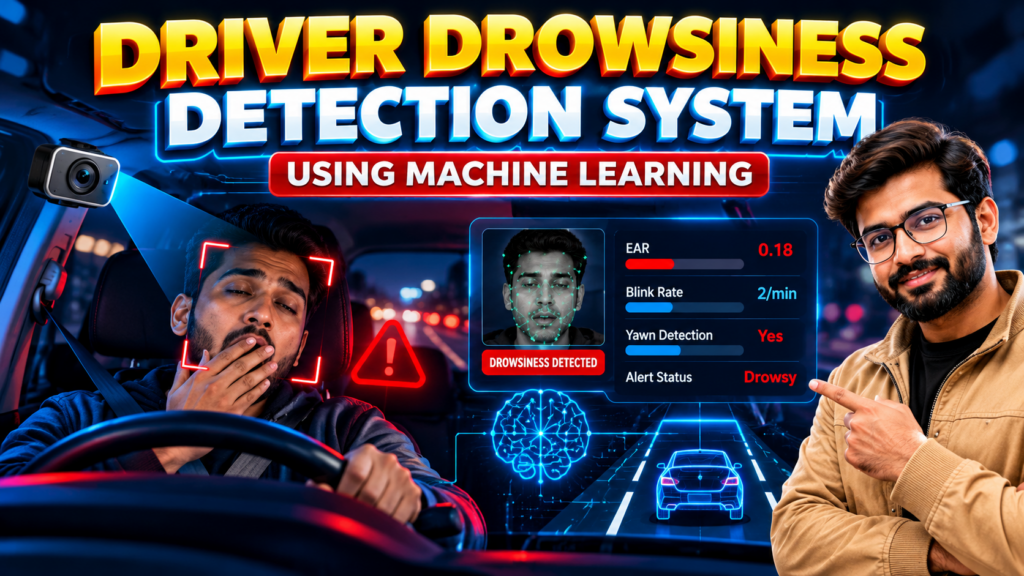
A driver drowsiness detection system using machine learning is an educational computer vision project that explores how facial features and eye-state information can help identify possible signs of driver fatigue. Developed with Python, this project demonstrates how image processing and machine learning concepts can be applied to a road-safety-related problem.
The project is suitable for computer science engineering students interested in machine learning, artificial intelligence, Python programming, and real-time video analysis. Students can study the system workflow, understand its implementation, and explore how a drowsiness alert may be generated when supported by the implemented model.
🎬 Project Demo
Watch the project demonstration to understand the interface, workflow, and implemented features.
Use the demo video available with this project to see how the application processes visual input and presents its output. The actual behavior depends on the model and functionality included in the project version.
🎯 Objectives of the Project
The main objective of this project is to demonstrate how computer vision techniques can be used to analyze facial information and investigate signs associated with drowsiness.
Key objectives include:
- Detecting a face from supported image or video input.
- Examining eye-state or facial features, where implemented.
- Exploring machine learning concepts for classifying visual information.
- Displaying analysis results through a graphical interface, if included.
- Demonstrating how an alert mechanism can be connected to a detection result.
⚙️ Features of the Driver Drowsiness Detection System Using Machine Learning
The available features depend on the supplied implementation. Common features that may be included in this type of project are:
1. Face Detection
The application can use a face detection technique to locate a driver’s face in supported video frames. This provides the visual region needed for subsequent analysis.
2. Eye-State Analysis
Eye-state analysis can help examine whether the eyes appear open or closed across frames. The reliability of this step depends on lighting, camera placement, face angle, and the chosen detection method.
3. Drowsiness Classification
A trained model or rule-based component may analyze selected facial features to estimate possible drowsiness. The result should be understood as a software prediction, not a definitive assessment of a driver’s condition.
4. Alert or Warning Display
If supported by the implementation, the interface can display a warning when the system detects a pattern associated with drowsiness. Confirm whether audible alerts, visual warnings, or other alert features are included in the version you purchase.
5. Visual Output
A graphical interface may present the camera feed, detection status, and relevant messages to help users understand the system’s output.
🔄 How the Project Works
The driver drowsiness detection system using machine learning can be understood through the following general workflow:
- Input capture: The application receives supported camera footage, video, or image input.
- Frame processing: Video frames are prepared for analysis using the implemented image-processing methods.
- Face localization: The system attempts to locate the driver’s face.
- Feature extraction: Relevant facial or eye-state information is extracted when supported.
- Prediction or decision: The model or detection logic analyzes the extracted information.
- Output display: The application presents the resulting classification or warning, if implemented.
This workflow provides students with a practical way to understand the relationship between Python, computer vision, and machine learning.
Project Implementation and Testing
During implementation, the driver drowsiness detection system using machine learning can be tested with supported video samples or camera input. Students can examine how lighting, face position, and input quality affect the output. Testing different conditions helps demonstrate the strengths and limitations of the project.
🧰 Technologies Used
The exact technology stack should match the supplied project files. A typical implementation may use:
- Python: Main programming language.
- OpenCV: Image processing and video-frame handling.
- Machine learning libraries: For model training or inference, depending on the implementation.
- Facial feature detection: A suitable method for locating the face or eyes.
- GUI framework: Such as Tkinter, if the project includes a desktop interface.
Before installation, confirm the Python version and package requirements supplied with the project.
💻 Software and Hardware Requirements
Software Requirements
- Compatible Windows, Linux, or other supported operating system.
- Python version compatible with the project’s dependencies.
- Required libraries listed in the installation instructions.
- Webcam or sample video, depending on the input method.
- An editor such as Visual Studio Code or PyCharm.
Hardware Requirements
- A computer capable of running the required Python libraries.
- Webcam, if live camera input is supported.
- Sufficient memory and storage for the application and model files.
Actual requirements may vary according to the model and implementation.
🎓 Applications
The project can be useful for academic demonstrations and further experimentation in areas such as:
- Driver fatigue monitoring research.
- Computer vision and machine learning education.
- Facial feature analysis.
- Video-based event detection.
- Prototype development for road-safety research.
This project should not be treated as a certified vehicle safety device or relied upon as the sole method of preventing accidents.
✅ Advantages
- Demonstrates practical Python and computer vision concepts.
- Connects image processing with a real-world research problem.
- Provides opportunities to study video input and classification.
- Can be extended with additional features by students.
- Offers a useful foundation for a final-year engineering demonstration.
⚠️ Limitations
Performance may be affected by poor lighting, sunglasses, camera position, facial occlusion, head movement, and differences between individuals. False positives and missed detections are possible.
A student prototype may not have undergone the validation required for use in real vehicles. Never use it as a substitute for adequate rest, safe driving practices, or a validated safety system.
🚀 Future Scope
Students can explore improvements such as:
- Testing on diverse datasets and driving conditions.
- Comparing different facial feature extraction methods.
- Evaluating sensitivity, specificity, precision, and recall.
- Adding a configurable warning interface.
- Investigating edge-device deployment, subject to hardware compatibility.
- Improving robustness under varying light and camera conditions.
Any proposed extension should be tested before being described as an implemented feature.
🎓 Why Choose This Project for Your Final Year?
The driver drowsiness detection system using machine learning combines programming, computer vision, and applied machine learning in a project that is easy to explain through a structured demonstration.
It can help students learn about input processing, feature extraction, prediction, testing, and interface design. It may be suitable for B.Tech, B.E., CSE, IT, AI, and machine learning project work, depending on institutional requirements.
📲 Get the Driver Drowsiness Detection Project Source Code and Pricing
Interested in the driver drowsiness detection system using machine learning for your final-year project? Contact Techie Projects to confirm source code availability, documentation, installation requirements, implemented features, and pricing.
Contact Techie Projects to confirm project availability and the exact deliverables before purchasing. Ask about:
📲 Call/WhatsApp: +91-9460060699
📺 Instagram: @pythonprojects_
🌎 Website: www.techieprojects.com
- Python source code and model files, if included.
- Project setup and installation requirements.
- Documentation and explanation materials, if available.
- Demonstration and supported features.
- Pricing and customization options.
🔗 Explore Related Projects
Explore related topics on Techie Projects and link each title to its relevant published page:
- People Detection and Tracking Using YOLO
- Real-Time Object Detection with Voice Output
- Abnormal Activity Detection Using Deep Learning
- Crowd Monitoring Using Computer Vision
- Face Recognition Attendance System
❓ Frequently Asked Questions
What is a driver drowsiness detection system using machine learning?
It is a software project that explores how visual information, facial features, and machine learning or detection rules can be used to identify possible signs of driver drowsiness.
Which programming language is used in this project?
Python is the main programming language for this project. Additional libraries depend on the supplied implementation.
Does the project support real-time detection?
Real-time detection is available only if the supplied version supports live camera input and processes it appropriately. Confirm this feature before purchasing.
Can students use this project for a final-year demonstration?
It may be suitable for a final-year academic demonstration, subject to your institution’s requirements and the project’s actual scope.
Does the system guarantee that a driver will not fall asleep?
No. A prototype cannot guarantee detection of every drowsiness event or prevent accidents. It should be treated as an educational project rather than a certified safety device.
How can I get the project and its price?
Contact Techie Projects through the WhatsApp link above to confirm availability, deliverables, setup requirements, and current pricing.
📝 Conclusion
A driver drowsiness detection system using machine learning is a useful educational project for exploring Python, facial analysis, image processing, and machine learning workflows. By studying its implementation and limitations, students can gain practical experience with computer vision while understanding why careful evaluation is essential in road-safety applications.
For project availability, source code details, documentation, and pricing, contact Techie Projects through WhatsApp.