
Introduction
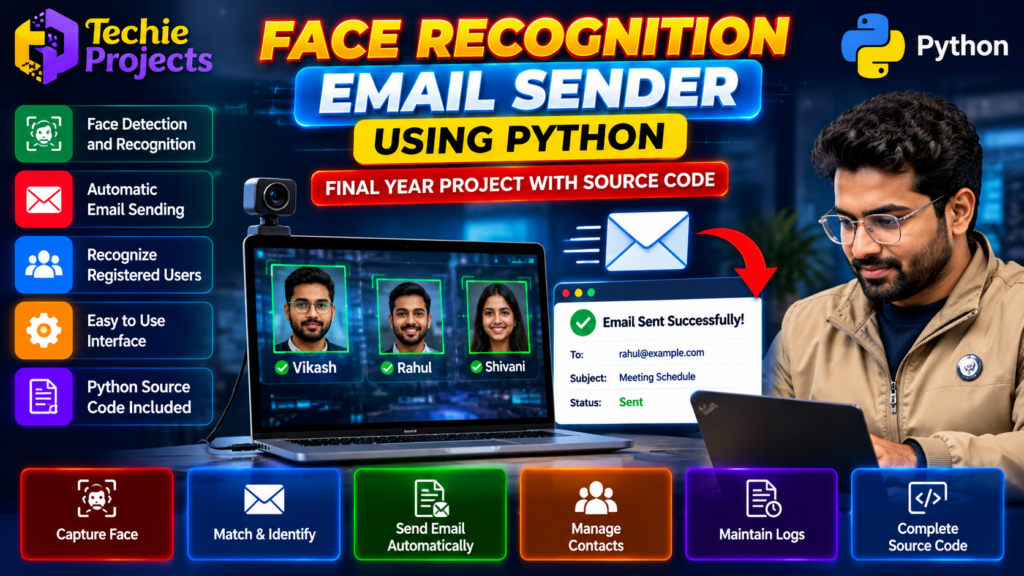
The Face Recognition Email Sender Using Python is an AI-based project that demonstrates how facial recognition technology can be integrated with email automation. The system identifies registered individuals using face recognition and can trigger email-related operations according to the application’s implementation.
This project combines Python programming, computer vision, face recognition, and email functionality in a practical application suitable for students interested in artificial intelligence and automation. It can be an interesting choice for B.Tech, B.E., Computer Science Engineering (CSE), and Information Technology (IT) students looking for a final-year engineering project.
If you are searching for a Face Recognition Email Sender project with Python source code, Techie Projects can help you explore project availability, implementation features, pricing, and customization options for your academic requirements.
🎬 Face Recognition Email Sender Using Python – Project Demo Video
Explore the project demonstration to understand the interface, face recognition workflow, and email automation process. The demo illustrates how a Python application can identify registered users and connect recognition results with email-related actions.
The demonstration can help you understand the project’s practical workflow before deciding whether it suits your final-year project requirements.
What Is a Face Recognition Email Sender Project?
A Face Recognition Email Sender is a computer vision application that uses facial recognition to identify registered individuals and associate recognition results with configured email operations.
For example, a system may recognize a registered person through a webcam and trigger an email notification based on predefined rules. The exact behavior depends on the implemented source code and configuration.
The project demonstrates the integration of:
- Face detection and recognition.
- Webcam-based image capture.
- Python application logic.
- Registered-user information.
- Email sending or notification functionality.
- Recognition results and status feedback.
🎯 Objectives of the Project
The main objective is to demonstrate how facial recognition can be integrated with email automation using Python.
Key objectives include:
- Detect faces using a camera or image input.
- Recognize registered individuals using the implemented recognition method.
- Associate recognized users with stored information.
- Connect recognition events to configured email operations.
- Demonstrate computer vision and automation concepts.
- Provide an educational foundation for developing AI-based applications.
How Face Recognition Email Sender Using Python Works
The Face Recognition Email Sender Using Python project combines computer vision and email automation to demonstrate how recognized users can be associated with email operations. The application captures facial images, processes them using the implemented recognition method, and triggers configured actions when the required conditions are met. The project follows a sequence of image capture, face recognition, and email processing.
1. Face Capture
The application captures an image or video frame using a webcam or another supported image source.
2. Face Detection
The system processes the captured image to locate faces. Detection identifies where a face appears in the image.
3. Face Recognition
The recognition component compares the detected face with registered user information using the implemented recognition method.
4. User Identification
When the system successfully matches a registered individual, the application retrieves the associated information required for the next operation.
5. Email Automation
The application can initiate a configured email operation when the required conditions are met. Depending on the implementation, this may involve sending an email notification to a predefined recipient.
6. Status and Results
The interface can display recognition results and email status to help the user understand what happened during execution.
Key Features of the Project
Face Detection and Recognition
The project demonstrates how computer vision techniques can locate faces and recognize registered users.
Webcam Integration
A supported camera can provide live image input for the recognition process.
Email Automation
Email functionality can connect recognized events to configured notifications or email operations.
Registered User Management
The application can associate recognized individuals with stored records, depending on the implemented database or storage method.
Python-Based Development
Python provides the foundation for integrating image processing, recognition logic, and email functionality.
User Interface
The application may provide a graphical interface for viewing recognition results and interacting with supported functions.
Recognition Status
The system can display information about recognized users and the outcome of supported email operations.
Confirm the exact features included in the available project package before purchasing.
Technologies Used
The technology stack depends on the actual implementation. A project of this type may use:
- Programming language: Python
- Computer vision: OpenCV, if included
- Face recognition: A compatible face recognition model or library
- Image processing: Tools compatible with the selected recognition method
- Email functionality: An appropriate email service or protocol
- User interface: A Python GUI framework, if implemented
- Development environment: A compatible Python IDE
The specific libraries, models, and versions should be verified against the supplied source code rather than assumed.
Software and Hardware Requirements
Software Requirements
- Windows or another supported operating system.
- A compatible Python installation.
- Required Python libraries and dependencies.
- A compatible email account and configuration, if email sending is enabled.
- Webcam drivers and access permissions, if live camera input is used.
Hardware Requirements
- Laptop or desktop computer.
- Webcam or compatible camera.
- Sufficient memory and processing capacity for the selected recognition model.
- Internet connectivity where required by the email service.
Actual requirements may vary with the project’s implementation and dependencies.
Advantages of the Face Recognition Email Sender
- Demonstrates a practical application of computer vision.
- Combines face recognition with email automation.
- Helps students learn Python-based AI application development.
- Introduces image capture, recognition, and event-based processing.
- Can be extended with additional automation features.
- Provides a practical project topic for learning and academic demonstrations.
Applications of the Project
The project can demonstrate concepts relevant to:
- Computer vision applications.
- Event-based email notifications.
- AI and machine learning education.
- User identification experiments.
- Automated monitoring prototypes.
- Python software development.
A face recognition result should not be treated as proof of identity in high-stakes situations without appropriate security measures and validation. The project is an educational prototype unless independently validated for a specific operational use.
Limitations and Future Scope
Face recognition performance can be affected by lighting, camera quality, viewing angles, facial changes, and the quality of the registered images. False matches and missed matches are possible.
Email delivery may also depend on network connectivity, email provider settings, authentication, and security restrictions.
Future improvements could include:
- Better recognition accuracy and testing.
- Improved user registration and management.
- Email templates and configurable recipients.
- Recognition event logs.
- Additional access controls.
- Secure storage of user information.
- Improved error handling and interface design.
Any automated email workflow should be designed to prevent unwanted messages and protect personal information.
🎓 Why Choose This Face Recognition Email Sender Using Python Project?
The Face Recognition Email Sender Using Python project is a useful option for B.Tech, B.E., CSE, and IT students interested in artificial intelligence and computer vision. It demonstrates practical Python programming concepts while integrating facial recognition with email functionality. Students can explore the workflow, understand the implementation, and investigate possible improvements for their academic projects.
- B.Tech Computer Science Engineering students.
- B.E. Information Technology students.
- Final-year engineering students.
- Students interested in artificial intelligence and computer vision.
- Learners exploring Python automation.
- Students looking for a practical face recognition project topic.
Check your institution’s project guidelines before selecting the project, particularly its requirements for implementation, documentation, demonstration, and individual contribution.
What Can You Get from Techie Projects?
Looking for a Face Recognition Email Sender Using Python project with source code?
Techie Projects helps students explore engineering project options and discuss implementation requirements. Contact us to confirm the current package and available deliverables, which may include:
- Python source code.
- Setup and installation guidance.
- Project workflow explanation.
- Demonstration details.
- Available documentation.
- Customization options.
- Pricing and delivery information.
The actual package inclusions and support arrangements must be confirmed before ordering. Students should understand the code, test the application, and prepare their own project explanation for academic evaluation.
💬 Purchase Enquiry – Face Recognition Email Sender Project
Want to check the price, source code availability, or customization options for this project?
Contact Techie Projects with your course, college requirements, and preferred features. We can discuss the available package and help you identify the appropriate option for your project needs.
📲 Call/WhatsApp: +91-9460060699
🌎 Website: www.techieprojects.com
📺 Instagram: @pythonprojects_
Send your enquiry today to discuss project availability, deliverables, pricing, and customization.
🎓 Explore Related Projects
- Face Recognition Attendance System
- Real-Time Face Detection Using Python
- AI-Based Exam Proctoring System
- Email Automation with Voice Assistant
- Online Voting System using Face Recognition
- Drug Addicted Person Detection using Machine Learning
Frequently Asked Questions
1. What is a Face Recognition Email Sender project?
It is a Python-based application that demonstrates facial recognition and connects recognition events with configured email functionality.
2. Which programming language is used?
Python is the primary programming language. Additional libraries depend on the project’s implementation.
3. Can the system send emails automatically?
It can support automated email operations if that functionality is implemented and correctly configured. Confirm the exact workflow in the project demonstration or source code.
4. Is this project suitable for final-year engineering students?
It may be suitable for B.Tech, B.E., CSE, and IT students, subject to institutional guidelines and the student’s ability to understand and demonstrate the implementation.
5. Can I purchase the source code from Techie Projects?
Contact Techie Projects to confirm source code availability, current pricing, package inclusions, and any customization options.
6. Does the project require a webcam?
A webcam is required if the implementation uses live camera input. Projects using prerecorded images or video may have different requirements.
7. Can I customize the project?
Customization may be possible depending on the available implementation and your requirements. Contact Techie Projects to discuss requested features before ordering.
Get the Face Recognition Email Sender Python Project
Looking for the Face Recognition Email Sender Using Python source code for your final-year engineering project? Contact Techie Projects to check source code availability, project features, pricing, documentation, and customization options.
WhatsApp: +91-9460060699
Website: https://techieprojects.com/
Conclusion
The Face Recognition Email Sender Using Python combines facial recognition, computer vision, and email automation in an educational project that helps students explore AI-powered applications.
Whether you are studying CSE, IT, or another engineering discipline, this project can provide an opportunity to understand how image processing and automation components work together.
If you are interested in obtaining the project source code or discussing customization, contact Techie Projects to check availability, pricing, and deliverables.
Contact Techie Projects on WhatsApp to discuss your project requirements.