
Introduction
Hand gesture recognition using OpenCV and Python is a popular computer vision project that enables computers to recognize and interpret human hand movements in real time. By using a webcam, image processing techniques, and hand-tracking libraries, the system can detect hand landmarks and identify different gestures.
This project combines Python programming, OpenCV, and MediaPipe to demonstrate how computers can understand hand movements without requiring physical input devices. It is suitable for B.Tech Computer Science students, final-year engineering projects, and learners interested in artificial intelligence and computer vision.
🎬 Project Working Demo
Watch the project demonstration to understand how hand tracking and gesture recognition work in real time.
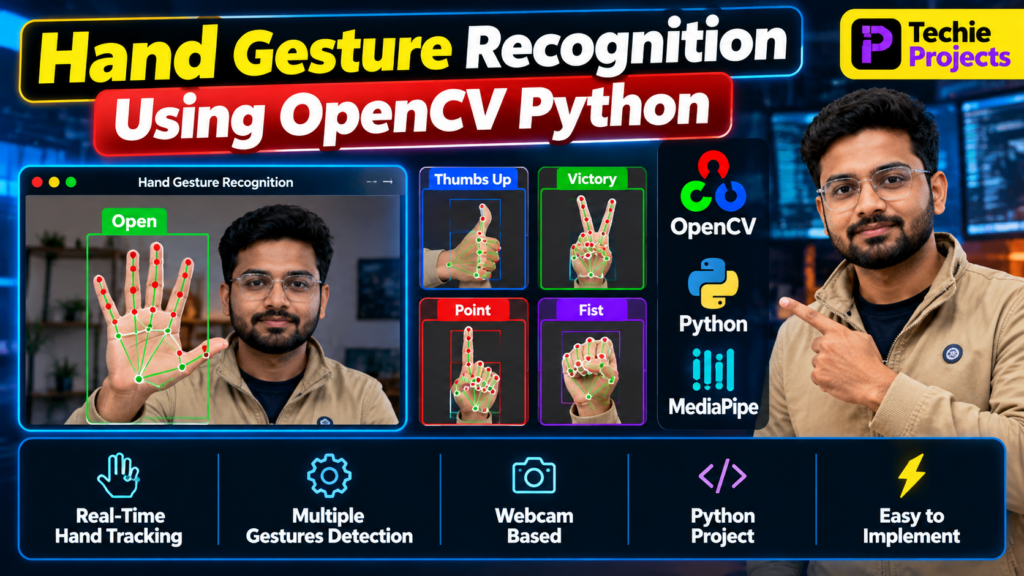
The demonstration can show a webcam detecting a hand, tracking its landmarks, and displaying different gestures such as an open palm, thumbs up, victory sign, pointing finger, or fist. The supported gestures depend on the implementation.
What Is Hand Gesture Recognition?
Hand gesture recognition is a computer vision technique that identifies hand positions and movements from images or video streams. It allows users to interact with computers through natural hand movements instead of relying entirely on a keyboard or mouse.
For example, a system may recognize an open palm, a thumbs-up gesture, or a victory sign and associate each gesture with a predefined action.
Hand gesture recognition can be implemented using traditional image processing, machine learning, or deep learning techniques.
🎯 Objectives of the Project
The main objectives of the hand gesture recognition project are:
- Detect hands through a webcam in real time.
- Identify hand landmarks and finger positions.
- Recognize predefined hand gestures.
- Display gesture labels on the video feed.
- Understand practical applications of computer vision.
- Build a foundation for touchless human-computer interaction.
Key Features of Hand Gesture Recognition Using OpenCV Python
The project’s features depend on the implemented version. Common features include:
- Real-Time Hand Detection: Detect a visible hand through the webcam.
- Hand Landmark Tracking: Identify important points on the palm and fingers.
- Gesture Recognition: Recognize supported gestures using landmark positions or a trained model.
- Visual Feedback: Display hand landmarks, tracking connections, and gesture labels on the screen.
- Webcam Integration: Process live video frames.
- Interactive Interface: Show the detected gesture and system output.
- Expandable Design: Add more gestures or connect recognized gestures to computer-control actions.
Technologies Used
1. Python
Python is the primary programming language used to process webcam frames, manage the recognition logic, and display results.
2. OpenCV
OpenCV is an open-source computer vision library used to capture video, process image frames, draw landmarks, and display the output.
3. MediaPipe
MediaPipe provides hand-tracking solutions that can detect hand landmarks in images and video. These landmarks can be used to help identify finger positions and gestures.
4. NumPy
NumPy can be used for numerical calculations and manipulation of landmark coordinates.
How Does the System Work?
The hand gesture recognition system follows a series of steps:
Step 1: Capture Webcam Input
The application opens the webcam and captures video frames continuously.
Step 2: Process the Image
OpenCV reads each frame and prepares it for hand detection. Depending on the implementation, the frame may be converted from BGR to RGB before being passed to MediaPipe.
Step 3: Detect Hand Landmarks
The hand-tracking model identifies key points on the hand, including the wrist, palm, and finger joints.
Step 4: Analyze Finger Positions
The application examines landmark positions and relationships to determine which fingers are extended or folded.
Step 5: Recognize the Gesture
The recognition logic compares the detected hand configuration with predefined gesture rules or a trained classification model.
Step 6: Display the Result
The recognized gesture is displayed on the video frame along with any relevant hand landmarks or visual indicators.
Types of Hand Gestures
A hand gesture recognition project may support several gestures, depending on its implementation.
- Open Palm: All or most fingers are extended.
- Thumbs Up: The thumb is raised while other fingers are folded.
- Victory Sign: The index and middle fingers are extended.
- Pointing Gesture: The index finger is extended to indicate a direction or object.
- Fist: The fingers are folded into the palm.
- Custom Gestures: Additional hand configurations can be defined for specific commands.
The accuracy of recognition depends on lighting, camera quality, hand position, background conditions, and the recognition method.
Software Requirements
The basic software requirements may include:
- Python 3
- OpenCV Python package
- MediaPipe
- NumPy
- Visual Studio Code, PyCharm, or another Python IDE
- Windows, Linux, or macOS
- A compatible webcam
Install the main libraries using pip:
pip install opencv-python mediapipe numpyPackage compatibility may vary by Python version. If installation fails, check the supported Python and package versions for your environment.
Hardware Requirements
The hardware requirements for a basic implementation are:
- Computer or laptop
- Webcam or compatible camera
- Keyboard and mouse
- Adequate RAM and processing power
A standard laptop can generally run a basic webcam-based hand-tracking project. More complex models or additional computer-vision tasks may require greater processing resources.
Applications of Hand Gesture Recognition
Hand gesture recognition has several practical applications.
1. Touchless Computer Control
Recognized gestures can be mapped to actions such as scrolling, clicking, or controlling media playback.
2. Human-Computer Interaction
Gesture-based interfaces allow users to interact with digital systems through natural movements.
3. Smart Home Automation
With suitable integrations, predefined gestures can trigger supported smart-home actions.
4. Presentation Control
Users can map gestures to presentation commands, such as moving between slides.
5. Educational Projects
Students can use hand tracking to learn about image processing, landmark detection, classification, and real-time computer vision.
6. Assistive Interfaces
Gesture-based interfaces may support alternative interaction methods when designed and tested for specific accessibility needs.
Advantages of the Project
- Demonstrates real-time computer vision.
- Uses a webcam for natural interaction.
- Introduces hand landmark detection.
- Helps students understand Python libraries.
- Can be extended with additional gestures and actions.
- Provides a practical foundation for more advanced AI projects.
Limitations of Hand Gesture Recognition
Although hand gesture recognition is useful, several challenges can affect performance:
- Poor lighting may reduce detection quality.
- Hands may be difficult to track when partially hidden.
- Background clutter can affect some implementations.
- Fast movements may cause tracking errors.
- Similar gestures may be confused.
- Camera resolution and processing speed can affect responsiveness.
These limitations can be addressed through better lighting, suitable camera placement, improved recognition logic, and careful testing.
Future Scope
The project can be enhanced in several ways:
- Add more custom hand gestures.
- Develop a virtual mouse or gesture-based presentation controller.
- Integrate voice commands with hand gestures.
- Add a graphical user interface.
- Train a machine learning model to recognize custom gestures.
- Explore multi-hand tracking where supported.
- Integrate the system with compatible smart devices.
These improvements can transform a basic hand-tracking demonstration into a more advanced human-computer interaction project.
Frequently Asked Questions (FAQs)
1. What is hand gesture recognition using OpenCV and Python?
It is a computer vision application that processes camera images to detect hands and recognize predefined gestures.
2. Which libraries are used in this project?
OpenCV is commonly used for video capture and image processing, while MediaPipe can detect hand landmarks. Python and NumPy support the overall implementation.
3. Is a webcam required?
A webcam is normally used for real-time recognition. Alternatively, the system can be adapted to process prerecorded videos or static images.
4. Can this project be used for a final-year engineering submission?
Yes. It can serve as a computer vision project for engineering students. The project should include a clear implementation, testing, documentation, and an explanation of its limitations.
5. Can I add custom gestures?
Yes. Additional gestures can be defined using landmark-based rules or a trained classification model.
6. What is the difference between hand tracking and gesture recognition?
Hand tracking identifies and follows hand landmarks, while gesture recognition interprets the hand configuration to assign a gesture label or command.
🔗 Explore Related Python and Computer Vision Projects
Explore these related project topics on Techie Projects:
- Hand Gesture Control Using Python
- Virtual Mouse Using OpenCV and Python
- Sign Language Recognition Using Machine Learning
- Object Detection Using OpenCV
- Face Recognition Attendance System Using Python
Link each project title to its corresponding page on your website.
🎓 Need Help With Your Final-Year Project?
Looking for a Python, machine learning, artificial intelligence, or computer vision project? Techie Projects can help you explore project ideas, implementation options, technical requirements, and documentation needs.
- 📲 Call/WhatsApp: +91-9460060699
- 🌎 Website: www.techieprojects.com
- 📺 Instagram: @pythonprojects_
Contact Techie Projects to discuss your project requirements and available support.
Conclusion
Hand gesture recognition using OpenCV and Python is a practical computer vision project that demonstrates how computers can detect hand landmarks and interpret predefined gestures. By combining webcam input, OpenCV, and MediaPipe, students can explore real-time tracking and develop interactive applications.
The project can be expanded with custom gestures, virtual mouse control, presentation commands, or other interaction features. It provides a useful starting point for students who want to learn Python programming and computer vision through hands-on implementation.