
Introduction
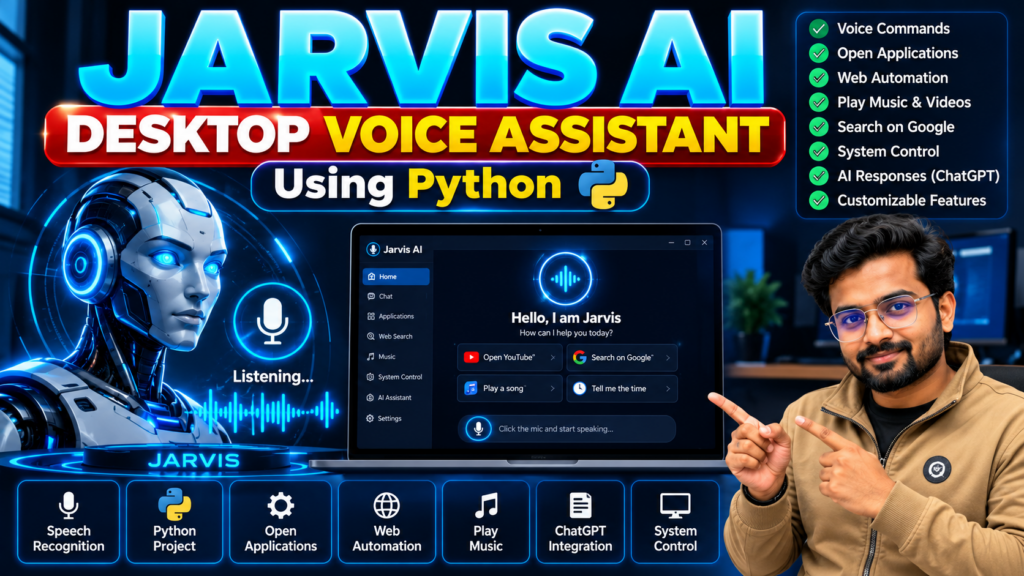
The Jarvis AI Desktop Voice Assistant Using Python is an exciting artificial intelligence project that demonstrates how a computer can respond to voice commands and perform desktop tasks. Inspired by virtual assistants, this project combines Python programming, speech recognition, text-to-speech conversion, and automation to create an interactive assistant.
This project is suitable for B.Tech Computer Science students, final-year engineering students, and learners interested in Artificial Intelligence, Python development, and automation. It can also serve as a foundation for building more advanced AI-powered applications.
If you are looking for a practical AI project using Python with source code, Jarvis AI is an excellent option to explore for your academic project or portfolio.
🎬 Project Demo
Watch the Jarvis AI Desktop Voice Assistant Using Python project demo to see how the application works, how it responds to voice commands, and how it performs supported desktop automation tasks.
Want to explore the complete project, source code, and implementation details? Contact Techie Projects on WhatsApp to enquire about project availability and pricing.
What Is a Jarvis AI Desktop Voice Assistant?
A Jarvis AI desktop voice assistant is a Python-based application that accepts voice commands, processes user requests, and performs supported tasks. Instead of entering every instruction manually, users can interact with the application using their voice.
Depending on its implementation, the assistant can open applications, search the web, play music, tell the current time, respond to basic questions, and perform other desktop automation tasks.
The available functionality depends on the libraries, APIs, and features implemented in the project.
Key Features of the Jarvis AI Project
1. Voice Command Recognition
The assistant can capture spoken commands through a microphone and convert speech into text using a supported speech recognition library.
2. Text-to-Speech Responses
The application can respond to supported commands using synthesized speech, making interaction more convenient.
3. Desktop Application Control
The project can be configured to open selected applications and perform predefined system tasks.
4. Web Search Automation
Users can trigger supported web searches through voice commands instead of manually entering search terms.
5. Music and Media Control
The assistant can be configured to play music or open supported media resources.
6. AI-Powered Responses
With an appropriate API integration, the project can be extended to answer questions and provide conversational responses.
7. Customizable Commands
Developers can add new commands and modify the assistant according to their project requirements.
Technologies Used
The implementation may use the following technologies:
- Programming language: Python
- Speech recognition: SpeechRecognition or another compatible library
- Text-to-speech: pyttsx3 or an alternative TTS library
- Audio processing: PyAudio or a compatible audio input library
- Desktop automation: Python system and automation modules
- AI integration: An optional conversational AI API
- Development environment: Visual Studio Code, PyCharm, or another Python IDE
The exact dependencies depend on the version and features of the project.
How Does the Jarvis AI Voice Assistant Work?
The general workflow consists of these steps:
- Voice input: The application listens for a user’s command through the microphone.
- Speech recognition: The spoken instruction is converted into text.
- Command processing: The application identifies the requested action.
- Task execution: The relevant function performs the supported task.
- Voice response: The assistant provides an audio response when configured to do so.
This workflow helps students understand the relationship between speech recognition, Python programming, and automation.
Software and Hardware Requirements
Software Requirements
- Python
- A compatible Python IDE
- Required Python libraries
- Internet access for online searches or optional API integrations
Hardware Requirements
- Computer or laptop
- Microphone
- Speakers or headphones
- Sufficient memory and storage for the development environment
Actual requirements depend on the selected libraries and integrations.
Applications of Jarvis AI
A Python desktop voice assistant can be used as a learning project for:
- Voice-controlled desktop applications
- Personal productivity assistants
- Speech recognition experiments
- Python automation tools
- AI and natural language processing demonstrations
- Human-computer interaction projects
Students can extend the basic concept by adding custom commands, a graphical user interface, or additional AI features.
Advantages of This Python AI Project
- Demonstrates practical Python programming concepts.
- Introduces voice recognition and speech synthesis.
- Provides opportunities to learn automation.
- Supports feature extensions and customization.
- Can be demonstrated during academic project presentations.
- Helps students explore AI application development.
Limitations and Future Improvements
The assistant’s performance may depend on microphone quality, background noise, internet connectivity, library compatibility, and the accuracy of speech recognition.
Future improvements could include wake-word detection, a graphical dashboard, multilingual commands, better error handling, secure command execution, and additional AI integrations.
For safety, sensitive system operations should require appropriate confirmation, and API keys or personal data should be stored securely.
Why Choose the Jarvis AI Project for Your Final Year?
The Jarvis AI desktop voice assistant is a useful option for students who want to demonstrate a combination of Python, artificial intelligence, and automation in one application.
It offers a practical way to explain the complete workflow, from capturing voice input to executing a command and generating a response. Students can also use the project to explore software design, dependency management, testing, and future feature development.
Before selecting a project, confirm that its features, source code, documentation, and implementation meet your institution’s requirements.
Get the Jarvis AI Project from Techie Projects
🎓 Looking for a Jarvis AI project with source code for your academic work?
Techie Projects helps students explore Python, AI, machine learning, and final-year engineering projects. Contact us to enquire about the availability of the Jarvis AI Desktop Voice Assistant project, its implemented features, source code, documentation, and technical support options.
📲 Call/WhatsApp: +91-9460060699
🌎 Website: www.techieprojects.com
📺 Instagram: @pythonprojects_
Contact us to discuss your project requirements, confirm the available deliverables, and understand the applicable pricing before placing an order.
🎓 Recommended Projects
Explore these related projects from Techie Projects to discover more ideas for your final-year engineering project.
- AI Chatbot Using Python – Build a chatbot that responds to user queries.
- Face Recognition Attendance System – Explore face recognition and automated attendance.
- Speech Recognition Using Python – Convert spoken language into text using Python.
- Virtual Assistant Using Python – Develop an assistant for voice commands and desktop automation.
- AI-Based Question Answering System – Explore AI techniques for answering user questions.
Looking for source code, project documentation, or implementation support? Explore more ideas on Techie Projects or contact us on WhatsApp to enquire about project availability and pricing.
Frequently Asked Questions
1. Which programming language is used for the Jarvis AI project?
Python is the primary programming language commonly used to build this type of desktop voice assistant.
2. Is the Jarvis AI project suitable for B.Tech students?
Yes. It can be suitable for Computer Science and related engineering students, depending on their syllabus, project scope, and implementation requirements.
3. Can I add new features to the assistant?
Yes. Additional commands, application controls, a graphical interface, and optional AI integrations can be added when supported by the implementation.
4. Does the project require an internet connection?
Basic local commands may work offline, depending on the libraries used. Online searches and cloud-based AI integrations generally require an internet connection.
5. Where can I enquire about the project source code?
You can contact Techie Projects through WhatsApp or visit Techie Projects to enquire about availability, pricing, and deliverables.
Conclusion
The Jarvis AI Desktop Voice Assistant Using Python is a practical project for exploring voice recognition, speech synthesis, AI integration, and desktop automation. Its modular design makes it a useful starting point for students who want to learn how intelligent desktop applications work.
If you want to explore this project for your final-year submission or Python portfolio, contact Techie Projects to discuss the available project package and choose an option that matches your learning and academic requirements.