
Introduction
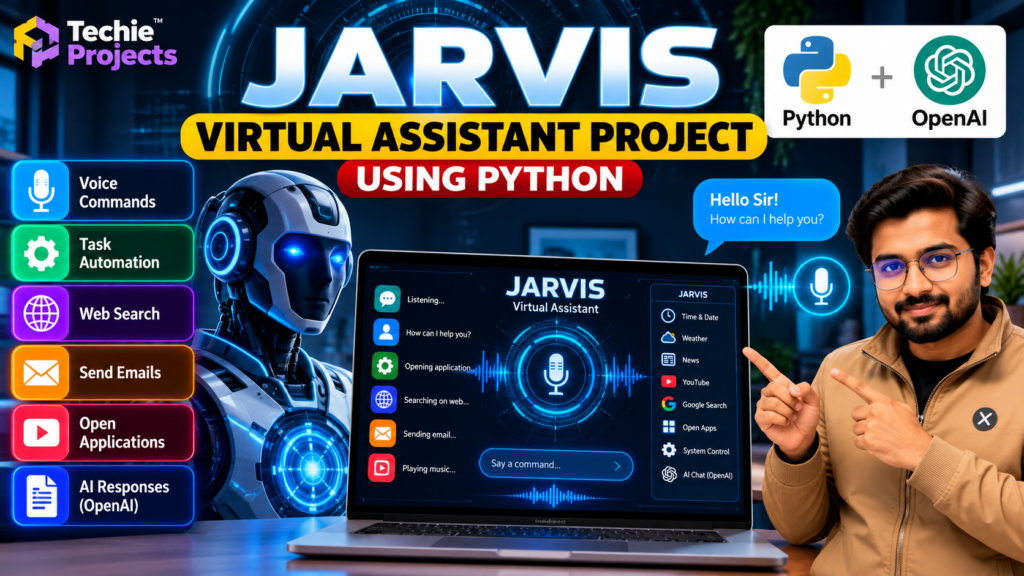
The Jarvis Virtual Assistant Project Using Python is an AI-based application designed to demonstrate how voice commands can be used to interact with a computer and automate selected tasks. Inspired by intelligent virtual assistants, this project combines Python programming, speech recognition, text-to-speech capabilities, and automation techniques to create an interactive desktop assistant.
This project is suitable for B.Tech Computer Science Engineering students, final-year engineering students, diploma students, and beginners interested in Artificial Intelligence, Python programming, and automation.
At Techie Projects, students can explore practical engineering projects that help them understand programming concepts, demonstrate software applications, and build technical knowledge for academic presentations.
The Jarvis virtual assistant project using Python demonstrates how voice recognition, speech responses, and desktop automation can work together in an interactive application. Students can explore its architecture, understand the required Python libraries, and learn how to build a voice-controlled assistant for educational purposes.
🎬 Project Demo
Watch the Jarvis Virtual Assistant project demonstration to explore its interface, voice-command interaction, and supported features.
The demonstration helps students understand the application’s workflow and evaluate whether the project meets their academic requirements.
What Is a Jarvis Virtual Assistant?
A Jarvis virtual assistant is a software application that accepts user commands and performs predefined tasks. Depending on its implementation, it may respond through speech, display text, open applications, retrieve information, or perform other supported operations.
Python is commonly used to develop this type of application because it offers libraries for speech processing, automation, and application development.
The actual features of a Jarvis assistant depend on the source code, installed libraries, API integrations, and system permissions.
Objectives of the Jarvis AI Project
The main objectives of this project are to:
- Develop a Python-based desktop voice assistant.
- Understand speech recognition and voice-command processing.
- Explore text-to-speech responses.
- Automate selected computer tasks.
- Learn how Python libraries work together in an application.
- Demonstrate practical applications of artificial intelligence.
Key Features of the Jarvis Virtual Assistant
1. Voice Command Recognition
The assistant can process spoken commands through a supported speech-recognition library. Recognition quality depends on the microphone, background noise, language settings, and implementation.
2. Text-to-Speech Responses
A text-to-speech component can convert supported responses into spoken output, allowing users to interact with the assistant conversationally.
3. Application Automation
Depending on the implementation, the assistant may open selected applications, execute predefined commands, or perform other permitted desktop tasks.
4. Information Retrieval
The assistant can be configured to retrieve selected information, such as dates, time, or web search results, when the necessary functions and integrations are available.
5. Python-Based Development
Python connects the command-processing logic, speech functionality, and automation features into one application.
6. Extendable Architecture
Students can explore adding new commands, improving error handling, or integrating additional services where appropriate.
Technologies Used
The technologies may include:
- Python: Core programming language.
- Speech recognition library: Converts supported speech input into text.
- Text-to-speech library: Generates spoken responses.
- Operating system APIs or automation libraries: Perform supported desktop actions.
- External APIs: Provide additional functionality when configured.
- Development environment: VS Code, PyCharm, or another compatible Python IDE.
Check the actual project dependencies before installation because requirements can differ between implementations.
Software Requirements
- Operating System: Windows 10/11 or another supported operating system.
- Programming Language: Python.
- Development Environment: VS Code or PyCharm.
- Required Python libraries: Based on the supplied source code.
- Internet connection: Required for features that depend on online services or APIs.
Hardware Requirements
- Computer or laptop.
- Microphone for voice input.
- Speakers or headphones for spoken responses.
- Sufficient RAM and processing power for the selected dependencies.
Hardware requirements vary according to the implementation and enabled features.
How Does the Jarvis Virtual Assistant Work?
The general workflow consists of the following stages:
- Voice input: The microphone captures the user’s command.
- Speech recognition: The application converts supported speech into text.
- Command processing: Python identifies the requested action.
- Task execution: The assistant performs an available and permitted operation.
- Response generation: The application prepares a text response.
- Voice output: A text-to-speech component reads the response when enabled.
Some implementations may also use external APIs or online services to provide additional responses.
Applications of a Python Voice Assistant
A Jarvis-style assistant can demonstrate several useful concepts:
- Desktop task automation.
- Voice-controlled application interaction.
- Speech recognition experiments.
- Python application development.
- Human-computer interaction.
- AI and automation learning projects.
For security, the application should request appropriate permissions and avoid executing unknown commands or accessing sensitive information without authorization.
Advantages of the Project
- Helps students practise Python programming.
- Demonstrates speech recognition and automation.
- Provides a practical software-development example.
- Can be extended with additional commands.
- Supports academic demonstrations and technical presentations.
- Introduces students to the integration of multiple Python libraries.
Limitations
- Speech recognition may be affected by background noise.
- Some functions may require an active internet connection.
- External APIs may require configuration or paid access.
- Library compatibility can vary between Python versions.
- Automation features may behave differently across operating systems.
Future Scope
The project can be extended with improved speech recognition, multilingual commands, a graphical user interface, configurable shortcuts, additional API integrations, and better error handling.
Students can also explore conversational AI integrations, provided the necessary API access, security controls, and implementation requirements are available.
Why Choose This Project for Your Final Year?
The Jarvis Virtual Assistant Project Using Python is a useful option for students who want to demonstrate a working application involving speech processing, automation, and Python programming.
It provides opportunities to discuss system architecture, software dependencies, command handling, error management, and future improvements during a project presentation or viva.
Before choosing the project, review the available implementation and confirm that its features meet your institution’s requirements.
Frequently Asked Questions
1. What is the Jarvis Virtual Assistant Project Using Python?
It is a Python-based application that demonstrates voice-command processing and supported desktop automation features.
2. Which programming language is used?
Python is the main programming language. Additional libraries may be used for speech recognition, text-to-speech, and automation.
3. Is this project suitable for final-year engineering students?
Yes. It can be suitable for students interested in Python, artificial intelligence, speech processing, and desktop automation, subject to their academic requirements.
4. Does the project require an internet connection?
Some functions may work locally, while online search, cloud speech recognition, or external API features may require internet access.
5. Can I purchase the project source code?
Contact Techie Projects to confirm current availability, included source code, documentation, installation requirements, pricing, and support options.
🎓 Recommended Projects
Explore these related projects to discover more Python and AI applications:
- Jarvis AI Desktop Voice Assistant Using Python – Explore desktop voice interaction.
- AI Chatbot Using Python – Learn about conversational interfaces.
- Speech Recognition Using Python – Explore speech-to-text functionality.
- Face Recognition Attendance System Using Python – Study computer vision applications.
- AI Virtual Keyboard Using OpenCV Python – Explore alternative computer interaction.
Visit Techie Projects to browse more engineering project ideas and learning resources.
Get Your Jarvis Virtual Assistant Project
Looking for a Python or AI project for your mini-project, final-year submission, or practical learning?
Techie Projects can help you enquire about available project implementations, source-code options, documentation, installation requirements, and support.
Contact us to confirm the project package and pricing before purchasing.
- 📲 Call/WhatsApp: +91-9460060699
- 🌎 Website: www.techieprojects.com
- 📺 Instagram: @pythonprojects_
Conclusion
The Jarvis virtual assistant project using Python combines speech recognition, command processing, and automation to demonstrate an interactive desktop application. It offers students a practical opportunity to explore Python programming, AI concepts, and voice-controlled software development.
If this project matches your academic goals, contact Techie Projects to discuss availability, included features, documentation, and purchasing options.