
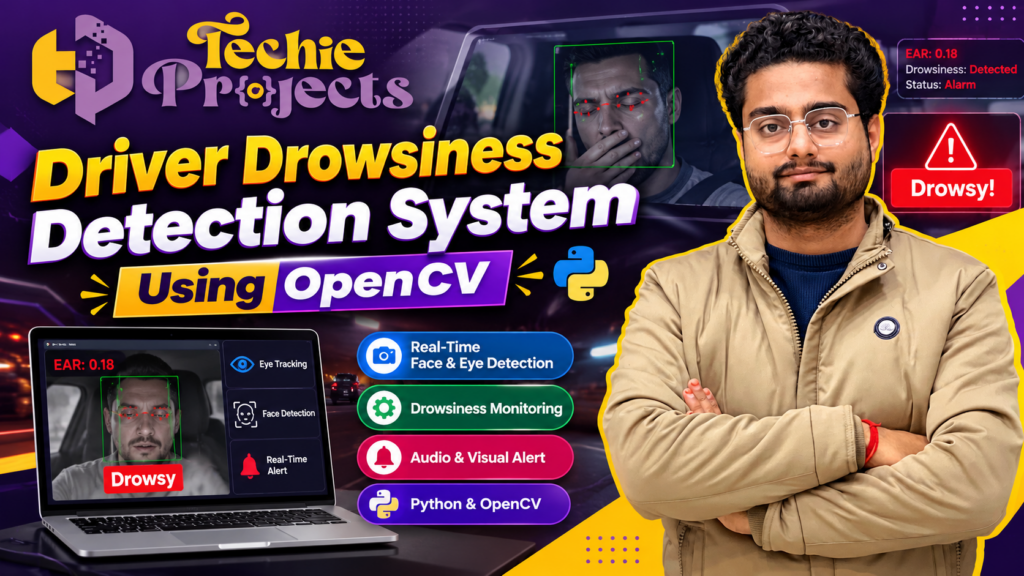
Are you looking for a practical computer vision project for your final-year engineering submission? The Driver Drowsiness Detection System Using OpenCV is a Python-based project that demonstrates how camera input and facial feature analysis can be used to identify possible signs of driver drowsiness and trigger an alert.
Driver fatigue is an important road safety concern, especially during long journeys and night driving. Computer vision provides an interesting way to study driver-monitoring concepts by analyzing visual information from a camera. This project helps students understand how Python, OpenCV, facial detection, and decision-making logic can work together in a real-time application.
At Techie Projects, we help engineering students explore practical project ideas in Python, Artificial Intelligence, Machine Learning, and Computer Vision. If you want to learn more about this project, contact us to confirm the available source code, installation instructions, documentation, pricing, and technical support options.
🎬 Project Demo: Driver Drowsiness Detection System Using OpenCV
Explore the Driver Drowsiness Detection System Using OpenCV through the project demonstration video embedded on this page. The demonstration introduces the application’s interface and shows how camera-based facial monitoring can be used to identify possible signs of drowsiness.
Depending on the implementation, the system may analyze eye-related features, display a drowsiness status, and activate an audio or visual warning when configured detection conditions are met.
Watch the demo to understand the project’s workflow and decide whether its technical scope matches your academic requirements.
Safety note: This is an educational project concept, not a certified vehicle safety system. It may produce false alerts or miss drowsiness, and should not replace responsible driving practices or validated automotive safety equipment.
What Is a Driver Drowsiness Detection System Using OpenCV?
A Driver Drowsiness Detection System Using OpenCV is a computer vision application designed to monitor visual indicators associated with possible driver sleepiness.
The application receives video from a webcam or another supported camera. It processes video frames to locate facial regions and, depending on the algorithm, analyzes eye closure, facial landmarks, or related visual features. The detection logic then determines whether the observed features meet predefined conditions for generating a warning.
OpenCV is widely used in Python applications for image processing, video capture, and visual analysis. Other libraries may be needed for facial landmark detection or additional calculations, depending on the selected implementation.
The purpose of this project is to demonstrate a camera-based monitoring workflow and help students understand how image processing techniques can be applied to a practical engineering problem.
🎯 Objectives of the Project
The main objective is to develop a Python application that demonstrates possible driver drowsiness detection through computer vision.
The key objectives include:
- Capturing live video frames from a supported camera.
- Learning how image processing works in OpenCV.
- Detecting facial regions or relevant facial features.
- Analyzing eye-related indicators where supported.
- Applying detection rules to identify possible drowsiness.
- Displaying the detection status to the user.
- Generating alerts if the implementation includes this functionality.
- Understanding the limitations of camera-based monitoring.
- Practising Python programming, testing, and debugging.
These objectives make the project useful for students who want hands-on experience with computer vision and real-time image processing.
⚙️ Technologies Used in the Project
The precise technology stack depends on the project version. Common tools for this type of application include the following.
1. Python
Python is used to implement the main application logic, process video frames, and connect the detection modules.
2. OpenCV
OpenCV supports camera access, video-frame processing, image transformations, and display of the application’s output.
3. NumPy
NumPy can be used for numerical operations and calculations involved in processing visual features.
4. Facial Landmark Detection
Some implementations use a facial landmark library to identify eye regions or other points on a face. The specific library depends on the design.
5. Eye Aspect Ratio or Feature-Based Analysis
A system may calculate an eye-related measurement, such as the Eye Aspect Ratio (EAR), to help estimate whether the eyes are open or closed. This method requires suitable facial landmarks and carefully configured thresholds.
6. Alert Mechanism
Depending on the implementation, the application may display an on-screen warning, play an alarm sound, or provide another configured notification.
Confirm the actual libraries and features included in your project package before purchasing.
🚘 How Does the Driver Drowsiness Detection System Work?
A typical Driver Drowsiness Detection System Using OpenCV follows a series of processing steps.
Step 1: Camera Initialization
The program initializes a supported camera or video source. It then begins reading frames for analysis.
Step 2: Video Frame Capture
The application captures individual frames and prepares them for processing. Preprocessing may include resizing, converting color formats, or adjusting the image representation.
Step 3: Face Detection
The system identifies the driver’s face in the captured frame. Reliable detection can depend on camera position, lighting, face orientation, and image quality.
Step 4: Eye or Facial Feature Detection
Depending on the algorithm, the application identifies the eye regions or facial landmarks needed for analysis.
Step 5: Drowsiness Analysis
The application examines the selected features. For example, a landmark-based implementation may calculate an eye-related ratio and track how long the eyes appear closed.
The detection logic compares the calculated values or observed patterns against configured rules. These thresholds should be evaluated using suitable test data rather than assumed to work reliably in every situation.
Step 6: Alert Generation
If the implemented conditions indicate possible drowsiness, the application displays a warning or triggers a configured alert.
Step 7: Continuous Monitoring
The system repeats the process as new video frames arrive. The achievable processing speed depends on the algorithm, frame resolution, and computer hardware.
This workflow helps students understand the relationship between camera input, image processing, feature analysis, and alert generation.
🚀 Key Features of the Driver Drowsiness Detection Project
The available features depend on the implementation, but an educational version may demonstrate:
- Camera-based monitoring: Uses a supported video source to capture frames.
- Facial detection: Locates a face for further analysis.
- Eye-related feature analysis: Examines eye activity when supported by the selected algorithm.
- Drowsiness detection logic: Applies configured conditions to identify possible warning signs.
- Visual status display: Shows detection information in the application interface.
- Audio or visual alerts: Provides warnings if these features are included.
- Python and OpenCV integration: Demonstrates a practical computer vision workflow.
- Real-time processing: Processes incoming frames subject to hardware and software limitations.
Before purchasing, confirm which features are present in the version you will receive.
🧩 Project Modules
The application can be organized into separate modules to make its operation easier to understand.
1. Video Capture Module
Connects to the camera and retrieves video frames.
2. Image Processing Module
Prepares the frames for face or eye analysis.
3. Face Detection Module
Locates the driver’s face in the video frame.
4. Eye or Landmark Detection Module
Identifies the visual features required by the chosen detection method.
5. Drowsiness Analysis Module
Evaluates the selected features against the configured rules or thresholds.
6. Alert and Display Module
Displays the detection status and generates warnings if supported by the implementation.
💻 Software and Hardware Requirements
Before installation, check the requirements of your selected project version.
Possible software requirements:
- Python with a compatible version.
- OpenCV.
- NumPy.
- Any additional facial detection or landmark libraries used by the project.
- A compatible operating system and code editor.
Possible hardware requirements:
- A laptop or desktop computer.
- A compatible webcam or video input source.
- Sufficient processing capacity for the chosen algorithm.
A basic implementation may run on a standard laptop without a dedicated GPU. However, processing speed and performance vary with hardware, camera resolution, and the libraries used.
Always follow the installation instructions supplied with the actual project package.
🎓 Benefits for Engineering Students
Practical Computer Vision Learning
Students can gain experience with camera input, image processing, face detection, and visual feature analysis.
Understanding Python Libraries
The project demonstrates how Python libraries can be combined to build a working application.
Academic Project Demonstration
A functioning prototype can help students explain the system architecture, processing pipeline, and limitations during a project review or viva.
Scope for Experimentation
Students can investigate detection thresholds, lighting conditions, camera angles, and alternative feature-analysis approaches.
Portfolio Development
A well-understood and properly documented implementation can demonstrate practical programming and computer vision skills.
Students should follow their institution’s academic rules and ensure that they understand and can explain the work they submit.
🔬 Future Enhancements
Students can explore additional features to extend the project, depending on the available code and academic requirements.
- Improve face detection under varying lighting conditions.
- Evaluate the system with different camera positions.
- Investigate eye-closure duration and blinking patterns.
- Compare different facial landmark detection methods.
- Measure detection latency and processing speed.
- Improve handling of camera interruptions or missed faces.
- Add a dashboard for displaying detection status and test results.
- Evaluate false-positive and false-negative detection cases.
Any enhancement should be implemented and tested before being described as an existing project feature.
📦 What Should You Check Before Purchasing?
Before purchasing the Driver Drowsiness Detection System Using OpenCV from Techie Projects, confirm the package details and technical requirements.
Ask about:
- Availability of Python source code and associated files.
- Required Python version and package dependencies.
- The face and eye detection methods used.
- Camera and hardware requirements.
- Installation instructions and troubleshooting guidance.
- Availability of a project report or presentation.
- Available installation assistance or technical support.
- Pricing, delivery format, and applicable purchase terms.
Deliverables and support may differ by package, so confirm everything before placing an order.
❓ Frequently Asked Questions
1. What is a Driver Drowsiness Detection System Using OpenCV?
It is a computer vision application that analyzes video input to identify possible visual signs of driver drowsiness using an implemented detection method.
2. Which programming language is used?
Python is commonly used because it supports image processing, camera integration, and computer vision libraries.
3. Why is OpenCV used in this project?
OpenCV provides tools for accessing camera input, processing video frames, transforming images, and displaying visual results.
4. Is this project suitable for final-year engineering students?
It can be suitable for computer science and related engineering students, depending on their syllabus, project scope, and institutional requirements.
5. Does the system send SMS alerts?
SMS alerts are not a standard feature of every implementation. Confirm whether the available version supports SMS, audio alerts, visual alerts, or another notification method.
6. Can the project run on a laptop?
A compatible laptop with a supported camera and the required software may be sufficient for a basic version. Actual performance depends on the implementation and hardware.
7. Can this system guarantee driver safety?
No. An educational prototype may fail to detect drowsiness or may generate false warnings. It is not a substitute for responsible driving practices or certified vehicle safety equipment.
8. How can I purchase the project?
Contact Techie Projects through the website or WhatsApp to discuss the available implementation, deliverables, price, and support options.
🎓 Explore Related Python Projects
Interested in other engineering project ideas? Explore relevant categories on Techie Projects:
- Accident Detection System Using Python
- Helmet Detection System Using YOLO
- Traffic Sign Recognition Using Deep Learning
- Vehicle Detection and Counting Using OpenCV
- Automatic Number Plate Recognition Using Python
- Lane Detection System Using Computer Vision
- Pedestrian Detection System Using YOLO
- Face Recognition Attendance System Using Python
- Real-Time Object Detection Using YOLOv8
Visit the website to explore projects that match your technical interests and academic requirements. Link these category names to their relevant pages on your website.
📲 Purchase Enquiry: Driver Drowsiness Detection System Using OpenCV
Looking for a computer vision project for your engineering studies? Contact Techie Projects to discuss the available Driver Drowsiness Detection System Using OpenCV package.
We can discuss the available project version, source code, installation requirements, documentation, pricing, and technical support options before you decide to purchase.
📲 Call/WhatsApp: +91-9460060699
🌎 Website: www.techieprojects.com
📺 Instagram: @pythonprojects_
When contacting us, mention “Driver Drowsiness Detection System Using OpenCV” and share your academic requirements. Please confirm the package details before ordering.
Final Note
The Driver Drowsiness Detection System Using OpenCV is an educational project that demonstrates how computer vision can be applied to driver-monitoring concepts. Its accuracy and performance depend on the selected algorithm, testing conditions, and implementation. It should be used for learning and demonstration rather than as a certified safety device.