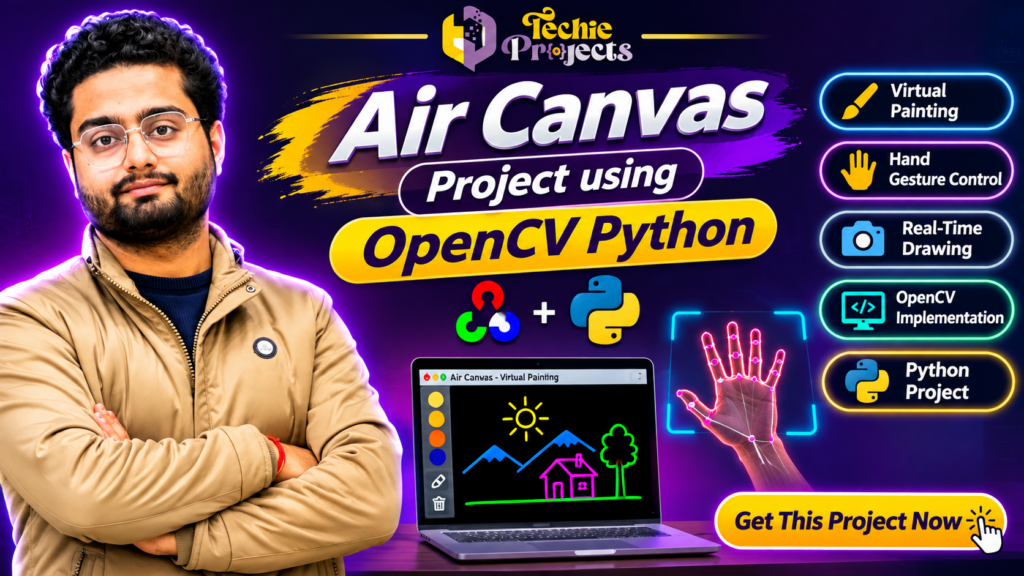
The Air Canvas Project using OpenCV Python is designed to demonstrate the practical implementation of real-time computer vision and hand gesture recognition. Students can explore how webcam input, image processing and hand tracking work together to create an interactive virtual painting application. This project is suitable for students interested in Python development, Artificial Intelligence and innovative computer vision solutions.
Are you looking for an innovative Computer Vision project that can make your final-year engineering project stand out? 🚀 Get the Air Canvas Project using OpenCV Python from Techie Projects and explore an exciting application of Artificial Intelligence, Computer Vision and real-time hand gesture recognition.
🎓 The Air Canvas Project using OpenCV Python allows users to draw and create digital paintings in the air using simple hand movements in front of a webcam. Instead of using a traditional mouse, touchscreen or physical drawing device, users can interact with a virtual canvas through hand gestures.
If you are a B.Tech, BCA, MCA, Diploma or Computer Science engineering student searching for an impressive Python project, this project is an excellent choice for understanding real-time computer vision applications.
Don’t waste time struggling with project development from scratch! Get your ready-to-explore Air Canvas project from Techie Projects with source code, implementation guidance and project assistance.
📞 Contact Techie Projects for Project Enquiries
Interested in purchasing the IoT-Based Smart Home Automation System Project? Contact us to enquire about package availability, pricing, source code, documentation, installation guidance, and technical support options.
💬 WhatsApp Enquiry: Chat with Techie Projects
📱 Contact Number: +91 94600 60699
🌐 Official Website: www.techieprojects.com
📸 Instagram: Follow Techie Projects
🎓 Project Areas: Robotics, Machine Learning, Arduino, Deep Learning, Artificial Intelligence, and Android App.
✅ Request Project Details: Share your engineering branch, preferred features, and technical requirements to enquire about the most suitable available package.
🚀 Ready to get started? Click here to enquire on WhatsApp and mention IoT-Based Smart Home Automation System Project.
Package contents, prices, hardware availability, and support options should be confirmed before purchase.
🎬 Watch the Air Canvas Project Demo
Explore the Air Canvas Project using OpenCV Python to understand how virtual painting works through hand gesture recognition.
The project demonstrates how a webcam can capture hand movements and translate them into drawing actions on a digital canvas.
Watch the project demonstration on the Techie Projects YouTube channel to understand its functionality and visual output.
🚀 What is the Air Canvas Project using OpenCV Python?
The Air Canvas Project using OpenCV Python is a Computer Vision application that allows users to draw on a virtual screen using hand gestures. It uses a camera to capture real-time video and processes the captured frames to identify hand movements.
The application tracks the user’s hand and uses its position to control drawing operations. When the user moves their hand in front of the camera, the system detects the movement and converts it into drawing coordinates.
The virtual canvas displays the drawing in real time. Users can create different patterns, lines, shapes and colourful designs without physically touching the computer screen.
This project combines multiple technologies, including:
- Python Programming
- OpenCV
- Computer Vision
- Image Processing
- Real-Time Video Processing
- Hand Gesture Recognition
- Virtual Painting
The main objective is to demonstrate how computer vision can create a touch-free and interactive drawing experience.
💻 Air Canvas Project using OpenCV Python – Complete Project Solution
If you are searching for an Air Canvas Project using OpenCV Python with practical implementation, Techie Projects can help you explore the available project package. Contact our team to enquire about source code, project documentation, demonstration and technical assistance.
🎨 How Does the Air Canvas Project Work?
The Air Canvas Project using OpenCV Python follows a sequence of image-processing and gesture-based operations.
The webcam captures the user’s hand movements, and the application processes the incoming frames to identify the position of the hand.
The general working process involves the following steps.
1. 📷 Webcam Initialization
The first step is initializing the webcam using OpenCV.
The camera continuously captures video frames and provides real-time input to the Python application.
2. 🖐️ Hand Detection and Tracking
The system processes camera frames to identify the hand and determine its position.
Depending on the implementation, image processing and hand landmark detection techniques can be used to track specific hand points.
3. 🎯 Gesture Recognition
The application interprets hand movements and gestures to determine the required action.
For example, a selected gesture can be used to activate drawing, while another gesture can be assigned to change the drawing mode.
4. ✏️ Virtual Drawing
After identifying the hand position, the application maps the coordinates onto the virtual canvas.
As the user moves their hand, the system continuously updates the drawing.
5. 🌈 Colour Selection
The application can provide different colour options to make digital painting more interactive.
Users can select colours and create colourful drawings on the virtual canvas.
6. 🖥️ Displaying the Final Output
The processed drawing is displayed on the screen in real time.
Users can observe their hand movements being converted into digital artwork.
⭐ Key Features of the Air Canvas Project
The Air Canvas Project using OpenCV Python offers several interesting features that make it useful for learning Computer Vision and Python development.
1. Real-Time Hand Gesture Interaction
The application allows users to interact with the drawing interface through hand movements.
This demonstrates the practical use of gesture-based computer interaction.
2. Virtual Painting Interface
Users can create drawings without requiring a physical pen or touchscreen.
The webcam acts as the input device, while the computer screen displays the virtual painting.
3. Multiple Colour Options
The project can support different drawing colours, allowing users to create visually attractive digital artwork.
4. Live Camera Processing
OpenCV processes webcam frames continuously to provide an interactive experience.
5. Touch-Free Drawing
The application demonstrates how users can interact with a computer without directly touching its input devices.
6. Computer Vision Implementation
Students can understand how image processing, video capture and coordinate tracking work together in a practical application.
7. Interactive User Experience
The virtual painting functionality makes the application engaging and easy to demonstrate during academic project presentations.
💻 Technologies Used in the Air Canvas Project
The Air Canvas Project using OpenCV Python combines several technologies to implement virtual painting.
Python
Python is the primary programming language used to develop the application.
Its simple syntax and extensive library ecosystem make it suitable for developing computer vision applications.
OpenCV
OpenCV is an open-source computer vision library used for image processing and real-time video analysis.
In this project, OpenCV can be used for:
- Webcam initialization.
- Capturing video frames.
- Image processing.
- Frame manipulation.
- Drawing operations.
- Displaying the processed output.
Computer Vision
Computer Vision enables computers to interpret and process visual information.
The project uses computer vision concepts to convert camera input into interactive drawing operations.
Hand Gesture Recognition
Hand gesture recognition helps the application understand user movements and translate them into commands.
Tkinter
Tkinter can be used to develop a graphical user interface for Python applications, depending on the implementation.
It can help create interactive controls and application windows.
🛠️ Software Requirements
The following software environment can be used for developing and running the Air Canvas Project using OpenCV Python.
| Requirement | Technology |
|---|---|
| Programming Language | Python |
| Computer Vision Library | OpenCV |
| GUI Framework | Tkinter |
| Operating System | Windows 10 / Windows 11 |
| Code Editor | VS Code / PyCharm |
| Input Device | Webcam |
| Application Type | Desktop Application |
Hardware Requirements
- Processor: Intel Core i3 or higher recommended.
- RAM: 4 GB minimum recommended.
- Storage: 500 GB HDD or SSD.
- Camera: Laptop webcam or external webcam.
- Input Devices: Keyboard and mouse.
Actual performance depends on the computer configuration and implementation.
🎓 Why Should Engineering Students Choose the Air Canvas Project?
Selecting the right final-year project is important for engineering students.
A good project should demonstrate practical implementation, technical knowledge and problem-solving abilities.
The Air Canvas Project using OpenCV Python provides an opportunity to explore several important concepts in a single application.
1. Practical Computer Vision Experience
Students can understand how a camera captures visual information and how Python processes it.
2. Understanding Real-Time Applications
Unlike simple programs that process predefined images, this application demonstrates real-time video processing.
3. Learning Python Libraries
Students can explore OpenCV and other supporting technologies used in computer vision development.
4. Attractive Project Demonstration
Virtual painting provides a visually engaging demonstration that can help explain the application’s functionality during project presentations.
5. Resume and Portfolio Development
A properly understood and independently explained project can be included in a student’s technical portfolio.
6. Learning Through Implementation
Students can explore how different modules work together, understand the source code and experiment with additional features.
🔥 Applications of the Air Canvas Project
The concept of virtual painting and gesture-based interaction has applications in several areas.
1. Digital Art and Drawing
Artists can explore touch-free drawing interfaces and experiment with virtual painting.
2. Educational Applications
Teachers can demonstrate drawing concepts and interactive learning activities using gesture-based systems.
3. Smart Interactive Displays
Gesture recognition can be integrated into interactive display systems to provide alternative input methods.
4. Human-Computer Interaction
The project demonstrates how users can communicate with computer applications through physical movements.
5. Touch-Free Interfaces
Gesture-based applications can be useful in environments where minimizing physical contact with devices is desirable.
6. Research and Development
Students and developers can use the project as a starting point for experimenting with computer vision and human-computer interaction.
🧠 Important Computer Vision Concepts You Can Learn
By exploring the Air Canvas Project using OpenCV Python, students can understand several important technical concepts.
Image Processing: Learn how digital images are represented and manipulated.
Video Capture: Understand how webcam input is captured and processed frame by frame.
Coordinate Tracking: Learn how detected hand positions can be converted into screen coordinates.
Gesture Recognition: Understand how different hand movements can be interpreted as commands.
Real-Time Processing: Explore how applications process continuous video streams.
Drawing Algorithms: Understand how lines, points and other drawing operations can be generated programmatically.
These concepts can also be applied to other Computer Vision and Artificial Intelligence projects.
🏆 Why Purchase the Air Canvas Project from Techie Projects?
Developing a complete computer vision application requires time, programming knowledge and proper implementation.
Techie Projects provides project-related solutions to students who want to explore practical technologies and understand real-world applications.
When you enquire about the Air Canvas Project using OpenCV Python, you can discuss the available project package and support requirements with our team.
What Makes Techie Projects a Good Choice?
- 🎓 Projects across multiple engineering domains.
- 💻 Python and Computer Vision project solutions.
- 🤖 Artificial Intelligence and Machine Learning projects.
- 📚 Source code availability, depending on the selected package.
- 🛠️ Project implementation assistance, depending on the package.
- 📞 Direct communication through WhatsApp.
- 🚀 Project options for B.Tech, BCA, MCA and Diploma students.
Our objective is to help students explore practical technology and understand project implementation.
📦 What Can You Request With Your Project?
Before purchasing, you can enquire about the availability of:
- Complete project source code.
- Project execution files.
- Installation instructions.
- Project documentation.
- Software and hardware requirements.
- Project demonstration.
- Implementation and technical guidance.
The exact deliverables and support depend on the selected package. Please confirm them with our team before placing your order.
💰 Get the Air Canvas Project at Techie Projects
Are you interested in purchasing the Air Canvas Project using OpenCV Python for your academic project or technical learning?
Techie Projects can help you explore the available project package and discuss your requirements.
Whether you are working on a final-year engineering project, a computer vision assignment or a Python development project, contact us to discuss the suitable solution.
Why wait? Start your project enquiry today!
👉 GET THIS PROJECT NOW
📞 WhatsApp: https://wa.me/919460060699
🌐 Website: www.techieprojects.com
📸 Instagram: https://www.instagram.com/pythonprojects_/
Contact our team for current pricing, availability, source code details and delivery information.
🚀 Recommended Projects
Looking for more innovative engineering projects? Explore other project categories available at Techie Projects.
- Object Detection using YOLO – Real-time object detection using deep learning.
- Face Recognition Attendance System – Automated attendance using facial recognition.
- Traffic Sign Detection using Machine Learning – Recognize different traffic signs.
- Vehicle Detection and Counting – Detect and count vehicles using computer vision.
- Gesture Recognition System – Build applications controlled through hand gestures.
- Virtual Mouse using Hand Gestures – Control mouse operations using hand movements.
- AI Exam Proctoring System – Explore automated examination monitoring.
- Face Mask Detection System – Detect face masks using computer vision.
- Handwritten Digit Recognition – Recognize handwritten numbers using machine learning.
- Pothole Detection System – Detect road potholes using computer vision.
Explore more projects at www.techieprojects.com.
❓ Frequently Asked Questions (FAQs)
1. What is the Air Canvas Project using OpenCV Python?
It is a computer vision application that allows users to draw on a virtual canvas through hand gestures captured by a webcam.
2. Which programming language is used?
Python is the primary programming language used for developing the application.
3. Which library is required for this project?
OpenCV is the main computer vision library used for webcam access, image processing and drawing operations.
4. Is a webcam required?
Yes. A webcam or compatible camera is required to capture hand movements for real-time interaction.
5. Can beginners understand this project?
Yes. Students with basic Python knowledge can explore the project and gradually understand its image processing and gesture recognition concepts.
6. Is this project suitable for final-year engineering students?
Yes. It is suitable as a Computer Vision learning and demonstration project for students in Computer Science, IT and related engineering disciplines.
7. Can I purchase the project with source code?
You can contact Techie Projects to confirm the availability of the source code package, documentation and other deliverables.
8. How can I purchase the Air Canvas Project?
You can contact Techie Projects through WhatsApp at +91 94600 60699 or visit www.techieprojects.com to discuss pricing and project availability.
🎓 Purchase Your Air Canvas Project Today
Get the Air Canvas Project using OpenCV Python from Techie Projects and explore an interactive computer vision application for your academic requirements. Contact us to confirm pricing, package details and availability.
📞 Contact / WhatsApp: +91 94600 60699
🎯 Final Words
The Air Canvas Project using OpenCV Python is an interesting application of Computer Vision, image processing and hand gesture recognition.
It demonstrates how traditional drawing operations can be transformed into an interactive digital experience through webcam-based hand tracking.
For engineering students, this project offers an opportunity to explore Python programming, real-time video processing and gesture-based interaction in a practical application.
If you want to explore this project for your academic learning, portfolio or final-year project demonstration, Techie Projects is ready to discuss your requirements.
👉 Get This Project Now – Contact Techie Projects Today!