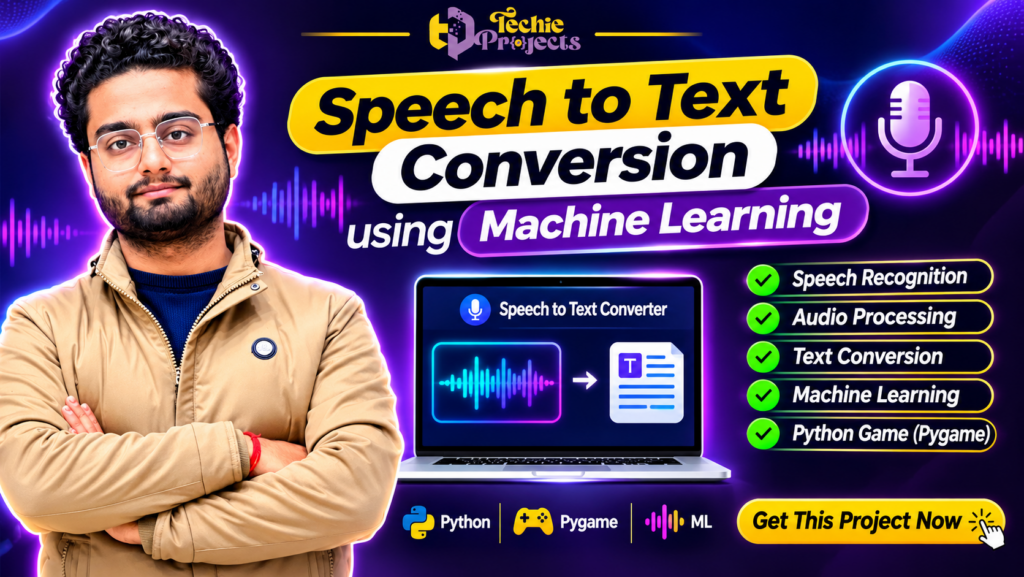
🚀 Looking for a ready-made Speech to Text Conversion Using Machine Learning project for your final-year engineering project, college submission, or practical demonstration? Get a professionally developed Python project from Techie Projects and save valuable development time. Instead of spending weeks building an application from scratch, explore this project, understand its implementation, and use it as a learning resource for your academic work.
The Speech to Text Conversion Using Machine Learning project demonstrates how voice input, speech recognition, audio processing, and Python programming can be combined to create an interactive application. It is designed for students interested in Artificial Intelligence, Machine Learning, Python Development, and intelligent application development.
🎓 Whether you are pursuing B.Tech, BCA, MCA, Computer Science Engineering, or another technical course, this project can help you explore practical applications of machine learning.
📞 Contact Techie Projects for Project Enquiries
Interested in purchasing the Speech to Text Conversion Using Machine Learning project ? Contact us to enquire about package availability, pricing, source code, documentation, installation guidance, and technical support options.
💬 WhatsApp Enquiry: Chat with Techie Projects
📱 Contact Number: +91 94600 60699
🌐 Official Website: www.techieprojects.com
📸 Instagram: Follow Techie Projects
🎓 Project Areas: Robotics, Machine Learning, Arduino, Deep Learning, Artificial Intelligence, and Android App.
✅ Request Project Details: Share your engineering branch, preferred features, and technical requirements to enquire about the most suitable available package.
🚀 Ready to get started? Click here to enquire on WhatsApp and mention Speech to Text Conversion Using Machine Learning project .
Package contents, prices, hardware availability, and support options should be confirmed before purchase.
🎬 Watch the Speech to Text Conversion Using Machine Learning Project Demo
Explore the project demonstration to understand its interface, working methodology, available functionality, and application workflow.
The demonstration helps students understand how a Python-based application can process user input and provide interactive responses through different functionalities.
Watch the project video available on the Techie Projects website and YouTube channel.
🤖 What Is Speech to Text Conversion Using Machine Learning?
Speech to text conversion is a technology that transforms spoken language into written text. It uses speech recognition techniques and machine learning concepts to analyze audio input and identify the words spoken by a user.
The Speech to Text Conversion Using Machine Learning project demonstrates how voice-based interaction can be integrated into a Python application.
Traditionally, users interact with computer applications through keyboards, mice, and touchscreens. Speech recognition introduces another interaction method in which users can communicate through their voices.
For example, when a user speaks a sentence into a microphone, a speech recognition system processes the audio and attempts to convert the spoken words into readable text.
This technology is useful in:
- Voice-controlled applications.
- Automated transcription systems.
- Virtual assistants.
- Educational applications.
- Accessibility solutions.
- Voice-based search systems.
- Intelligent human-computer interaction.
By developing this project, students can understand the relationship between audio processing, programming, and machine learning.
🎯 Objectives of the Project
The main objective of the Speech to Text Conversion Using Machine Learning project is to demonstrate an interactive Python application that introduces speech recognition and related functionalities.
Important objectives include:
- Understanding speech recognition concepts.
- Exploring machine learning applications.
- Working with voice-based input.
- Understanding audio processing techniques.
- Developing interactive application interfaces.
- Improving Python programming knowledge.
- Exploring intelligent application development.
- Understanding how different input types can be processed.
This project is particularly useful for students who want practical exposure to Python-based machine learning applications.
⚙️ How Does the Project Work?
The working methodology of the Speech to Text Conversion Using Machine Learning project can be understood through a series of basic processing steps.
1. User Interface Initialization
The application starts by displaying its graphical interface. Users can interact with the available options and select the functionality they want to explore.
Python provides different libraries and frameworks for developing interactive desktop applications.
2. Input Selection
The user selects an available functionality from the application.
Depending on the selected module, the application accepts different types of input, such as voice commands, text, or other supported inputs.
3. Audio Input Processing
For speech recognition functionality, the system receives audio input through an appropriate input device, such as a microphone.
The audio input is prepared for further processing.
4. Speech Recognition
The speech recognition component analyzes the audio and attempts to identify the spoken words.
Machine learning-based recognition techniques help applications interpret human speech and produce text output.
5. Text Output
After processing, the recognized words are presented as text through the application interface.
The output allows users to observe how speech input can be converted into readable information.
6. Interactive Application Response
The application displays the corresponding output based on the selected functionality.
This workflow helps students understand the basic structure of an interactive intelligent application.
💻 Technologies Used in the Project
The Speech to Text Conversion Using Machine Learning project combines Python programming with concepts from machine learning and interactive application development.
The technologies and tools include:
Python Programming
Python is the primary programming language used for application development. It offers a large ecosystem of libraries for machine learning, audio processing, and graphical interface development.
Machine Learning
Machine learning introduces techniques that allow computer systems to identify patterns in data and support intelligent processing tasks.
Speech Recognition
Speech recognition technology is used to interpret spoken language and convert audio signals into text.
Pygame
Pygame is a Python library commonly used for developing interactive applications and games. It provides functionality for handling events, displaying graphical elements, and managing user interactions.
Graphical User Interface
The graphical interface allows users to interact with the application through visual elements rather than entering commands directly into a terminal.
Audio Processing
Audio processing techniques help applications handle voice input and prepare audio data for recognition.
Note: The exact libraries, dependencies, and implementation details should be confirmed against the supplied project package before installation.
✨ Important Features of the Project
The Speech to Text Conversion Using Machine Learning project offers an opportunity to explore multiple application functionalities.
Some important features include:
🎙️ Speech to Text Conversion
This functionality demonstrates how spoken words can be converted into text through speech recognition technology.
🖼️ Image Identification from Text
The application interface also presents an image identification option, allowing students to explore an additional input-processing concept.
🔄 Image to Text Conversion
This functionality introduces the concept of extracting textual information from image-based inputs.
🧠 Interactive Question-Based Functionality
The application includes an interactive miscellaneous option that demonstrates question-based input and response handling.
🎮 Interactive Python Interface
The project uses a graphical application interface to make interaction easier and demonstrate Python application development concepts.
📚 Educational Implementation
Students can explore the application structure, understand the programming concepts, and learn how different functionalities are integrated.
🌍 Real-World Applications of Speech Recognition Technology
Speech recognition has become an important part of modern computing. Many industries use voice-based technologies to improve accessibility, productivity, and user experience.
Some applications include:
1. Virtual Assistants
Virtual assistants use speech recognition to understand voice commands and provide responses.
2. Automated Transcription
Speech recognition can convert recorded meetings, interviews, lectures, and conversations into text.
3. Healthcare Applications
Voice recognition technology can support documentation workflows and voice-based interaction in healthcare software.
4. Educational Platforms
Educational applications can use speech recognition to support language learning, interactive exercises, and accessibility.
5. Customer Support
Voice-based systems can help automate certain customer support interactions and improve communication workflows.
6. Accessibility Solutions
Speech-based interaction can provide alternative ways for users to communicate with digital applications.
7. Smart Applications
Voice recognition can be integrated into smart devices, intelligent assistants, and automation systems.
These examples demonstrate why speech recognition is an important topic for students interested in artificial intelligence and machine learning.
🎓 Why Should Engineering Students Choose This Project?
Selecting an appropriate final-year project is an important decision for engineering students.
A good project should provide practical learning opportunities and demonstrate the application of technical concepts.
The Speech to Text Conversion Using Machine Learning project can help students explore several important areas of computer science.
1. Practical Python Knowledge
Students can understand how Python is used to develop interactive applications.
2. Machine Learning Exposure
The project introduces the application of intelligent processing and speech recognition concepts.
3. Understanding Application Development
Students can explore how different components work together to create a complete application.
4. Demonstration Opportunities
The project provides a practical subject for explaining software functionality during academic presentations.
5. Learning Multiple Technologies
Students can explore Python, audio processing, speech recognition, machine learning, and interface development.
6. Academic Project Preparation
The project can serve as a reference for understanding implementation, testing, and documentation requirements.
🛒 Why Purchase Your Python Project from Techie Projects?
Are you searching for a reliable source for your final-year engineering project?
Techie Projects provides project development and academic project solutions across multiple technical domains.
Instead of struggling with multiple programming errors, dependency problems, and implementation challenges, you can enquire about an existing project package and understand its functionality before making a purchase decision.
Benefits of Choosing Techie Projects
- Projects across multiple technical domains.
- Python and machine learning project solutions.
- Practical project demonstrations.
- Source code availability, subject to the selected package.
- Assistance with project-related queries.
- Customization options, subject to feasibility.
- Solutions for engineering and postgraduate students.
- Support for understanding project implementation.
Our objective is to help students explore practical technology concepts through project-based learning.
💰 What Can You Enquire About?
When purchasing the Speech to Text Conversion Using Machine Learning project, you can contact our team to confirm the availability of the following:
| Project Component | Enquiry |
|---|---|
| Python Source Code | Available package details |
| Project Demonstration | Video demonstration |
| Documentation | Package availability |
| Installation Guidance | Enquire with our team |
| Project Explanation | Support options |
| Customization | Based on requirements |
Contact our team to confirm the exact deliverables, pricing, and support included in your selected package.
🖥️ Software and Hardware Requirements
Before purchasing or installing the project, review the general development requirements.
Software Requirements
- Programming Language: Python
- Operating System: Windows 10/11
- Development Environment: Python IDE
- Interface Development: Pygame
- Additional Libraries: As specified in the project package
- Machine Learning Components: According to the implementation
Hardware Requirements
- Processor: Intel or equivalent processor
- RAM: 4 GB or higher recommended
- Storage: Sufficient space for project files and dependencies
- Input Device: Keyboard and mouse
- Audio Input: Microphone for speech recognition functionality
Actual requirements may vary depending on the implementation and installed dependencies.
🧪 How to Develop a Speech Recognition Project Using Python
Students interested in developing their own implementation can follow a structured development process.
Step 1: Understand the Requirements
Identify the project objectives, supported functionalities, input requirements, and expected output.
Step 2: Set Up Python
Install a compatible Python version and configure the development environment.
Step 3: Install Required Libraries
Install the libraries specified by the selected implementation.
Step 4: Design the Application Interface
Develop an interface that allows users to select different functionalities.
Step 5: Integrate Speech Recognition
Connect the appropriate speech recognition component to receive and process audio input.
Step 6: Implement Audio Processing
Prepare the input audio for recognition and handle the resulting output.
Step 7: Test the Application
Test the application with different inputs and verify whether the expected results are generated.
Step 8: Prepare Documentation
Document the project objectives, system requirements, methodology, implementation, and results.
This development process provides a useful learning roadmap for students interested in building Python-based intelligent applications.
📈 Future Scope of the Project
The Speech to Text Conversion Using Machine Learning project can be extended with additional features to explore more advanced applications.
Possible future improvements include:
- Multilingual speech recognition.
- Real-time speech transcription.
- Improved audio noise handling.
- Voice command integration.
- Text summarization.
- Speaker identification.
- Cloud-based speech processing.
- Integration with chatbot applications.
- Voice-controlled desktop applications.
- Support for additional audio formats.
These enhancements can help students understand how an introductory speech recognition application can evolve into a more advanced intelligent system.
🚀 Get the Best Speech to Text Conversion Using Machine Learning Project
Looking for a complete Python-based academic project? The Speech to Text Conversion Using Machine Learning project from Techie Projects is a useful choice for students interested in speech recognition, artificial intelligence, and intelligent application development. Contact our team to enquire about source code, project demonstrations, documentation, and pricing.
🎓 Practical Learning with Speech to Text Conversion Using Machine Learning
The Speech to Text Conversion Using Machine Learning project helps students understand how voice input can be processed and converted into readable text. It introduces practical concepts related to Python programming, audio processing, and speech recognition, making it a valuable learning resource for computer science and engineering students.
💻 Python-Based Speech Recognition Implementation
Developing a Speech to Text Conversion Using Machine Learning application provides practical exposure to intelligent software development. Students can explore how Python libraries, audio input, and recognition techniques work together to create an interactive speech recognition application.
🛒 Purchase Your Speech Recognition Project from Techie Projects
Want to purchase the Speech to Text Conversion Using Machine Learning project for your final-year academic requirements? Techie Projects offers project solutions for students interested in Python, artificial intelligence, and machine learning. Contact us to check package availability, source code, documentation, and customization options.
🌟 Learn and Explore Speech to Text Conversion Using Machine Learning
With the Speech to Text Conversion Using Machine Learning project, students can explore the practical implementation of speech recognition technology. It provides an opportunity to understand voice-based applications and develop knowledge of modern intelligent computing systems.
❓ Frequently Asked Questions (FAQs)
1. What is Speech to Text Conversion Using Machine Learning?
It is a technology-based application that demonstrates how spoken language can be processed and converted into written text using speech recognition techniques.
2. Which programming language is used?
Python is the primary programming language used in this project.
3. Is this project suitable for final-year engineering students?
Yes. It can be considered by Computer Science, Information Technology, and related engineering students interested in machine learning and Python application development.
4. Does the project include source code?
Contact Techie Projects to confirm source code availability and the deliverables included in the selected package.
5. Can beginners understand this project?
Students with basic Python knowledge can use the project as a learning reference. Understanding machine learning and speech recognition fundamentals will also be helpful.
6. Can this project be customized?
Customization may be possible depending on the requested features and implementation requirements. Contact our team for confirmation.
7. How can I purchase this project?
You can contact Techie Projects through WhatsApp at +91 94600 60699 to enquire about pricing, availability, and package details.
💡 Recommended Projects
Looking for more Python, AI, and machine learning project ideas? Explore these related projects from Techie Projects.
- Speech Emotion Recognition Using Machine Learning
- Voice Assistant Using Python
- AI Chatbot Using Python
- Face Recognition Attendance System
- Sign Language Detection Using OpenCV
- Fake News Detection Using Machine Learning
- Image Classification Using Deep Learning
- Text Summarization Using NLP
- Hand Gesture Recognition Using Python
- Object Detection Using YOLO
🚀 Explore Related Python Projects
Discover more practical projects and explore different technical domains.
- Android App Projects
- Java Projects
- Django Projects
- Data Science Projects
- Data Analytics Projects
- Deep Learning Projects
- Cyber Security Projects
- Machine Learning Projects
- Image Processing Projects
- Web Development Projects
- Artificial Intelligence Projects
- Database Management System Projects
Visit Techie Projects to explore additional project ideas, demonstrations, and development solutions.
📞 Purchase Speech to Text Conversion Using Machine Learning from Techie Projects
Are you ready to explore this project for your academic requirements?
Get in touch with Techie Projects to enquire about purchasing the Speech to Text Conversion Using Machine Learning project.
Whether you need a Python-based project for your B.Tech final year, MCA assignment, college demonstration, or technical learning, our team can help you understand the available project package and its features.
🎯 Why Wait? Enquire Today!
✅ Explore the project demonstration.
✅ Enquire about complete source code.
✅ Check documentation availability.
✅ Discuss customization requirements.
✅ Get project package and pricing details.
👉 Get This Project Now!
📞 Contact / WhatsApp: +91 94600 60699
🌐 Website: www.techieprojects.com
📸 Instagram: @pythonprojects_
Techie Projects – Your Destination for Engineering Projects, Python Projects, Artificial Intelligence, and Machine Learning Solutions.